Tailored to your business — not everyone's

The operating system at the heart of your business

One connected platform — sales, purchasing, stock, warehouse, accounts, CRM, HR and portals for your customers and suppliers — configured around how your business actually works. The joined-up backbone larger competitors pay a fortune for, priced for a growing SME.

No per-seat pricing. UK hosting or your own server. Tailored by the people who built it.

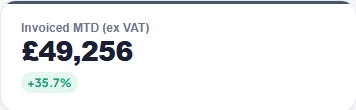
Invoiced this month, £49,256, up 35.7%
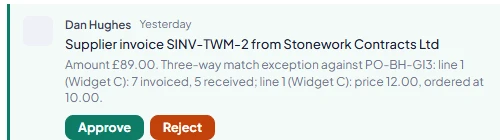
A supplier invoice notice with a three-way match exception and Approve and Reject buttons
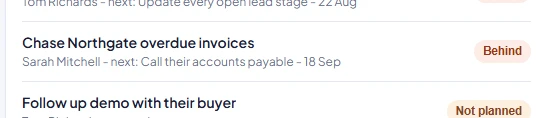
Team plans: chase Northgate overdue invoices, marked Behind
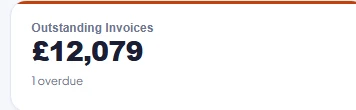
Outstanding invoices, £7,639, one overdue
bizheart / sales staff / dashboard
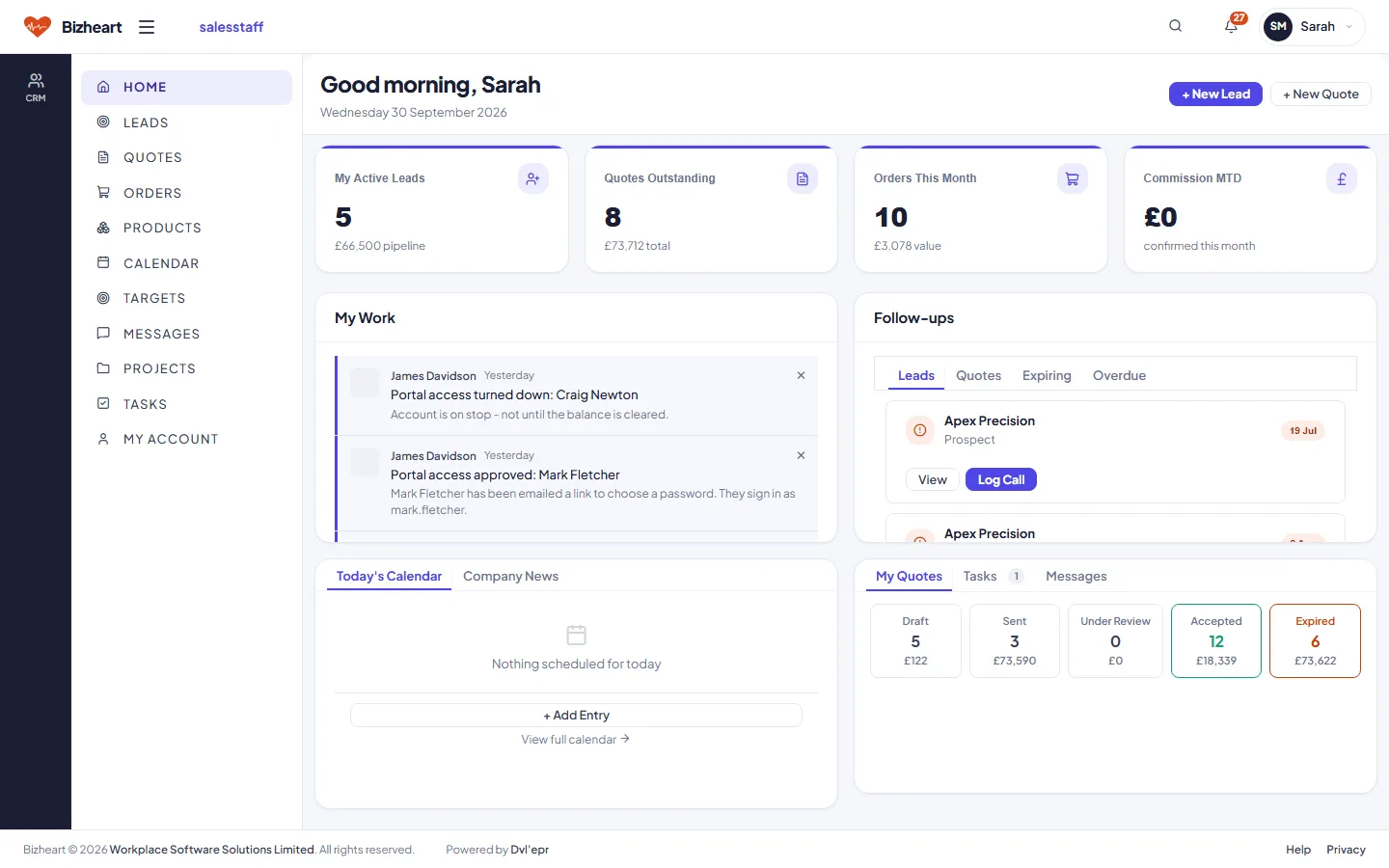
The Sales Staff dashboard: leads, quotes, orders and commission
bizheart / warehouse staff / dashboard
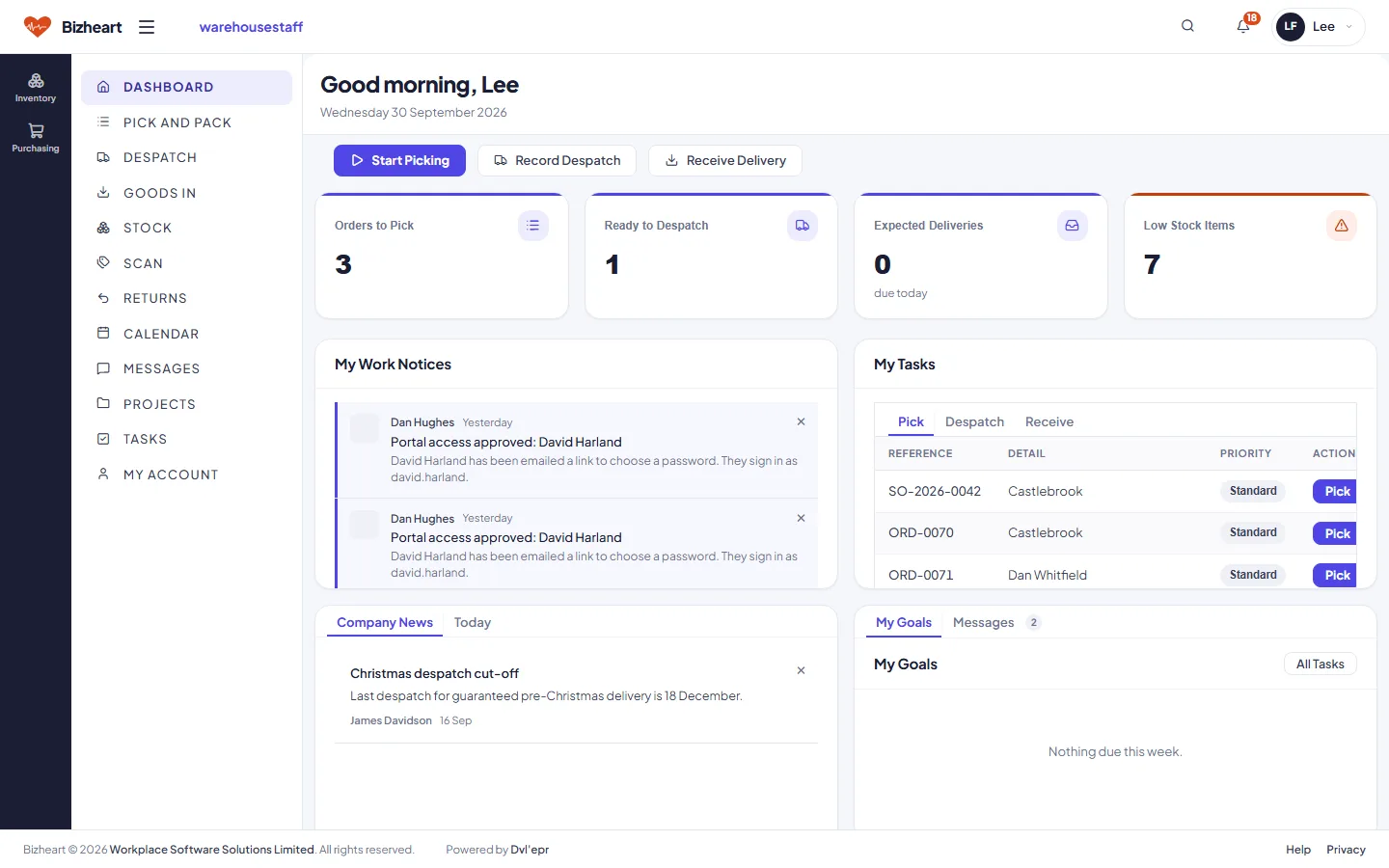
The Warehouse Staff dashboard: orders to pick, ready to despatch, expected deliveries, low stock
bizheart / manager / dashboard
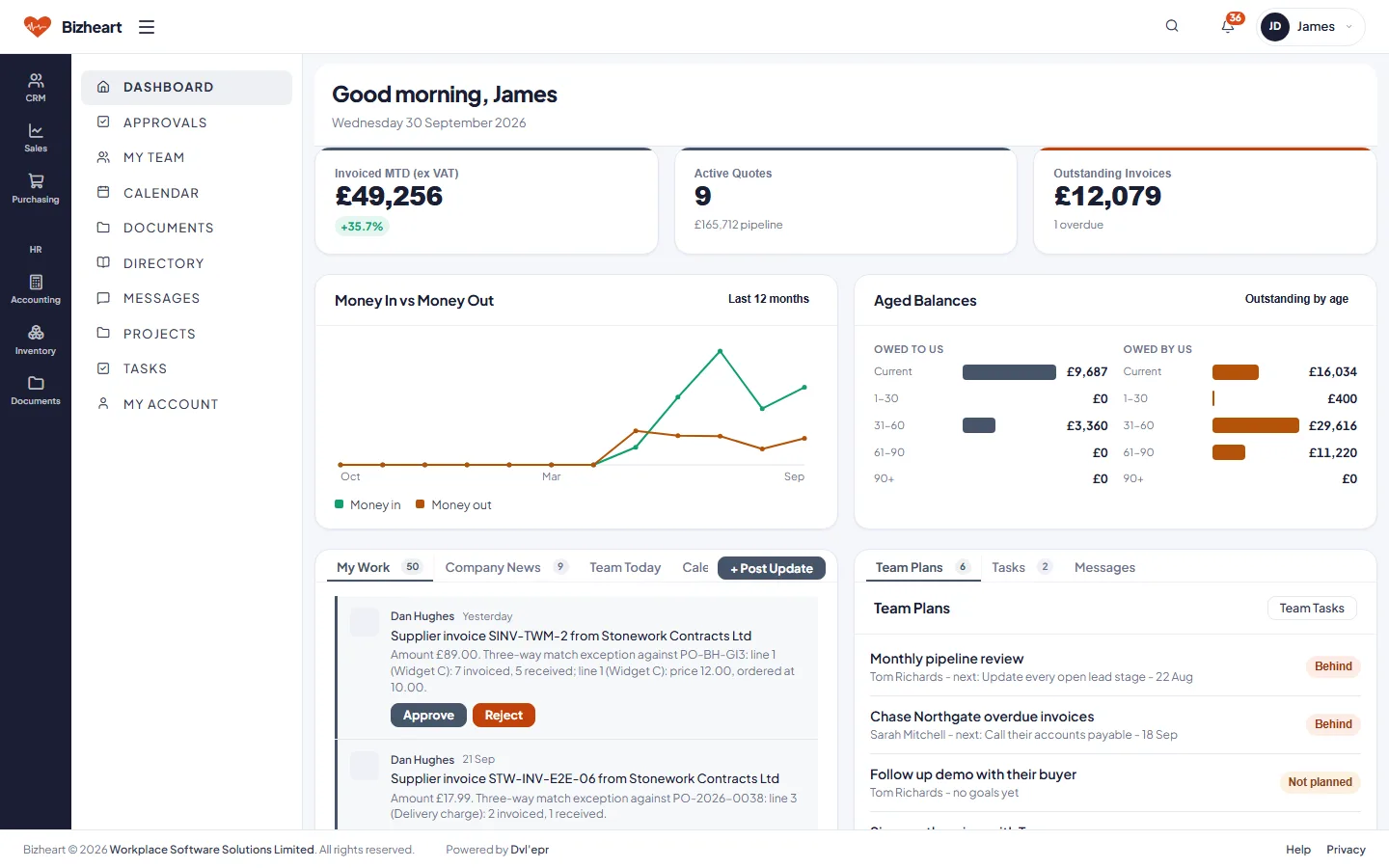
The Bizheart Manager dashboard: invoiced this month, active quotes, outstanding invoices, money in versus money out, aged balances
The platform

An app for every role

The platform consists of a number of role-based applications, built around the common roles a business needs.

Role-based applications

Across every application

Business applications: covered by the role-based apps

Role-based applications

An application for every role in the business

Eight applications, each following the principle of least privilege and carrying only the functionality its role needs.

Pick a role below, or let the tour run through them all.

Manager

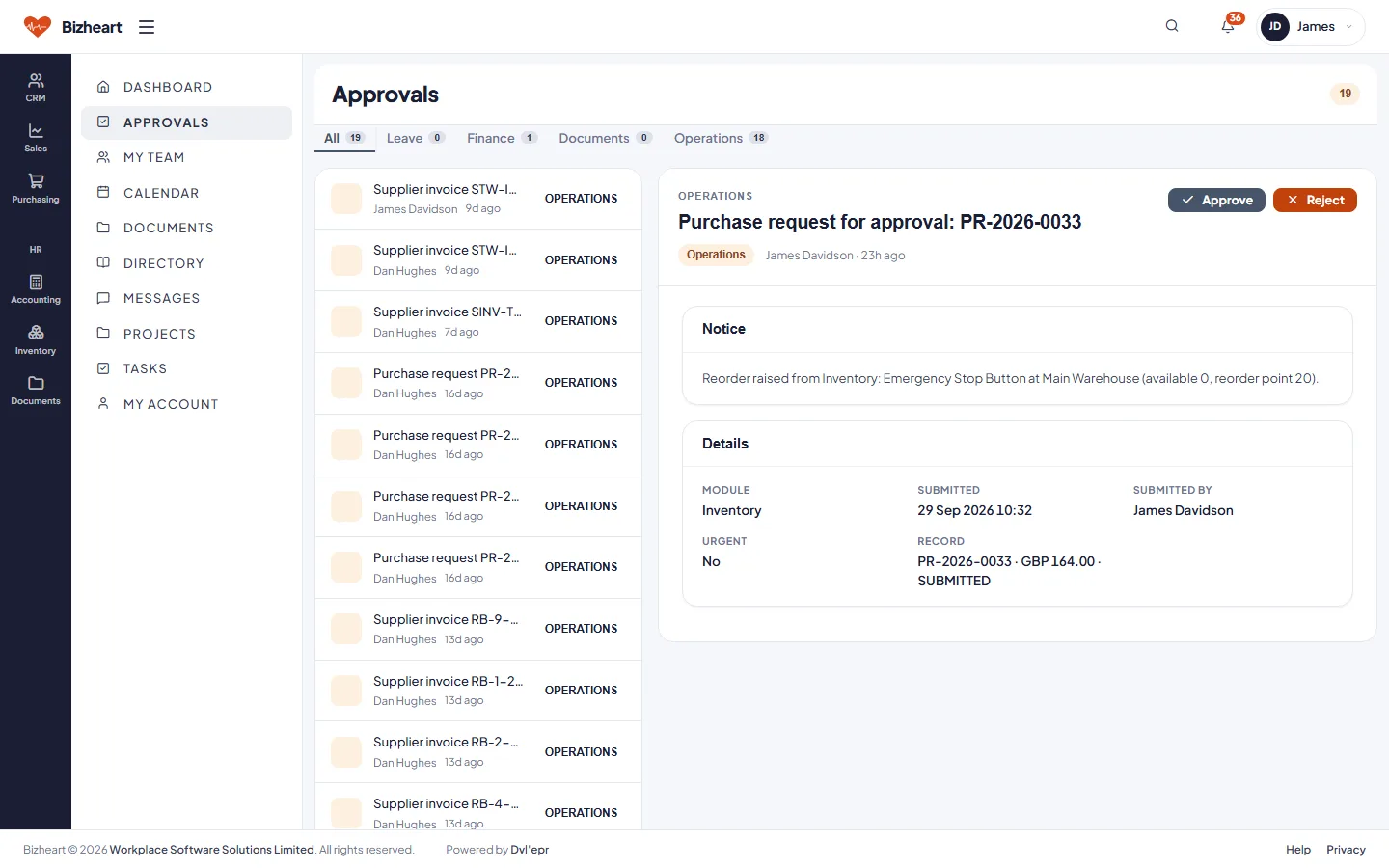
One approvals queue for purchase requests, supplier invoices, leave and supplier bank changes, each with what is needed to decide it. The dashboard shows invoiced this month, quotes in play, outstanding invoices and twelve months of money in and out.
Manager dashboard
Manager approvals queue listing purchase requests and supplier invoices awaiting a decision
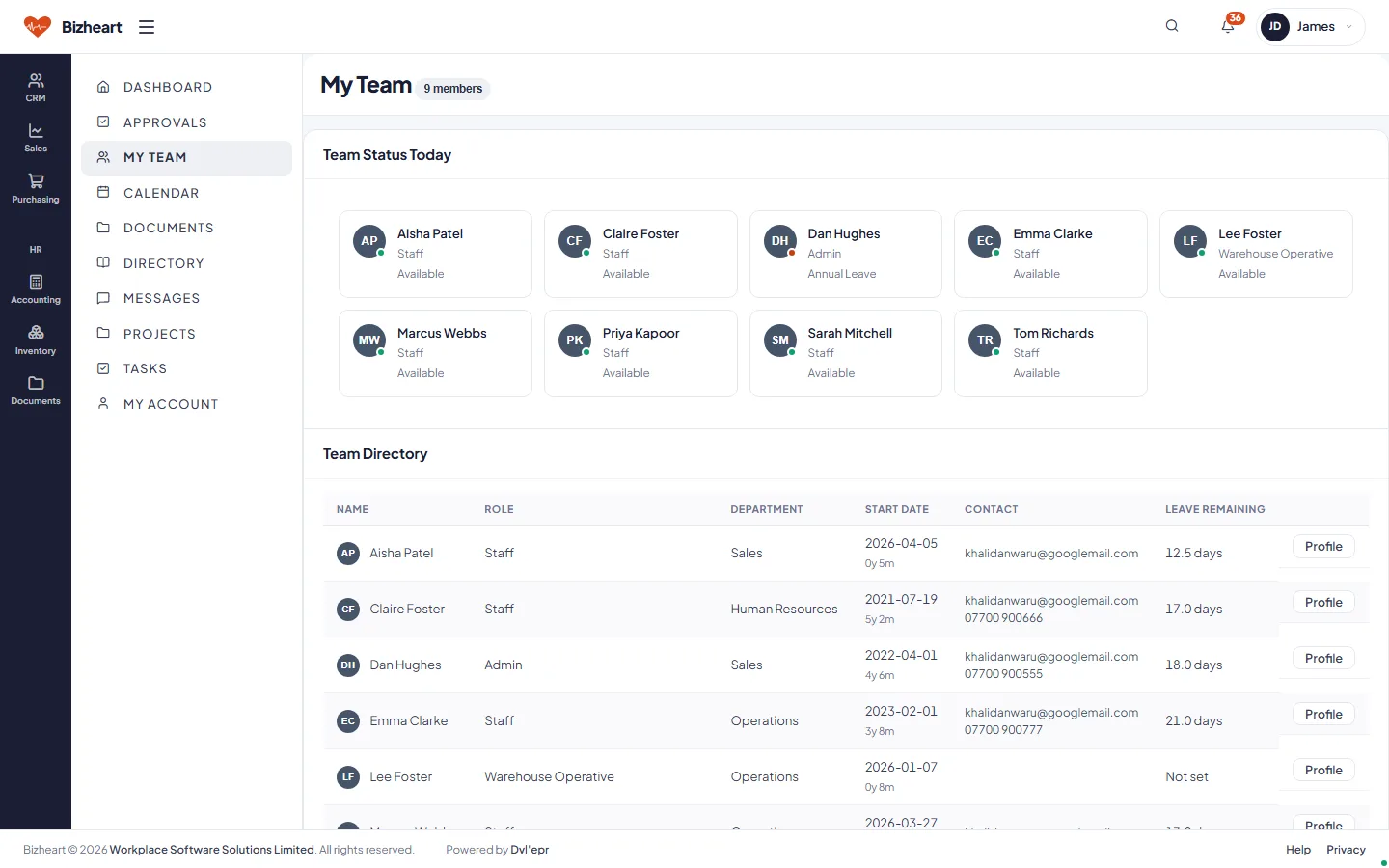
My Team: each team member's status today and the team directory
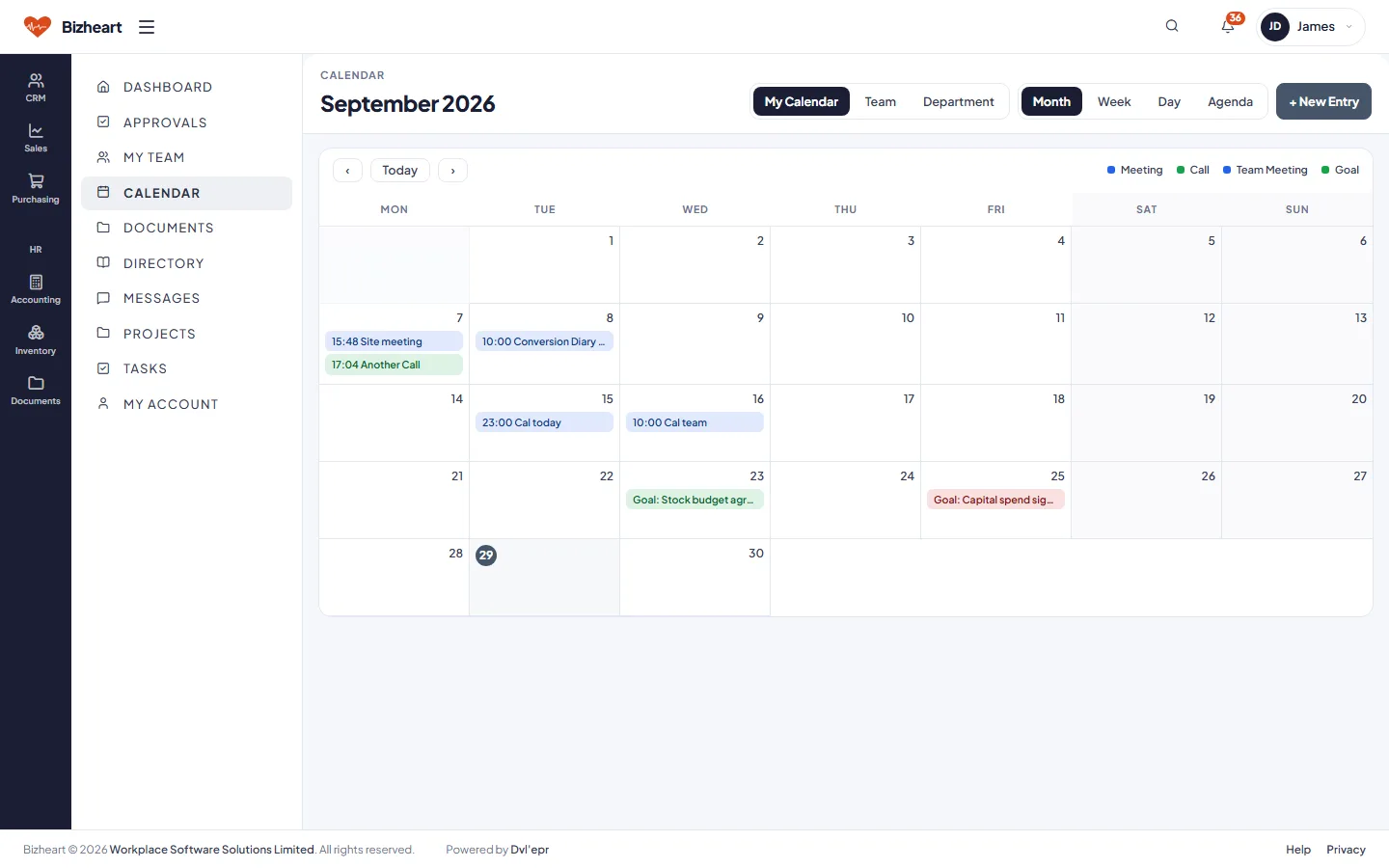
Manager calendar for September with team appointments
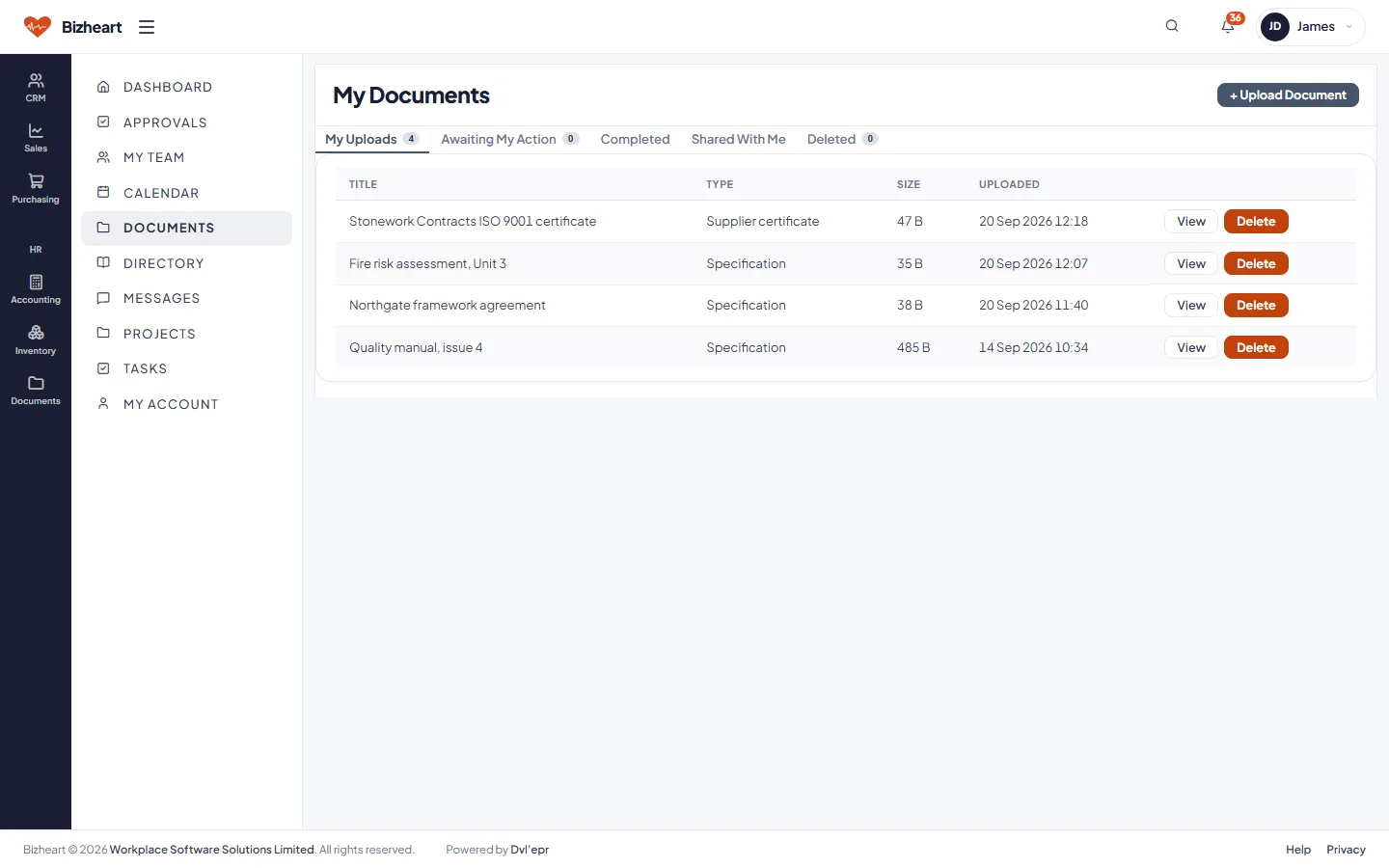
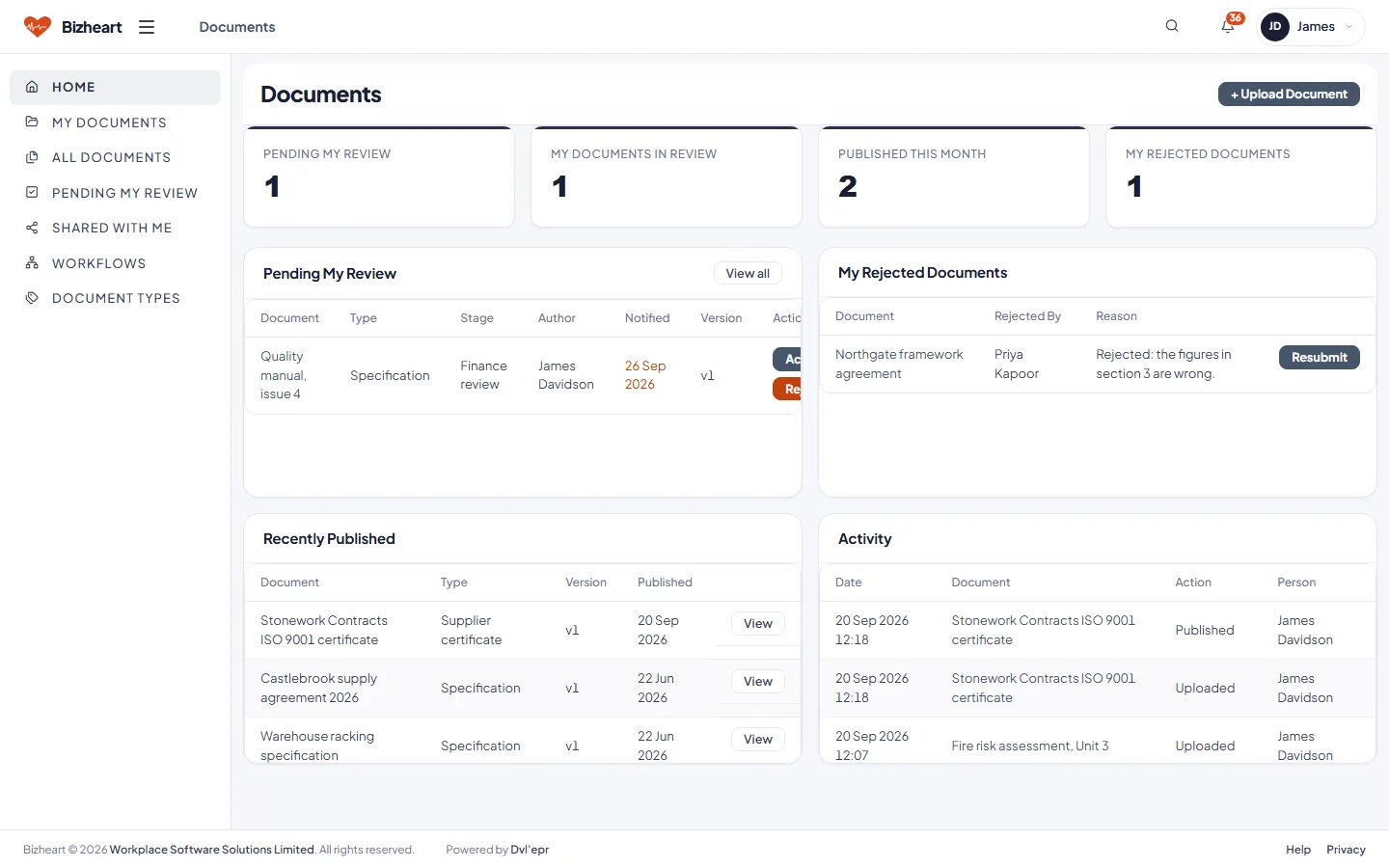
Manager documents: uploads, awaiting my action, completed and shared
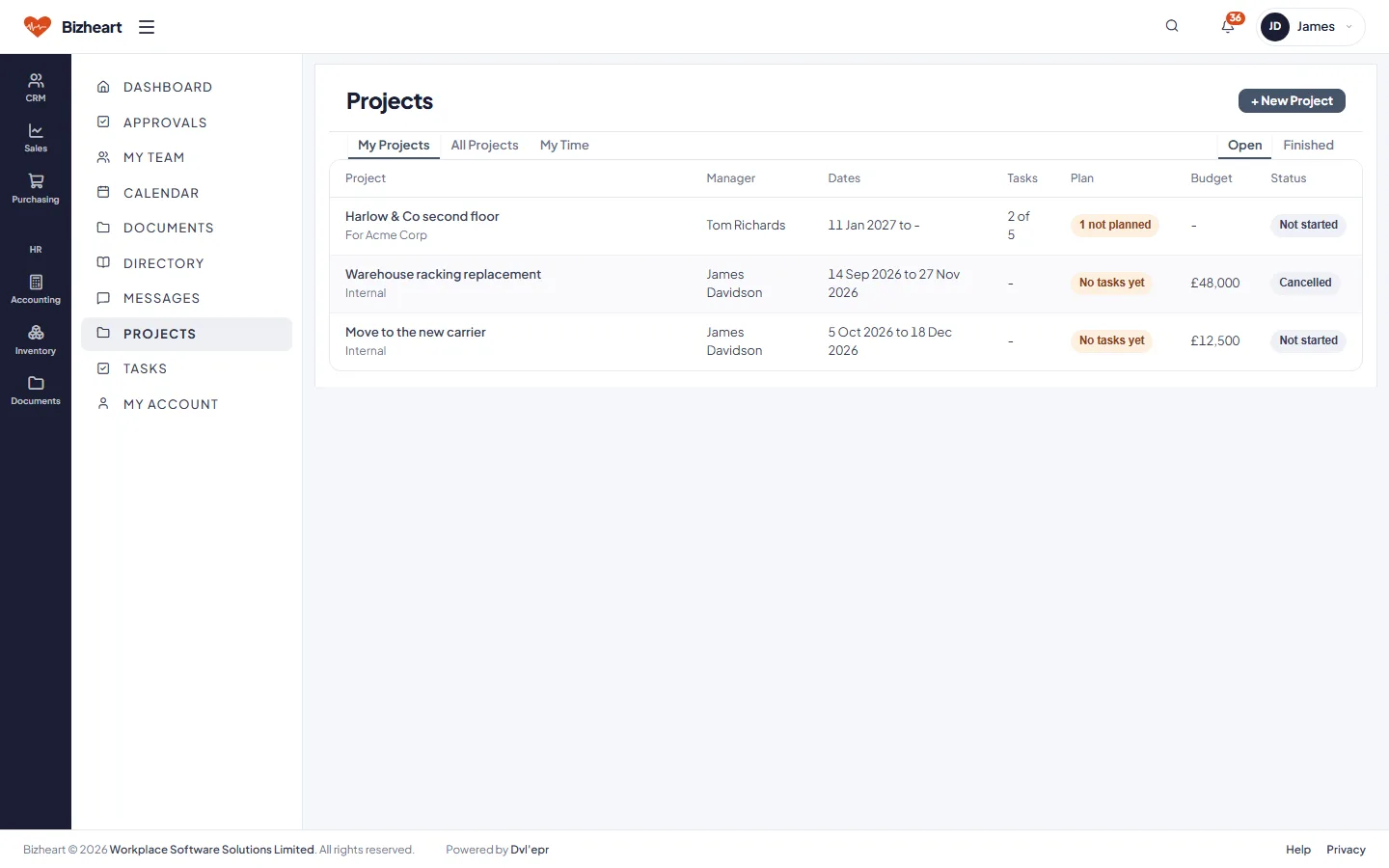
Projects with their manager, dates, tasks, plan and budget
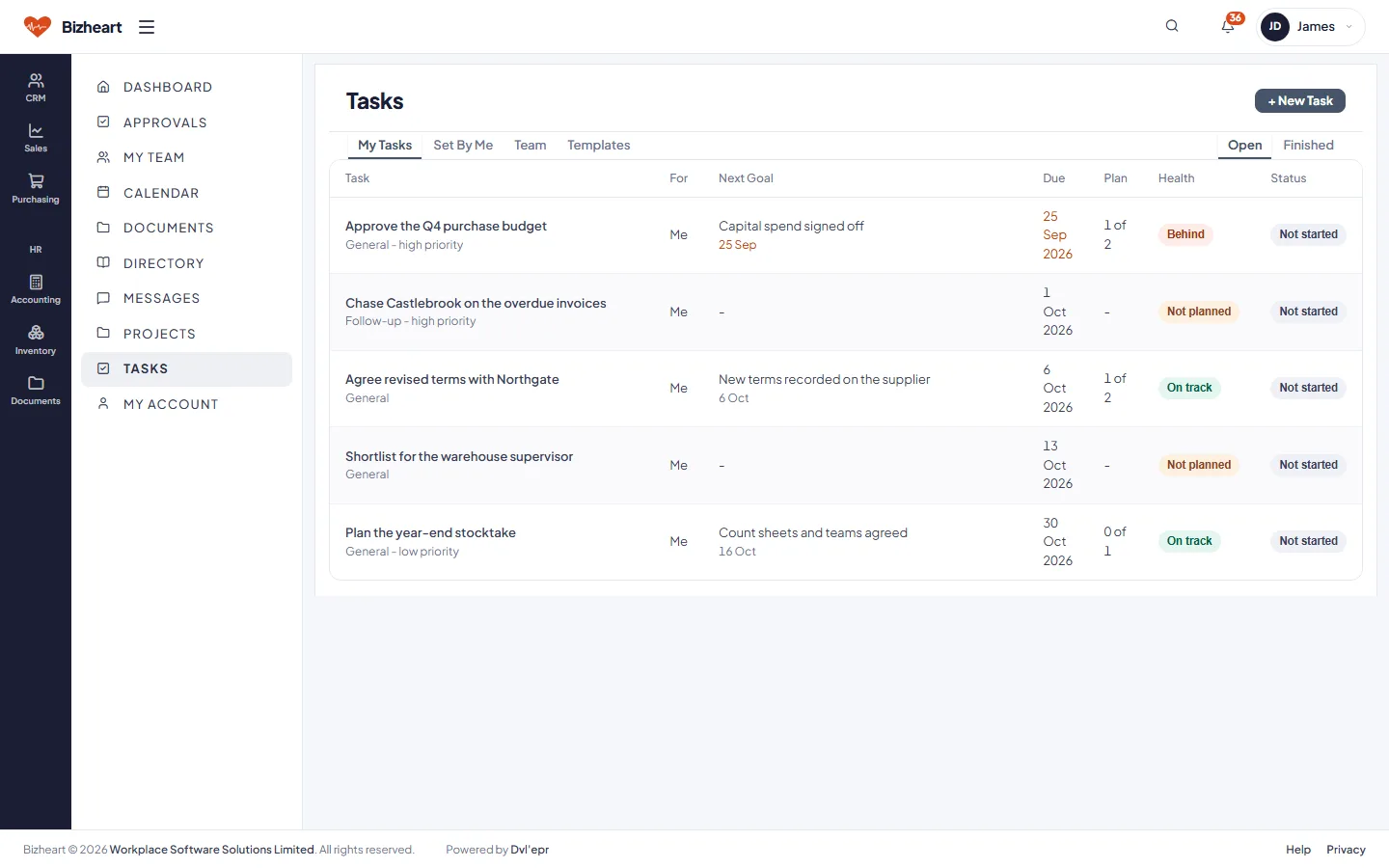
My tasks with their goals, dates and what is behind

Sales Staff

Active leads, quotes outstanding, orders this month and commission to date, then the quote pipeline from draft to accepted. Work notices tell the salesperson when their order has been despatched or an invoice approved.

Sales Staff dashboard with active leads, quotes outstanding, orders this month, commission and a quotes pipeline summary
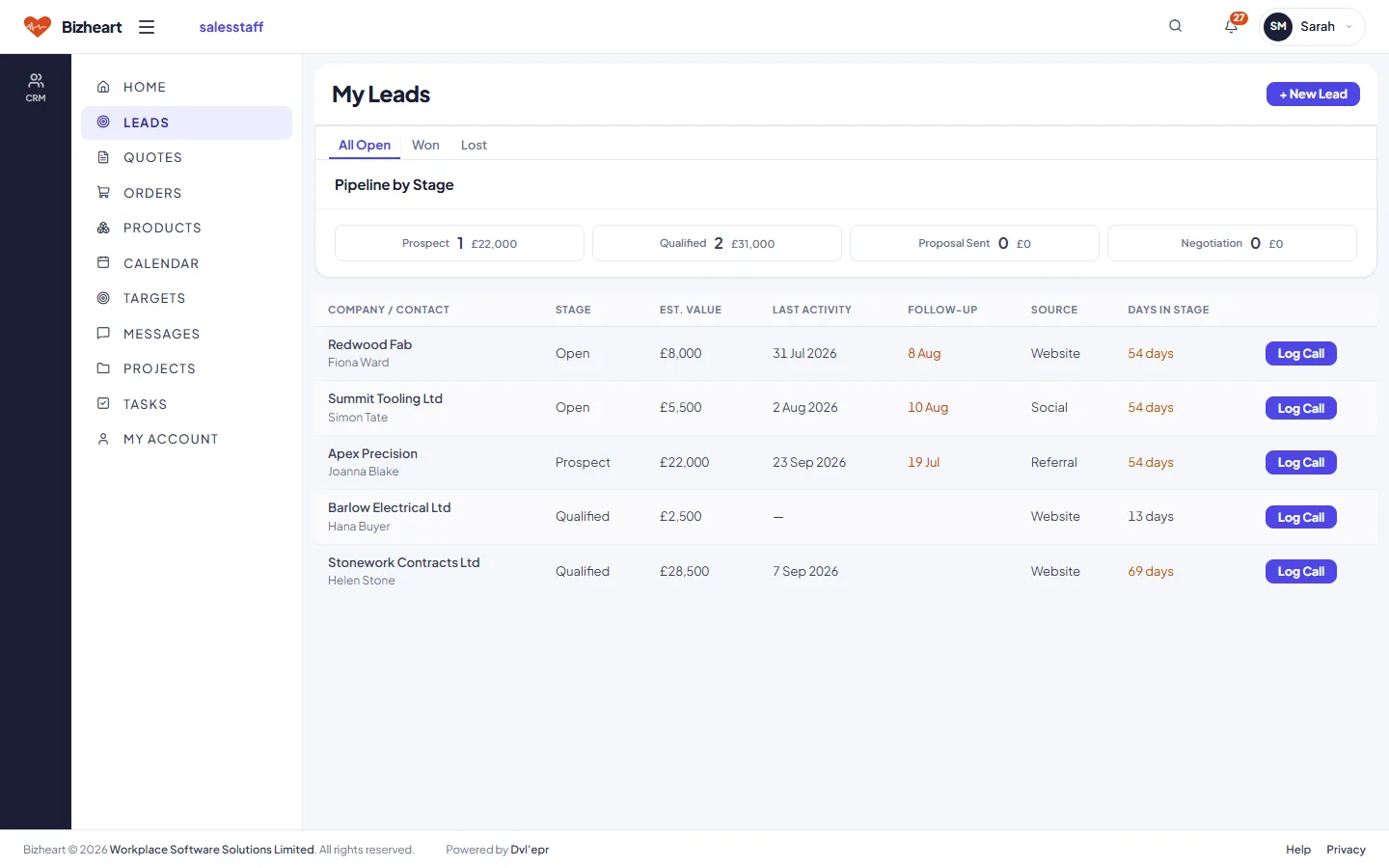
My Leads list with pipeline stage, value and follow-up dates
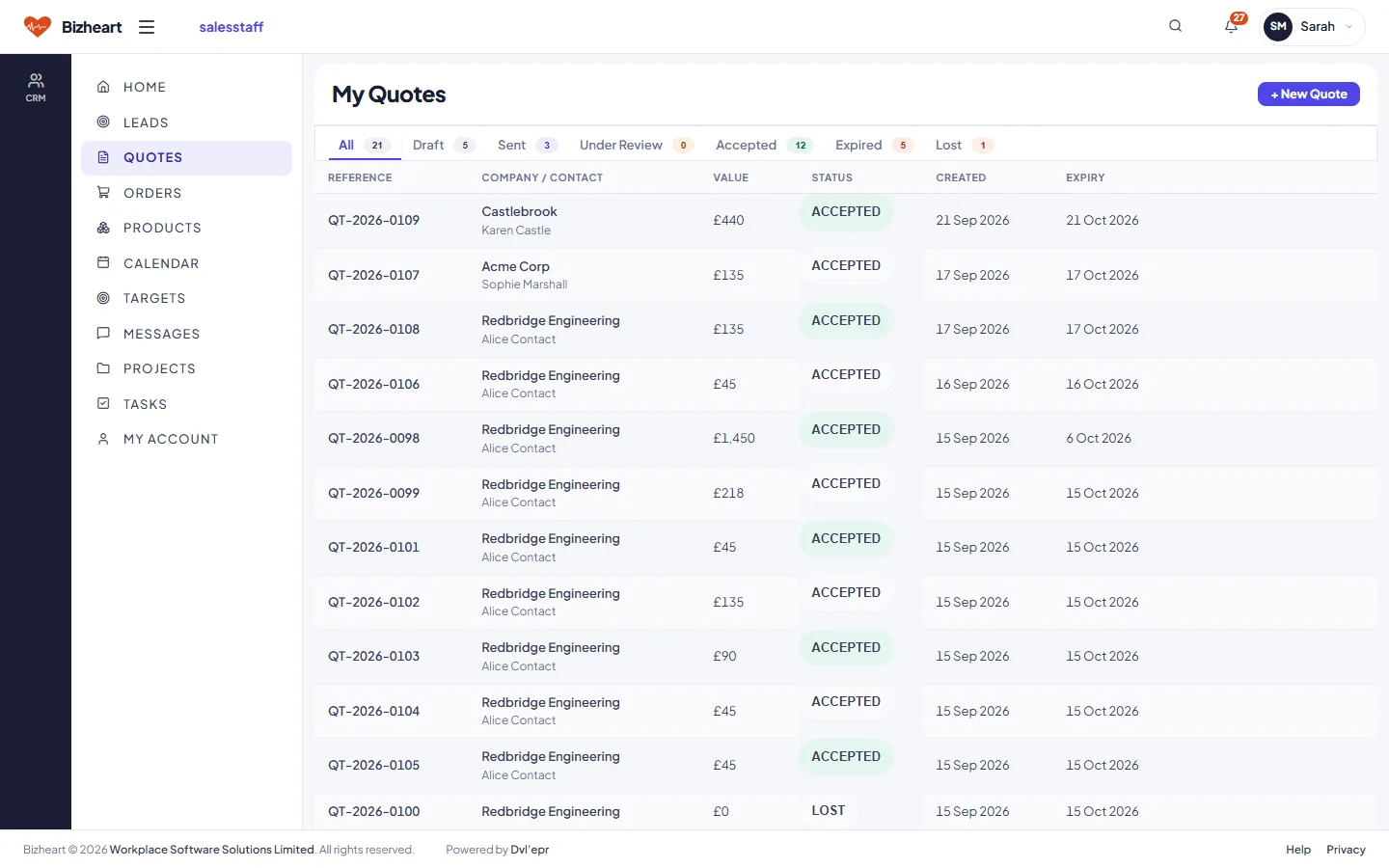
My Quotes list with status and expiry
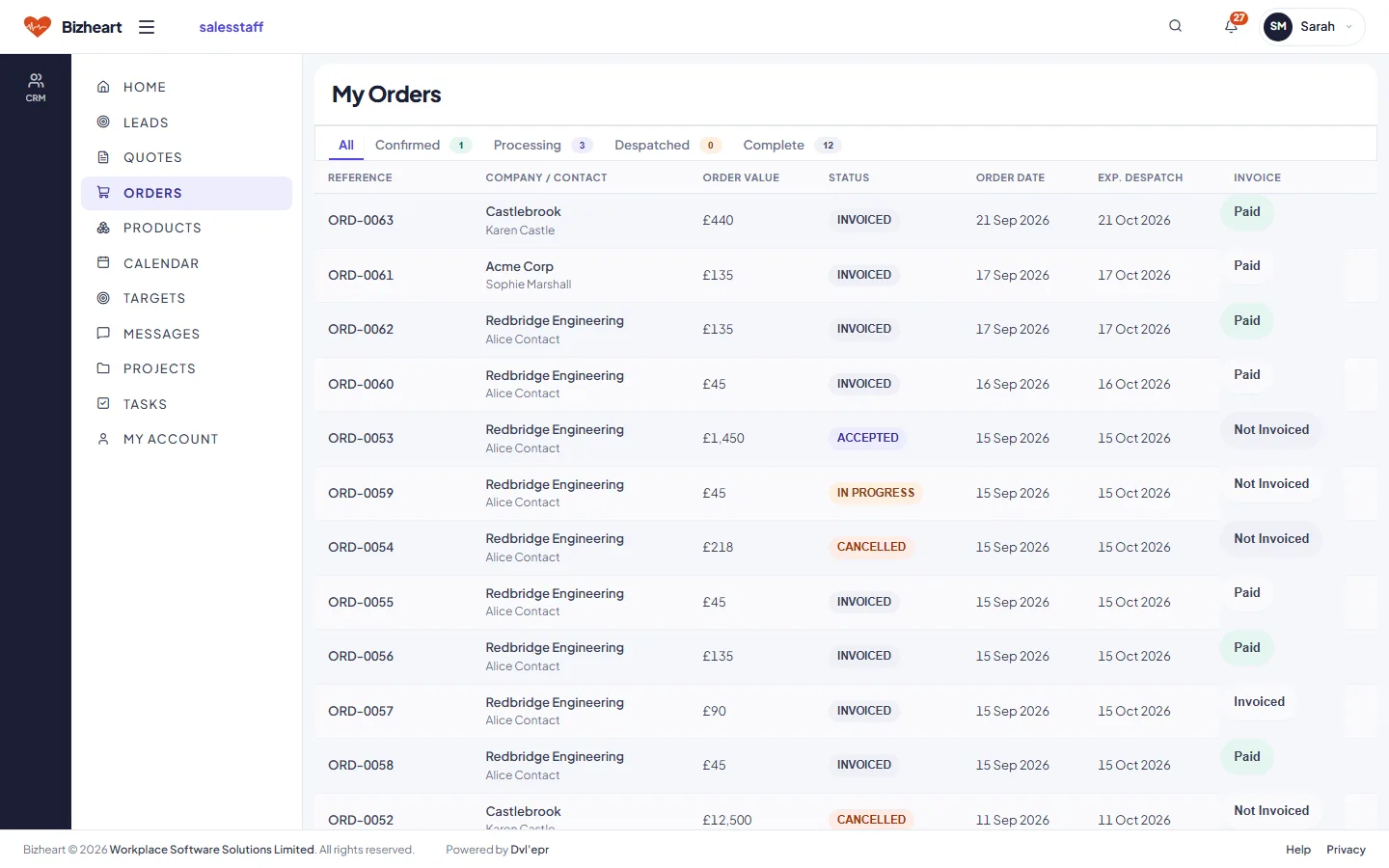
My Orders list with status and invoice state
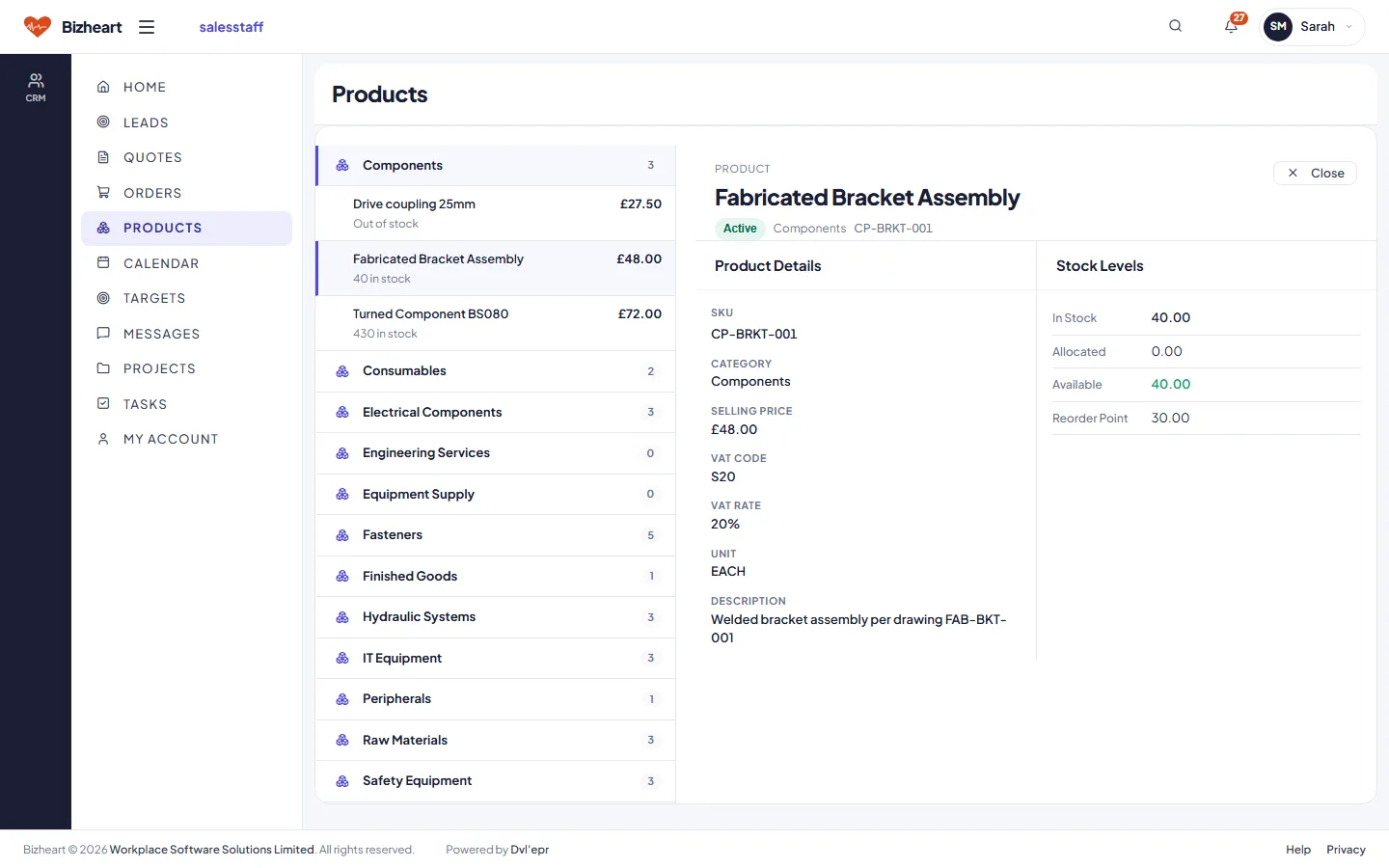
Product categories
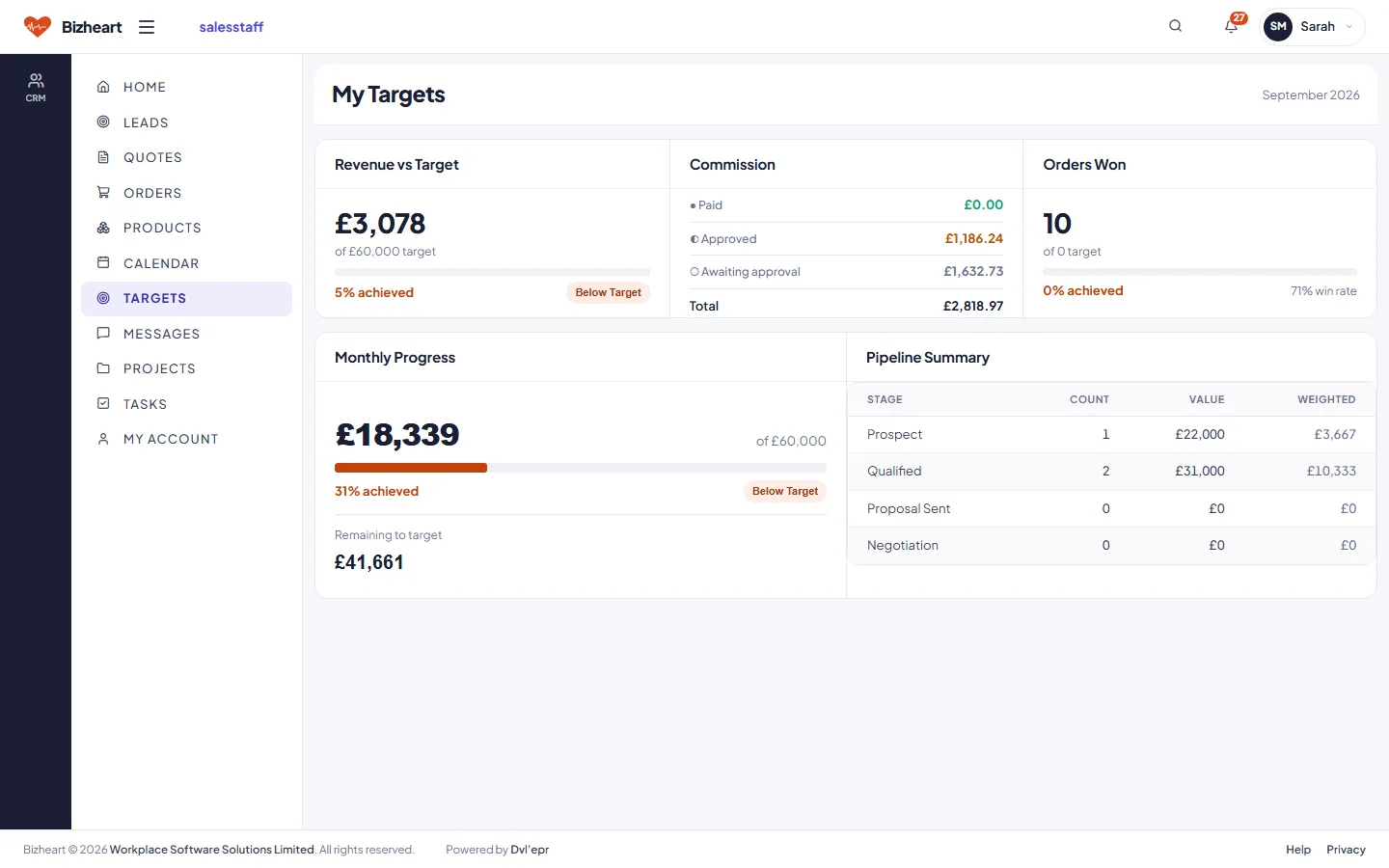
My Targets: revenue against target, commission, orders won and monthly progress

Finance Staff

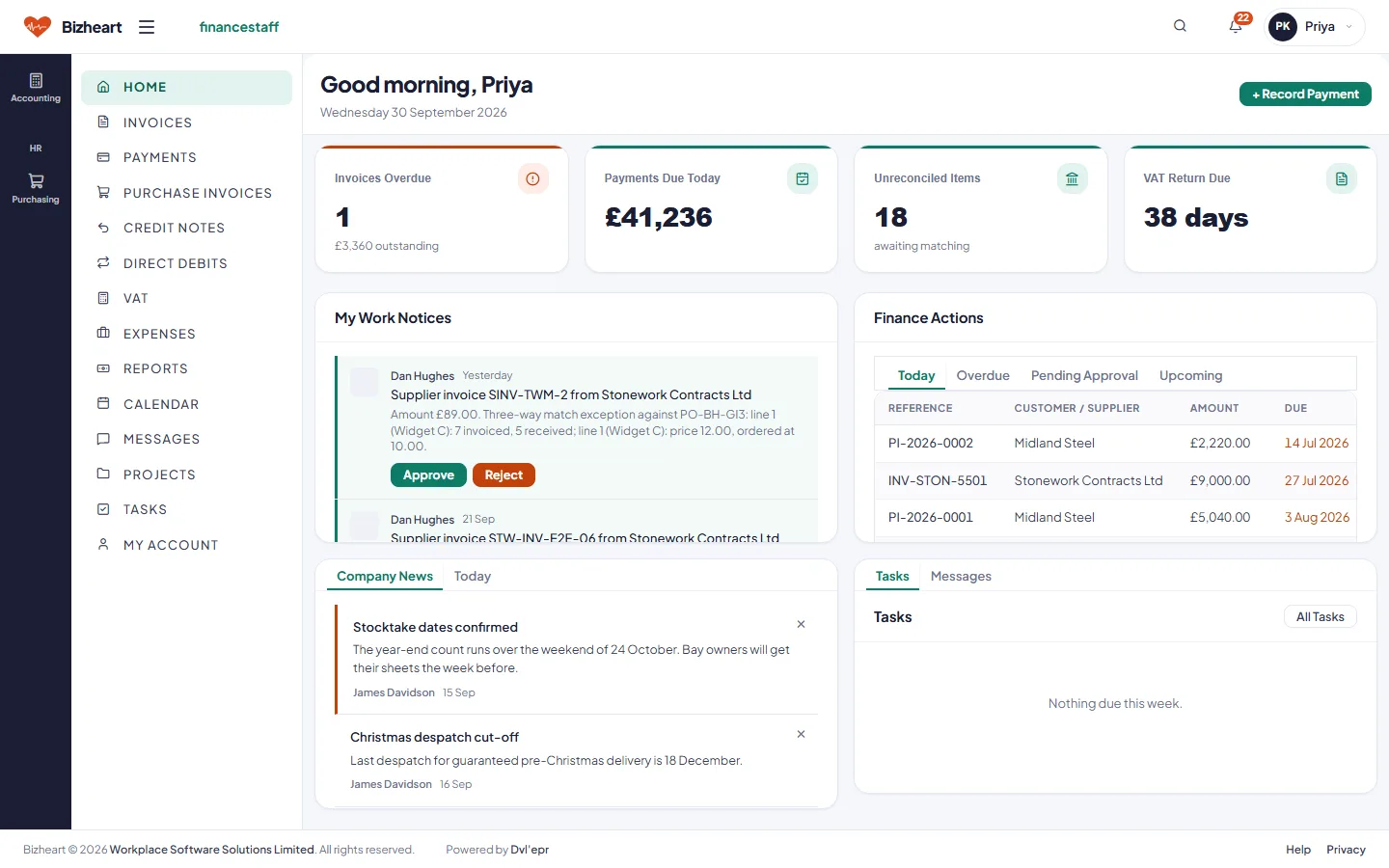
Invoices overdue, payments due today, unreconciled bank items and the days to the next VAT return. Supplier invoices needing a decision arrive in the work feed with Approve and Reject on the notice itself.

Finance Staff dashboard with invoices overdue, payments due today, unreconciled items, VAT return due and a work feed
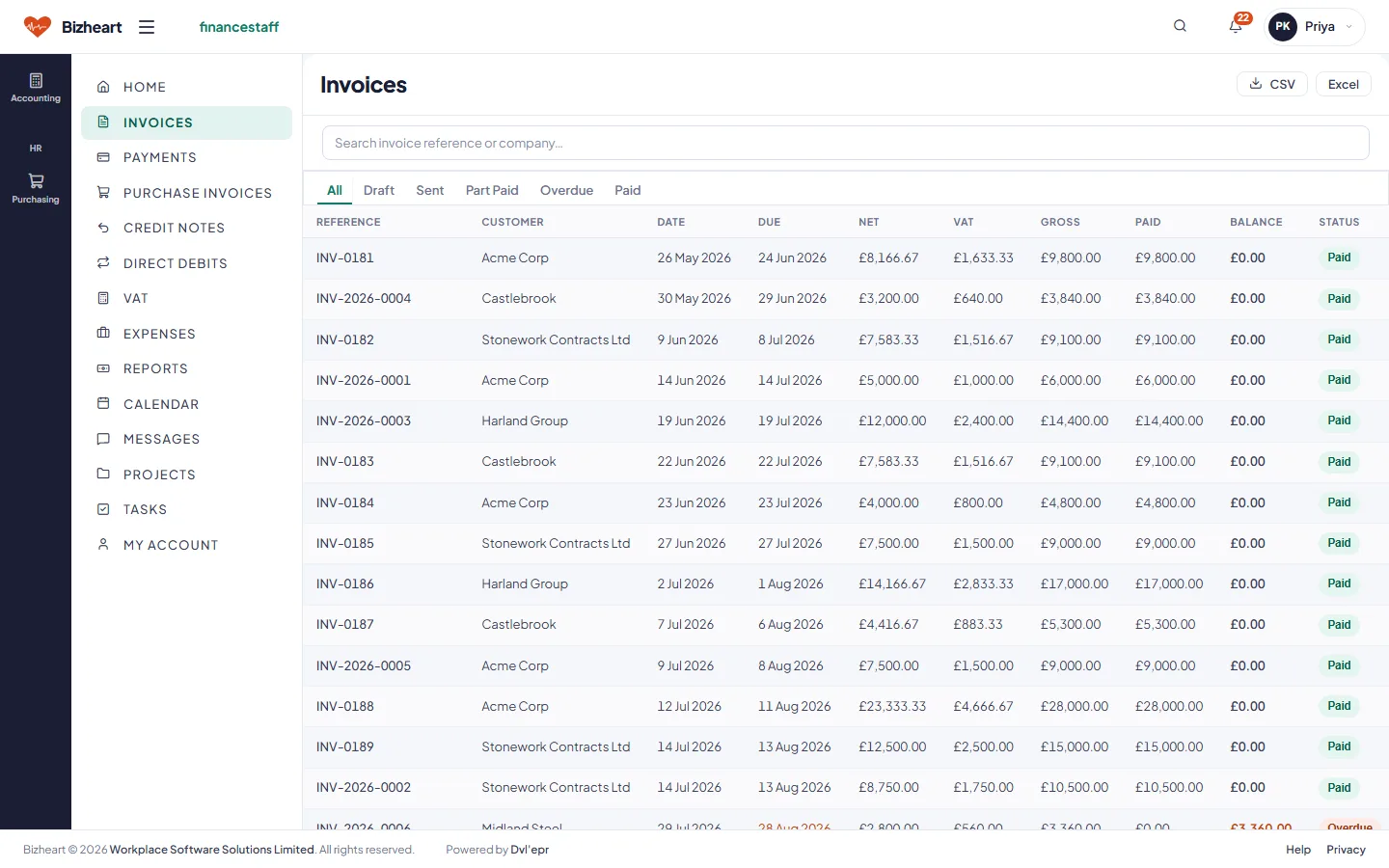
Invoices list with net, VAT, gross, paid, balance and status
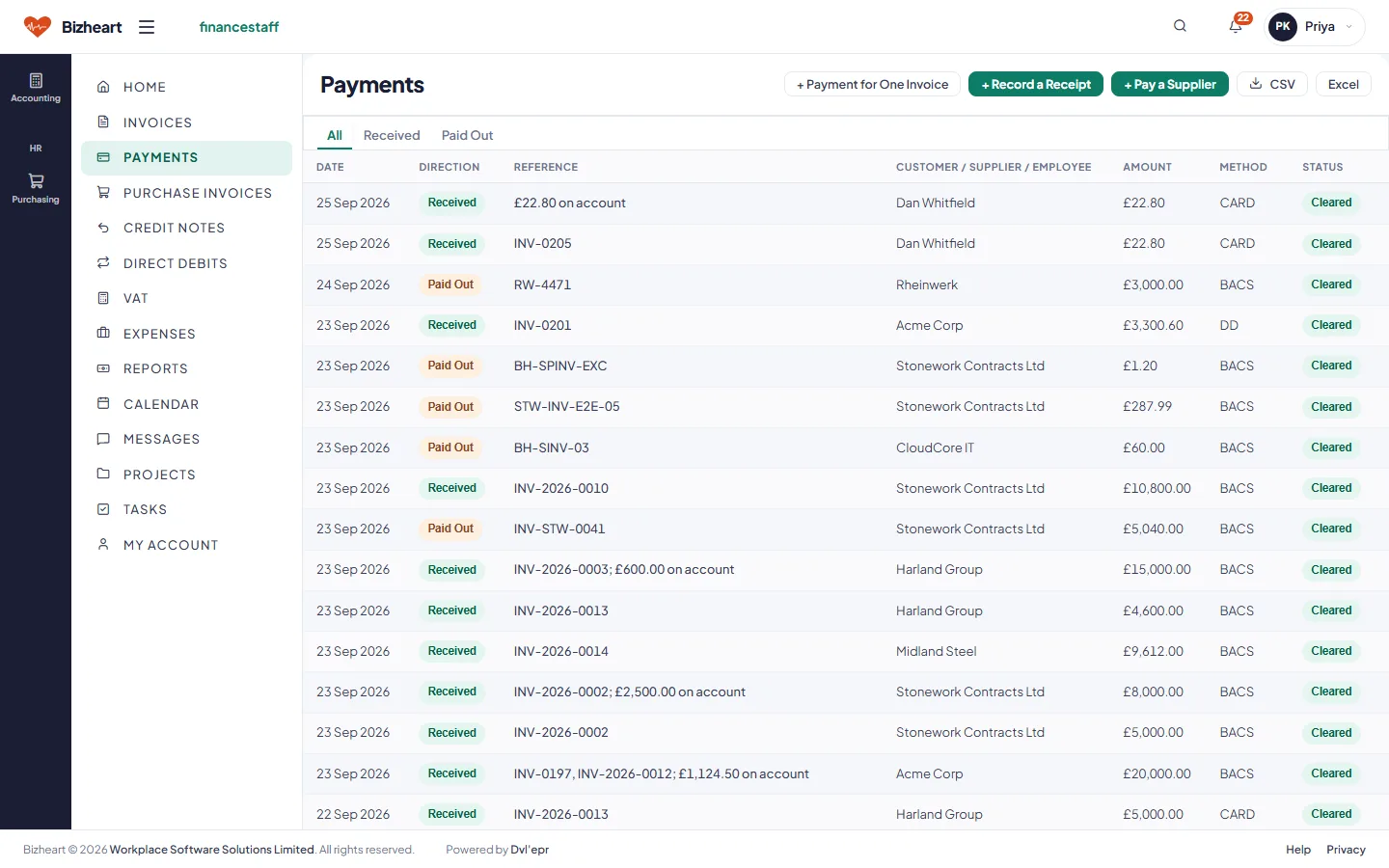
Payments received and allocated to invoices
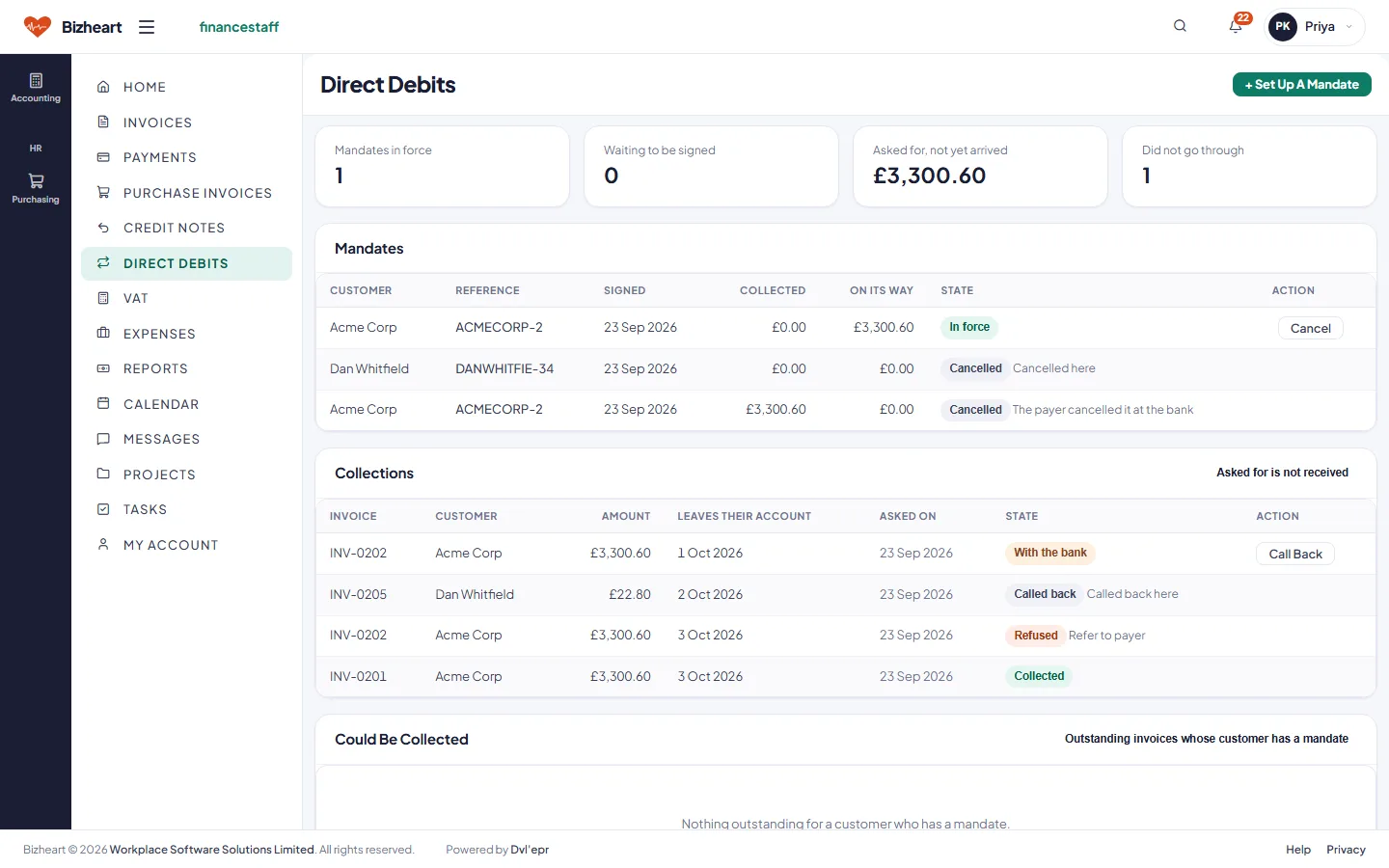
Direct debits: mandates, collections and invoices that could be collected
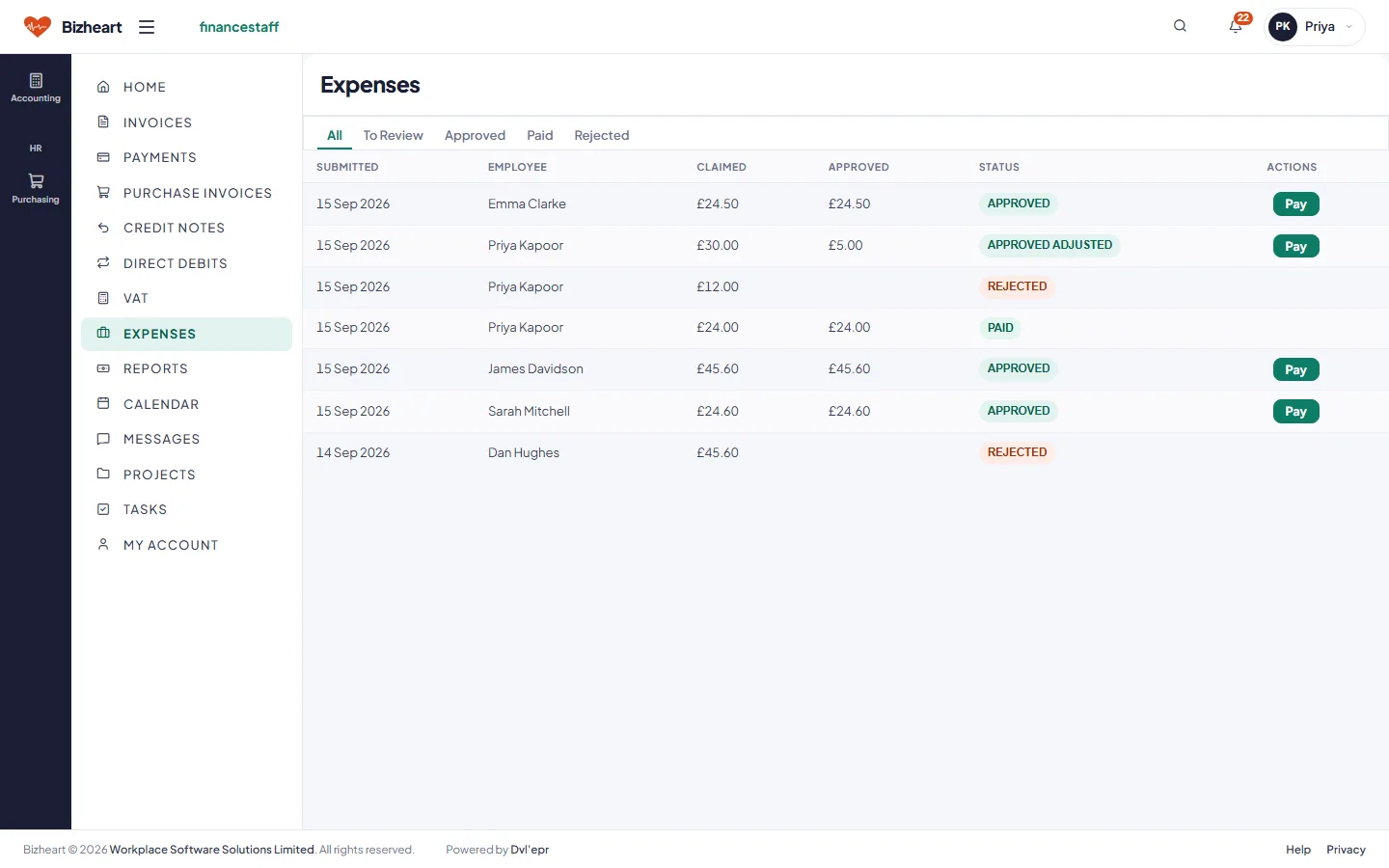
Expense claims with status and approve or pay actions
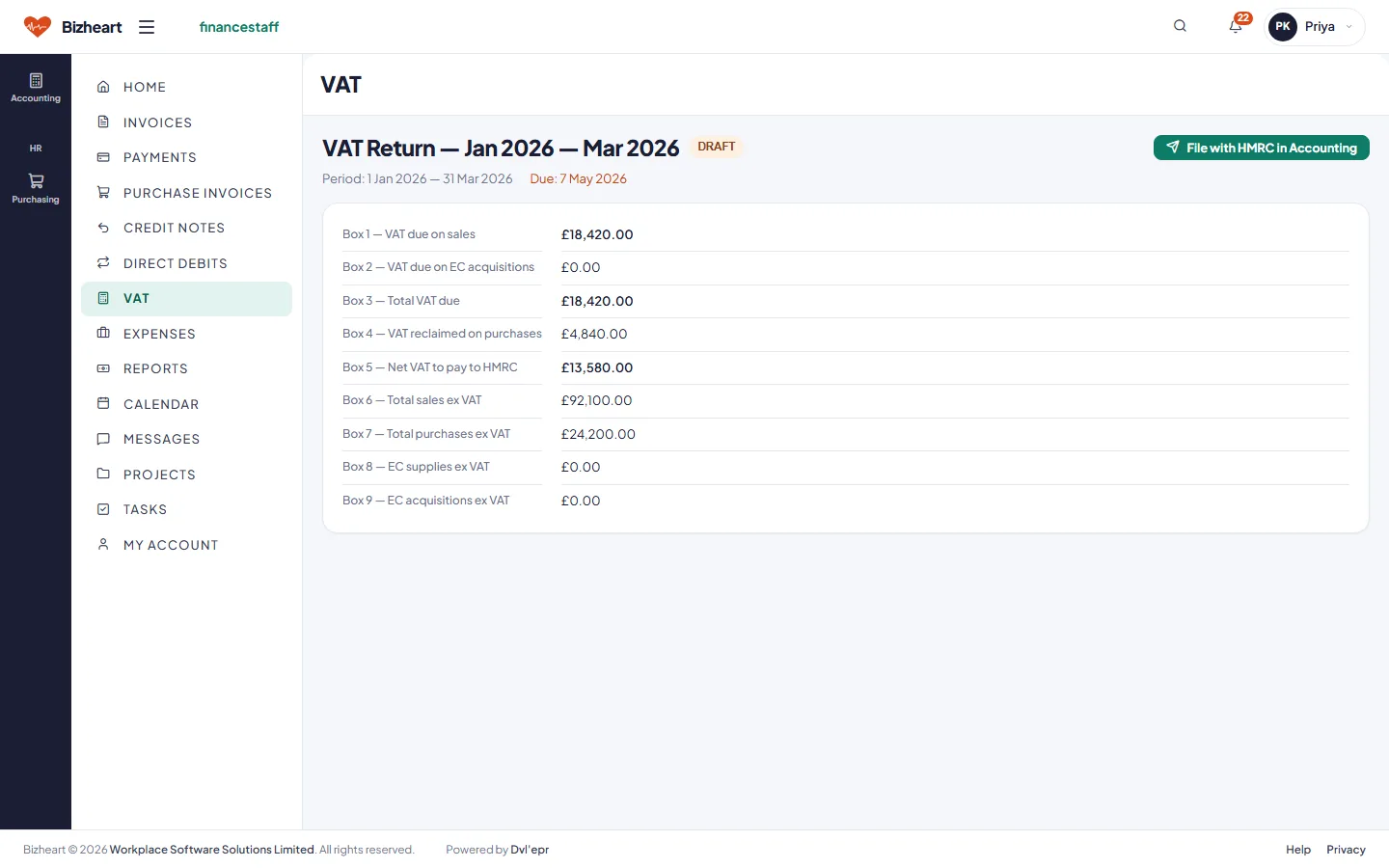
VAT return with the nine boxes for the quarter

Admin Staff

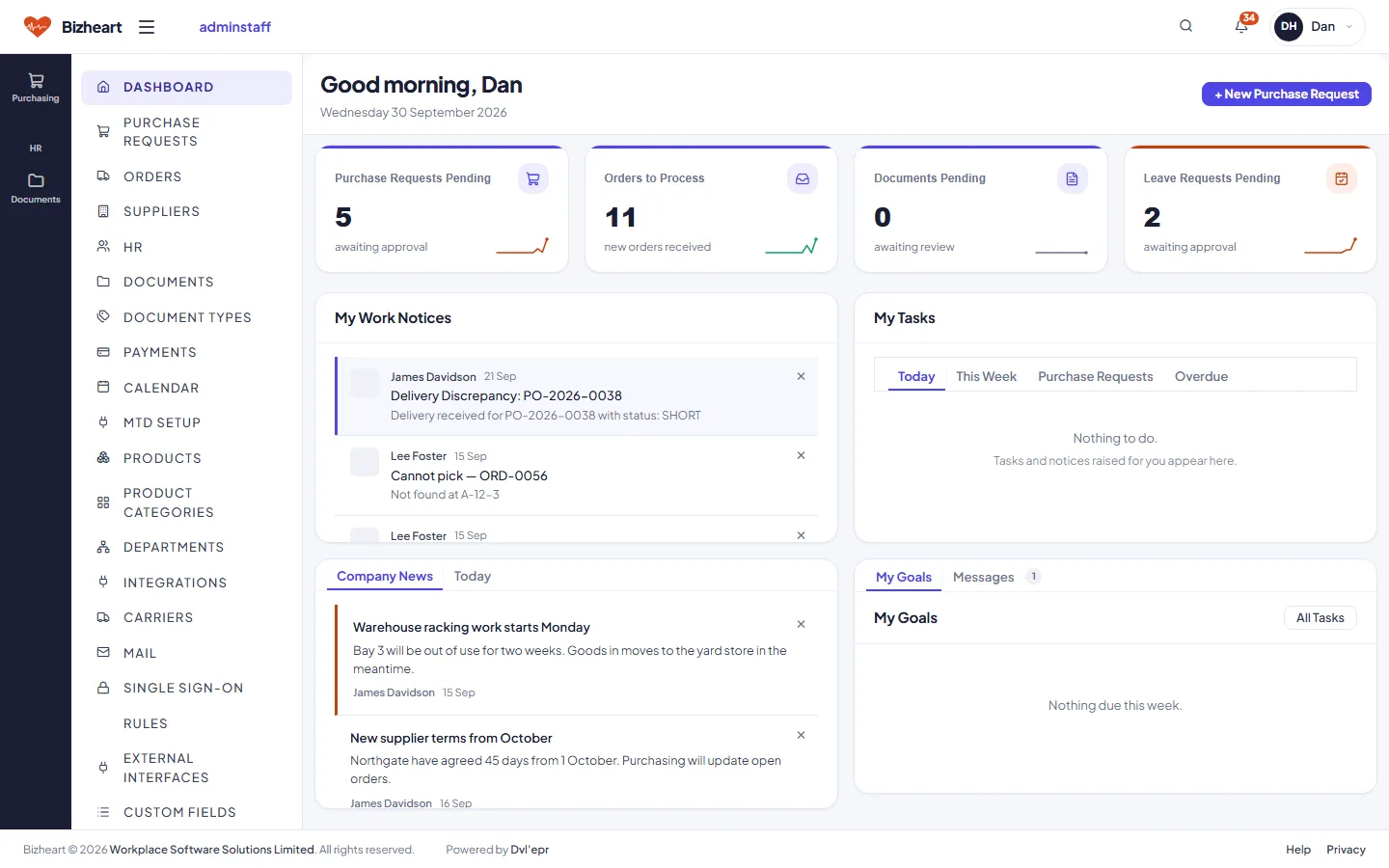
Purchase requests pending, orders to process, documents and leave requests waiting. Delivery discrepancies from the warehouse land here to sort out with the supplier. Admin owns suppliers, products, departments, document types and the company settings, and the connections out to other systems.

Admin Staff dashboard with purchase requests pending, orders to process, documents pending and leave requests pending
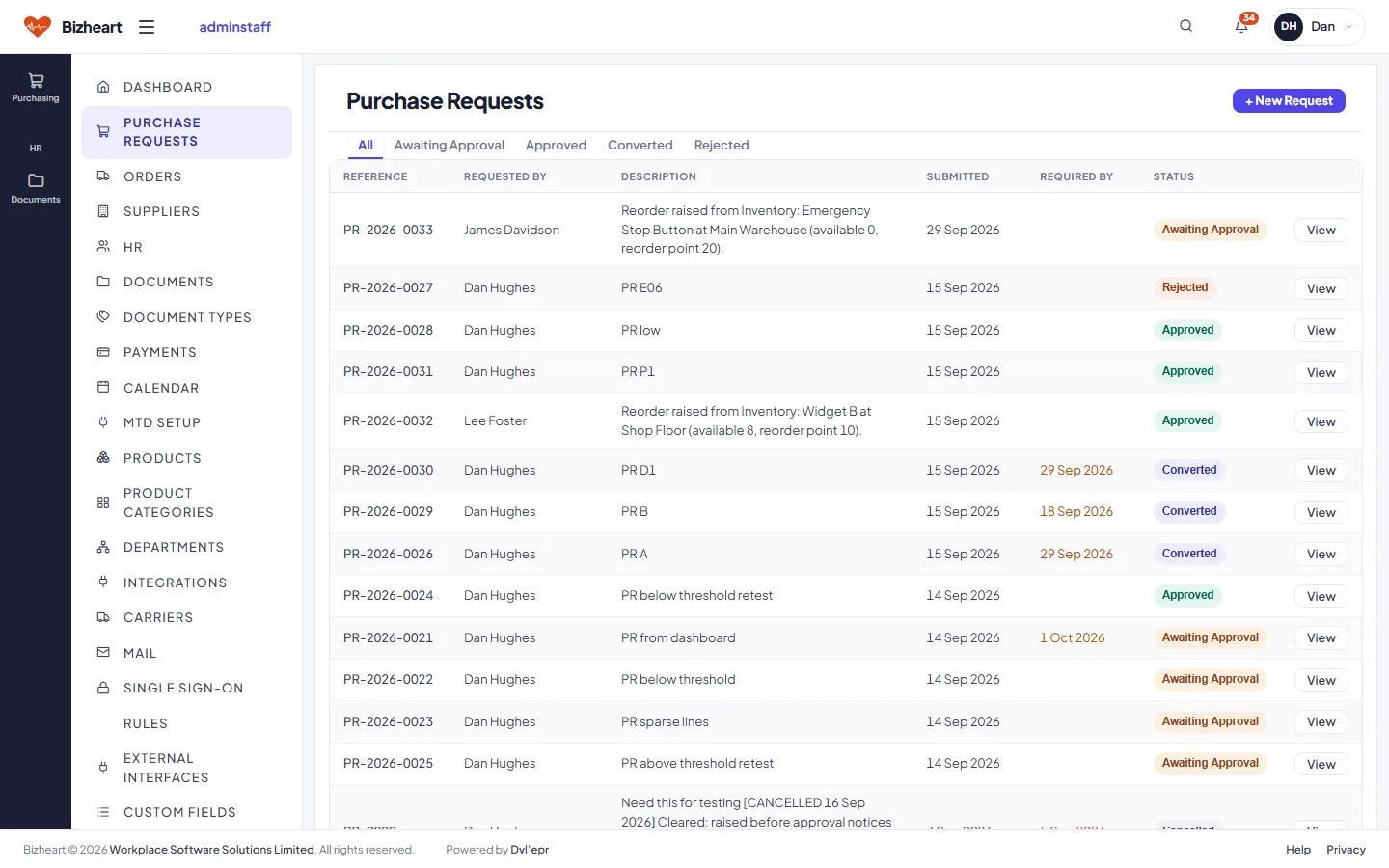
Purchase requests list with status
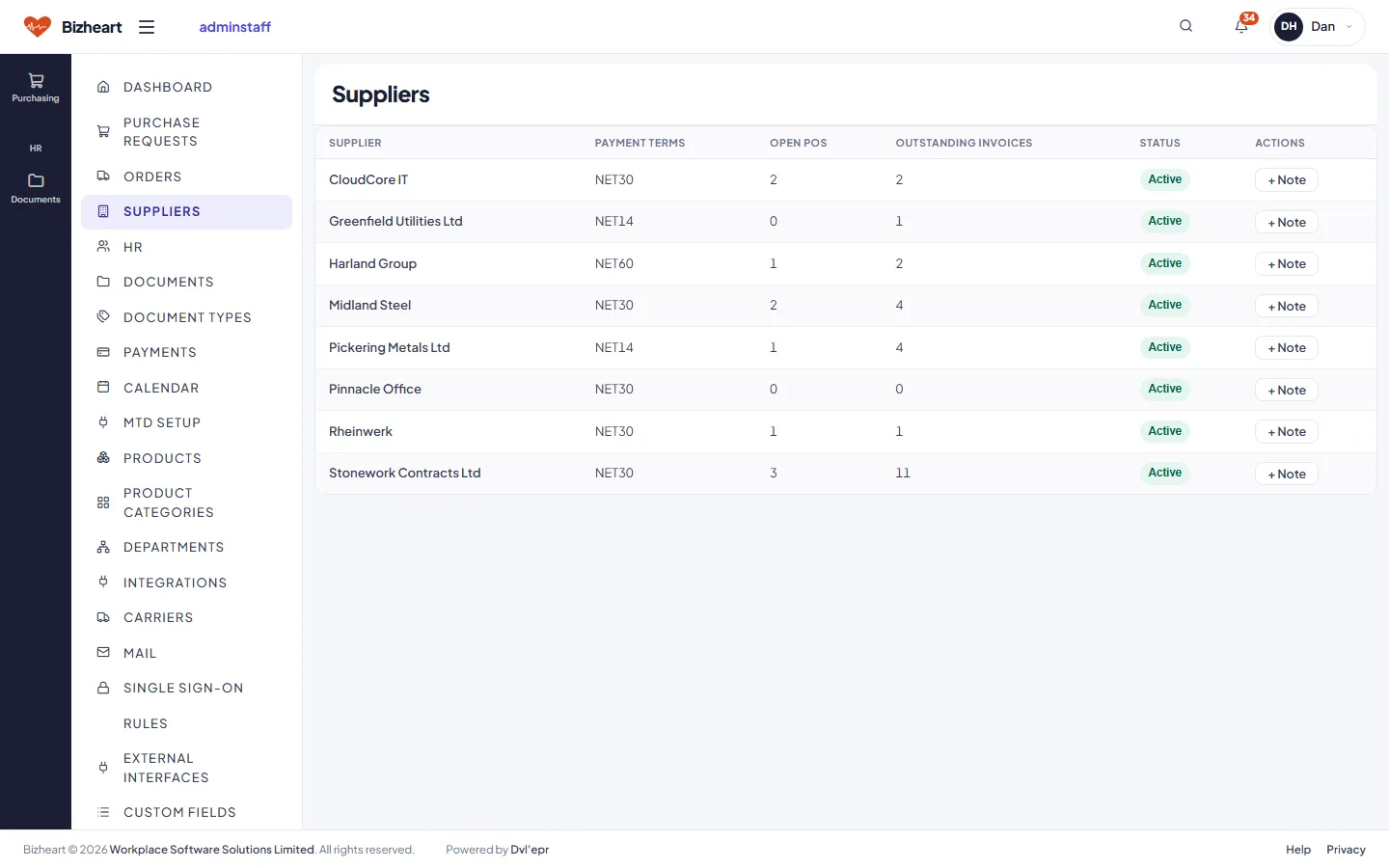
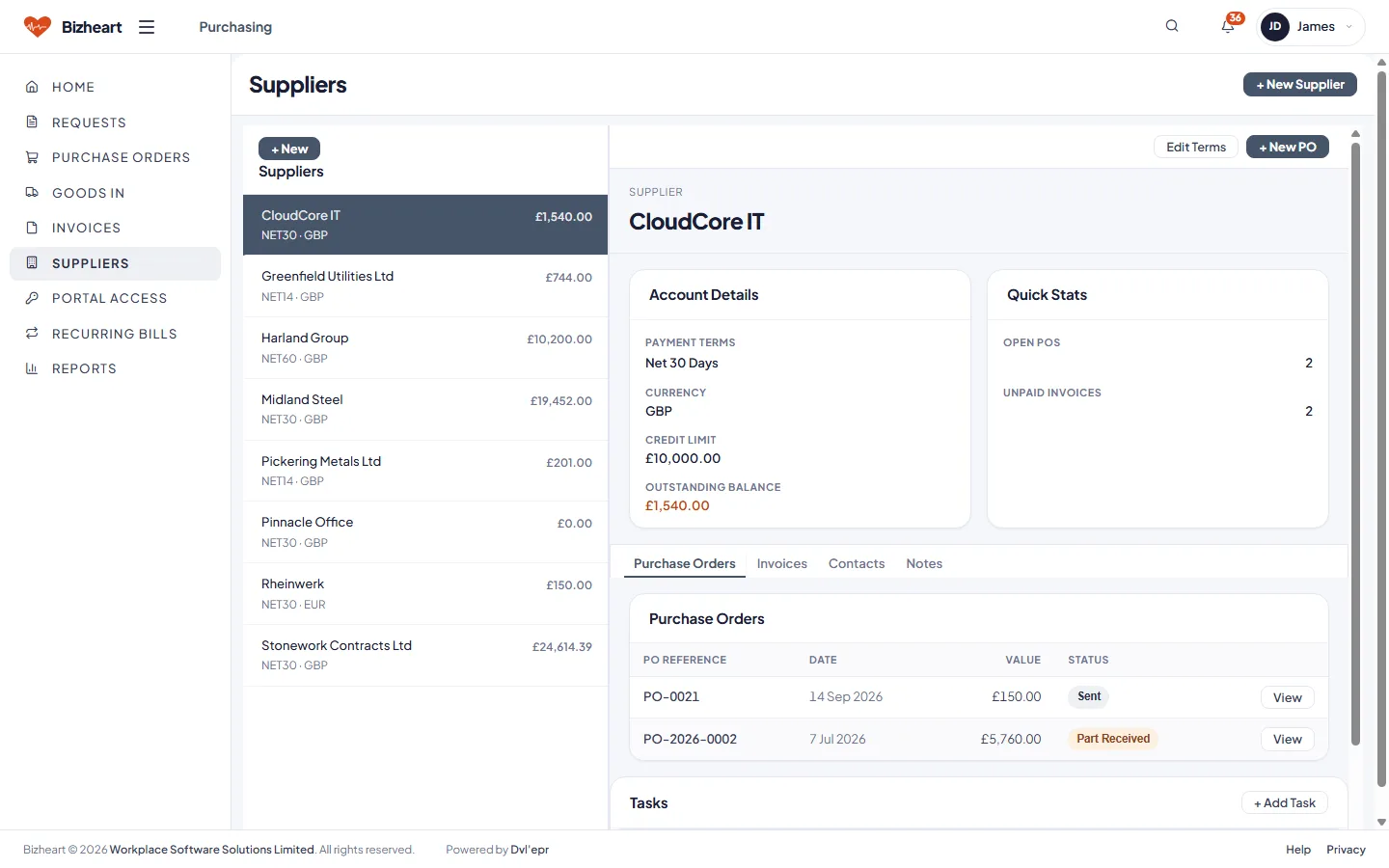
Suppliers list with open purchase orders and outstanding invoices
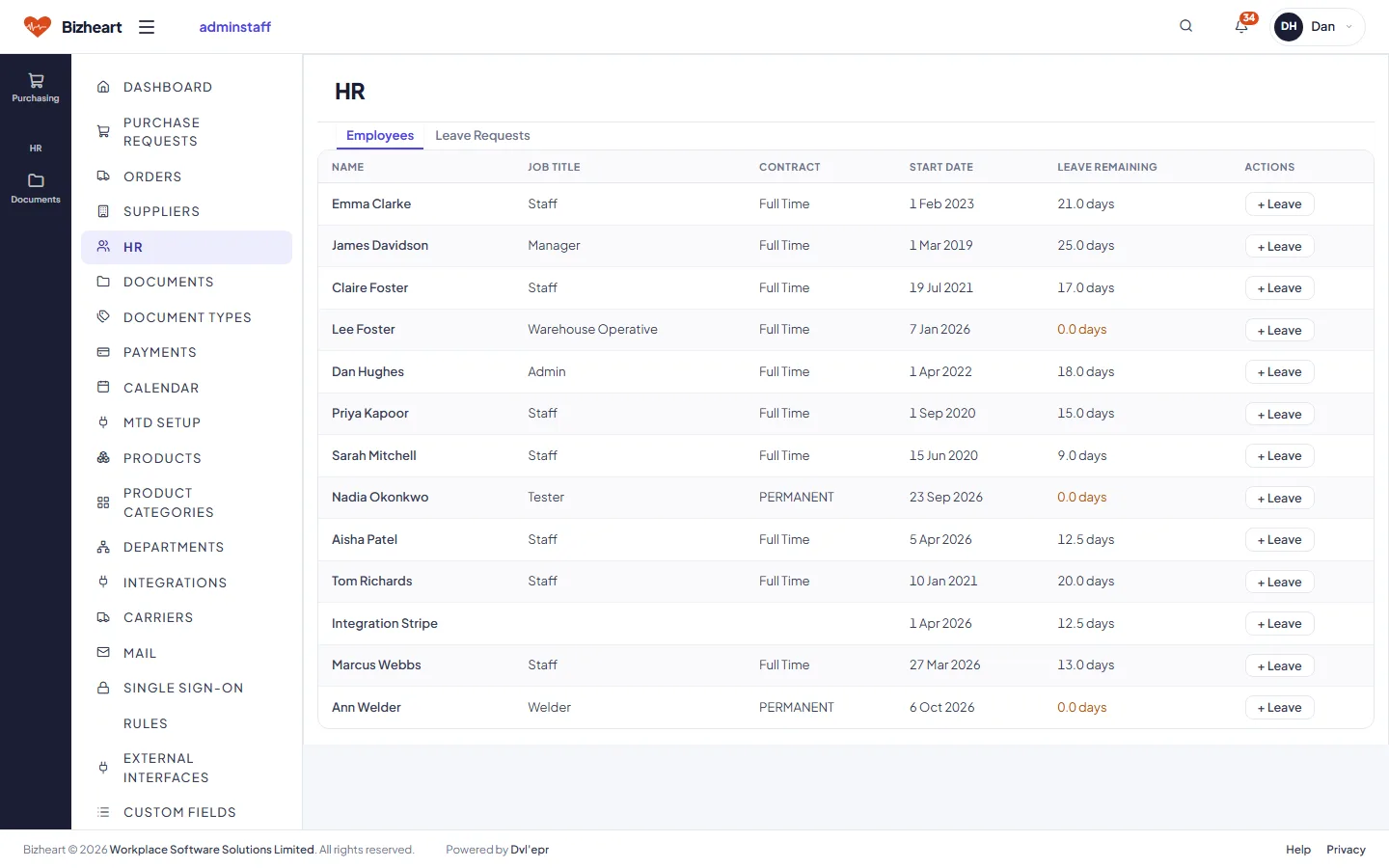
HR employees list with leave remaining
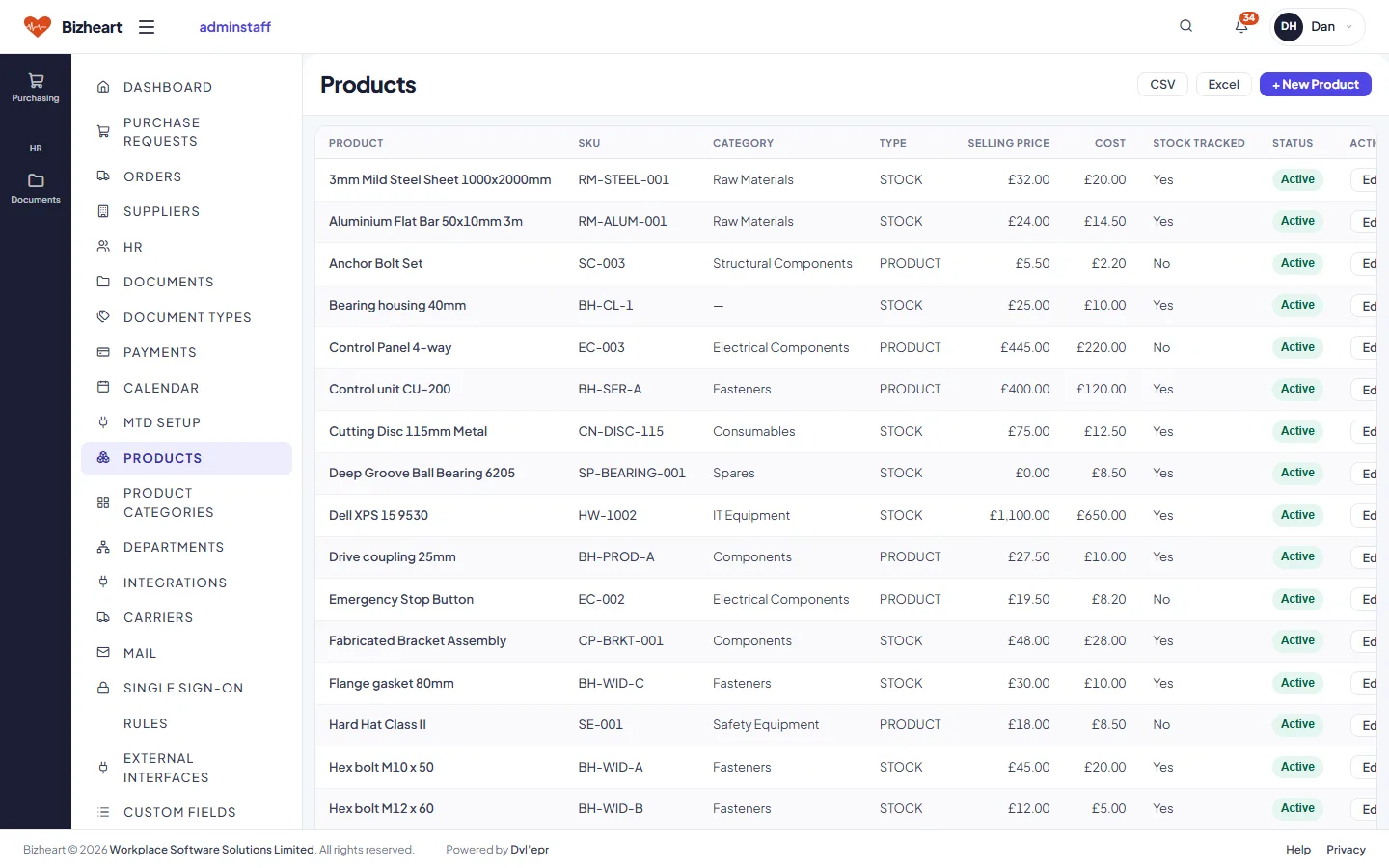
Products list with SKU, category, prices and stock tracking
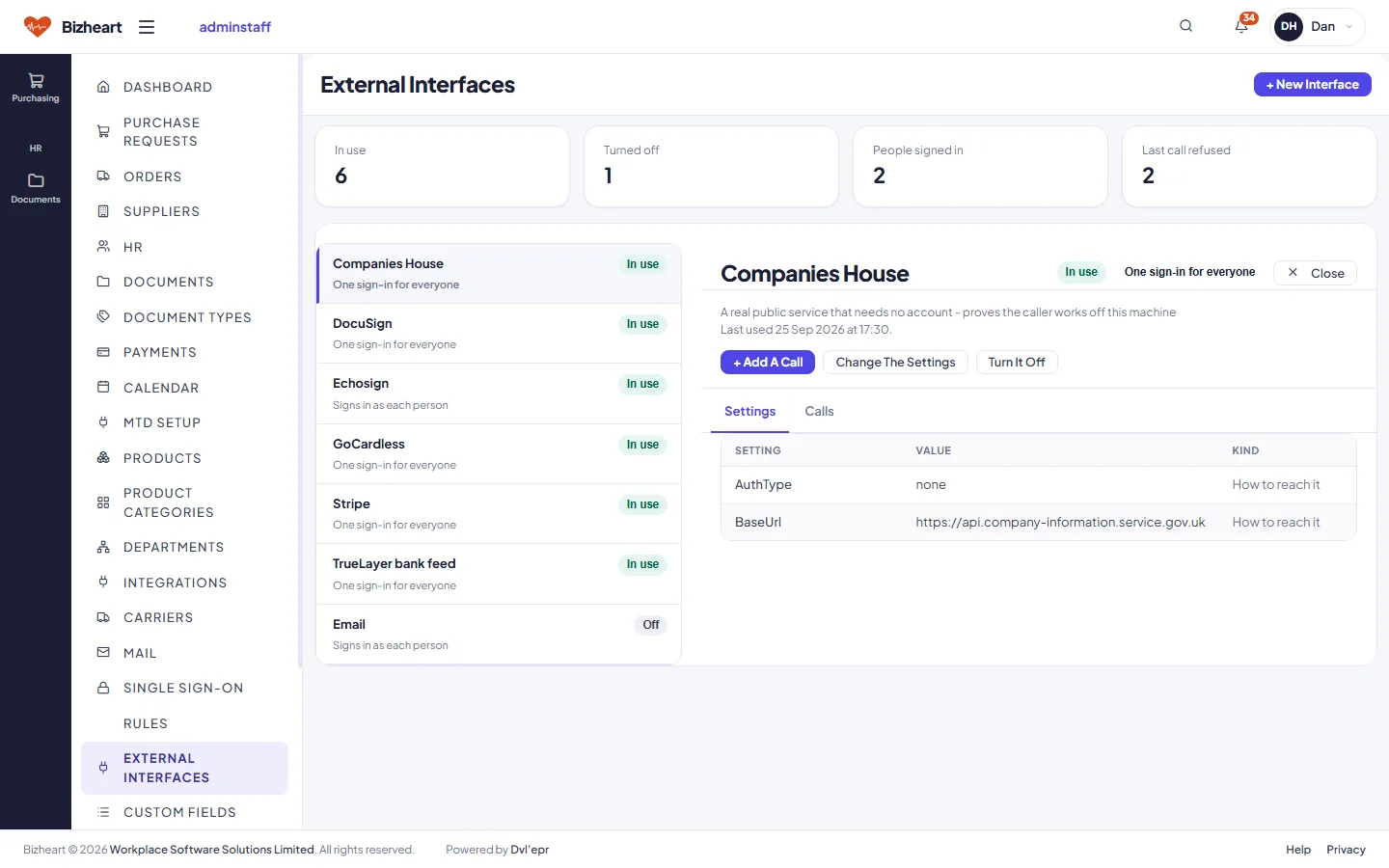
External interfaces: the services Bizheart signs in to, which are in use and who has signed in
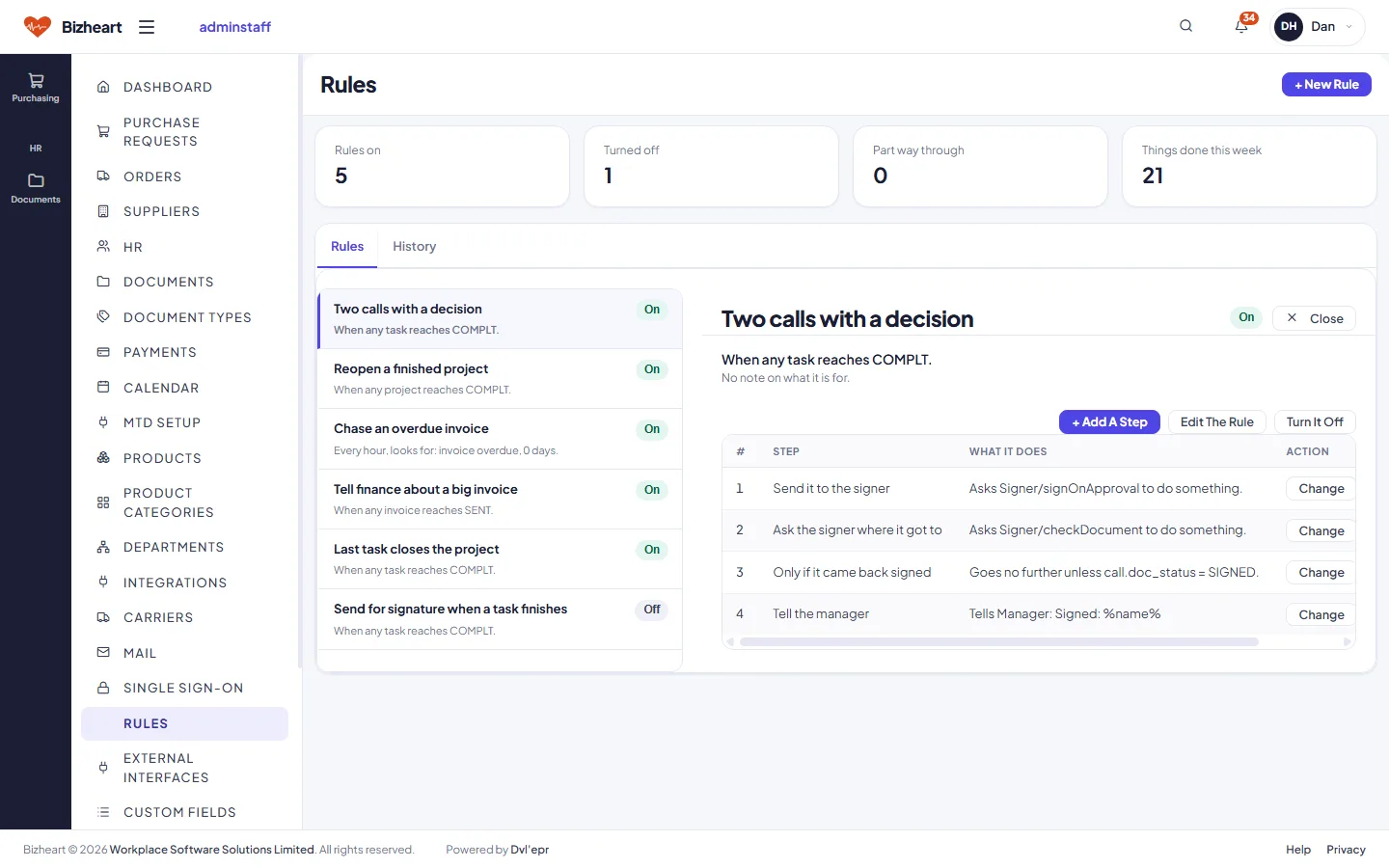
Automation rules: which ones are on, what they do and when they last ran
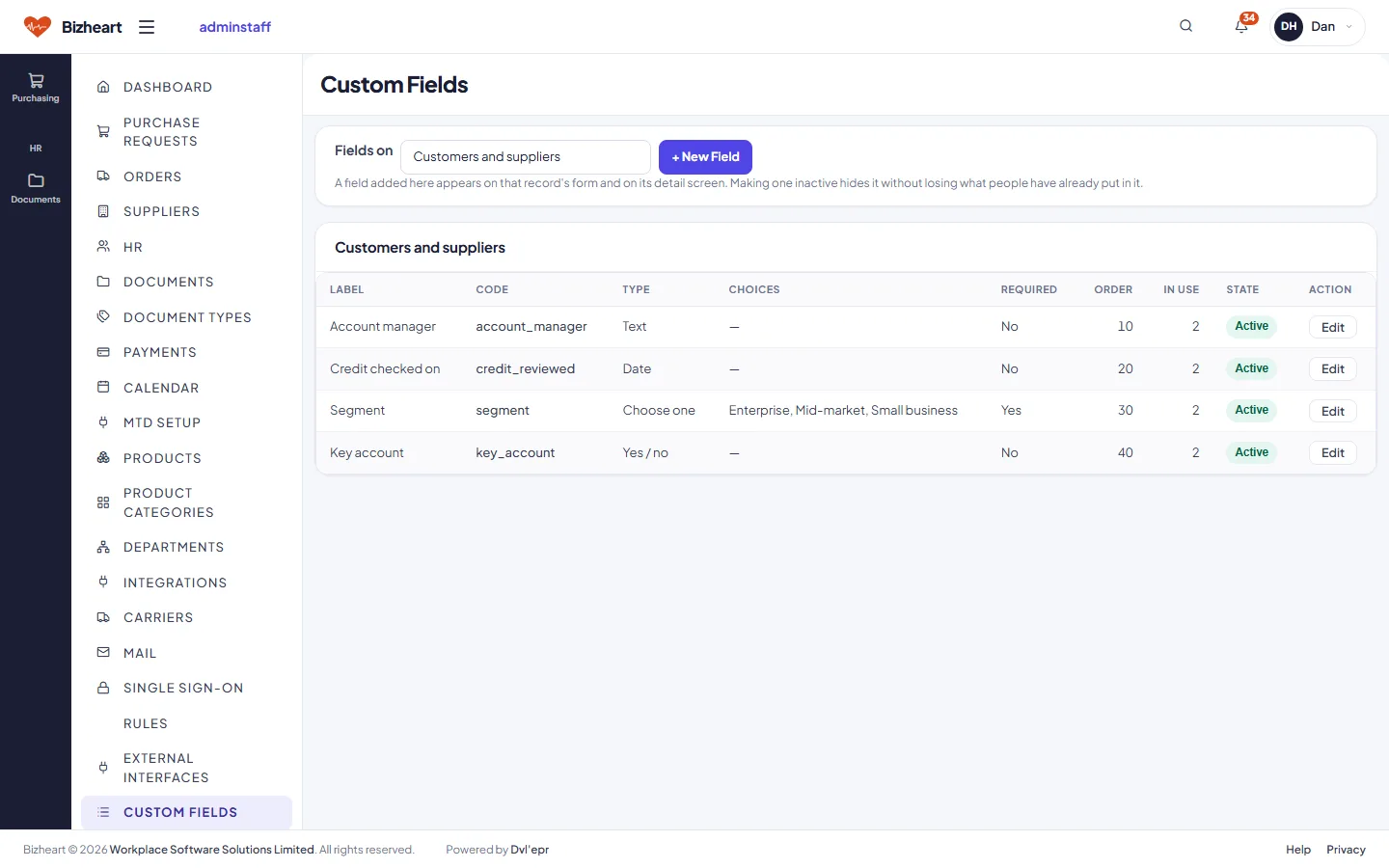
Custom fields added to customers and suppliers
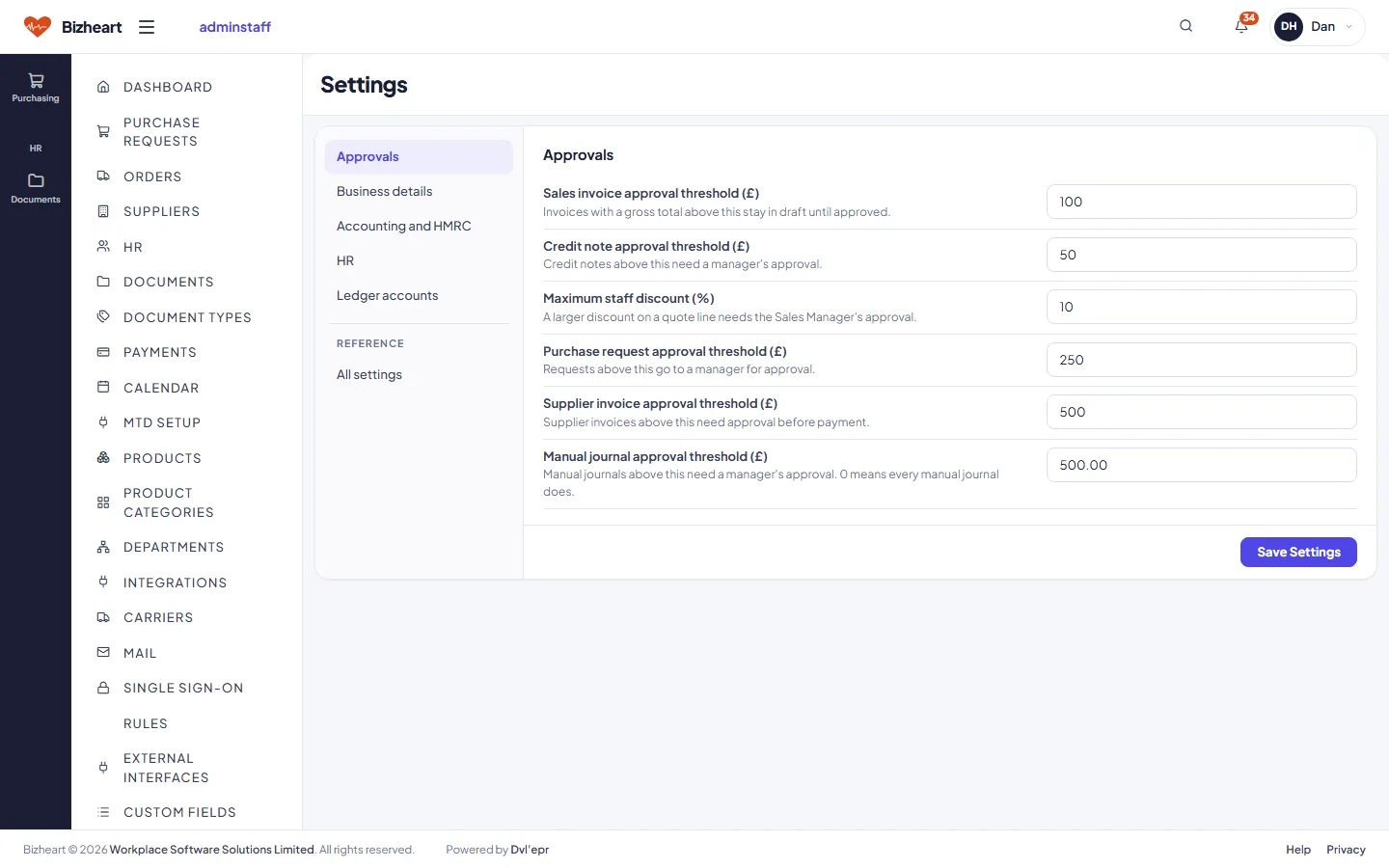
Settings: approval thresholds, business details, accounting and HMRC, HR and ledger accounts

Warehouse Staff

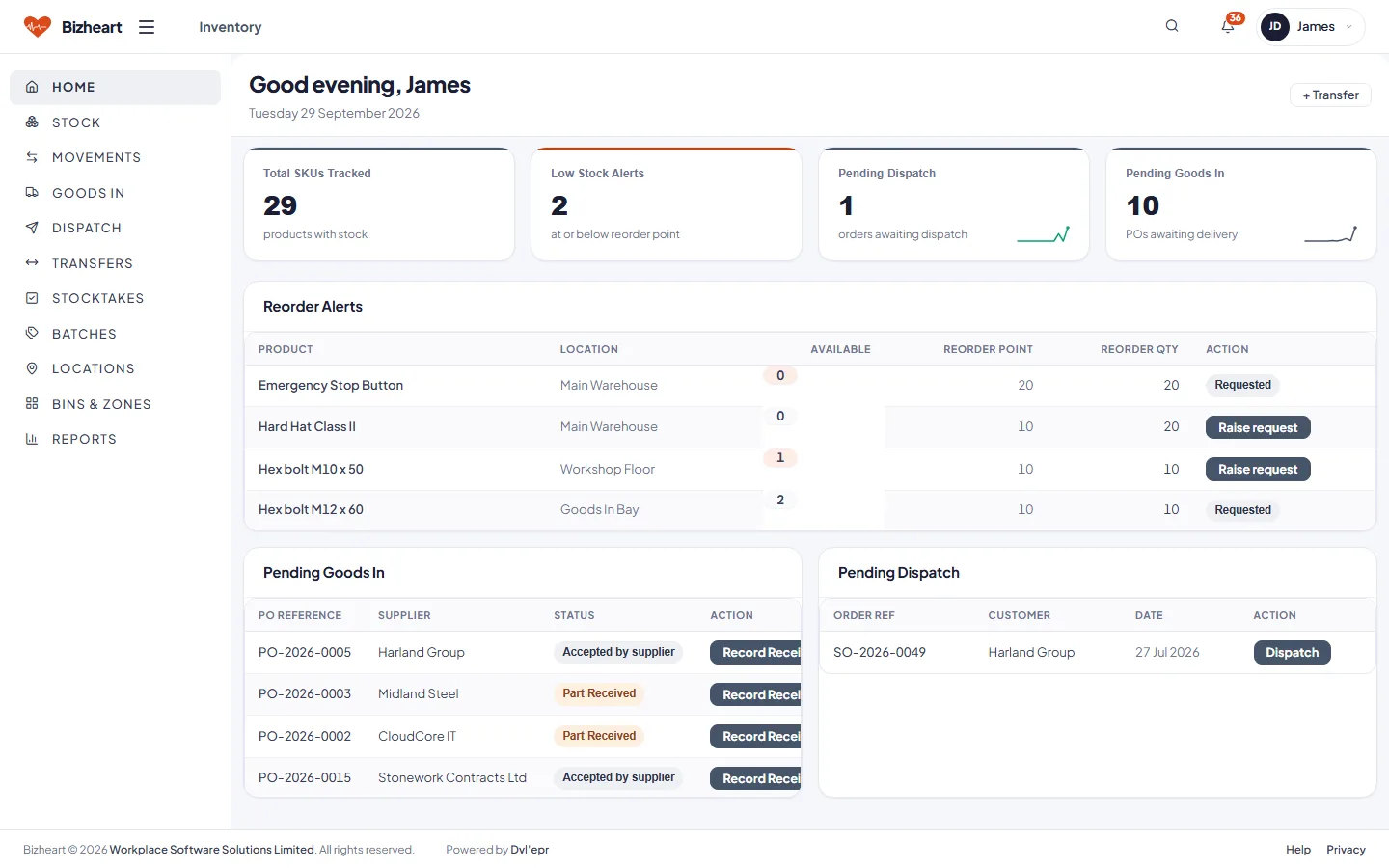
Orders to pick, ready to despatch, deliveries expected and items below their reorder point. The task list is the day's work. Picking, despatching or booking goods in updates stock and moves the order on for everyone else.
Warehouse Staff dashboard with orders to pick, ready to despatch, expected deliveries, low stock items and a task list
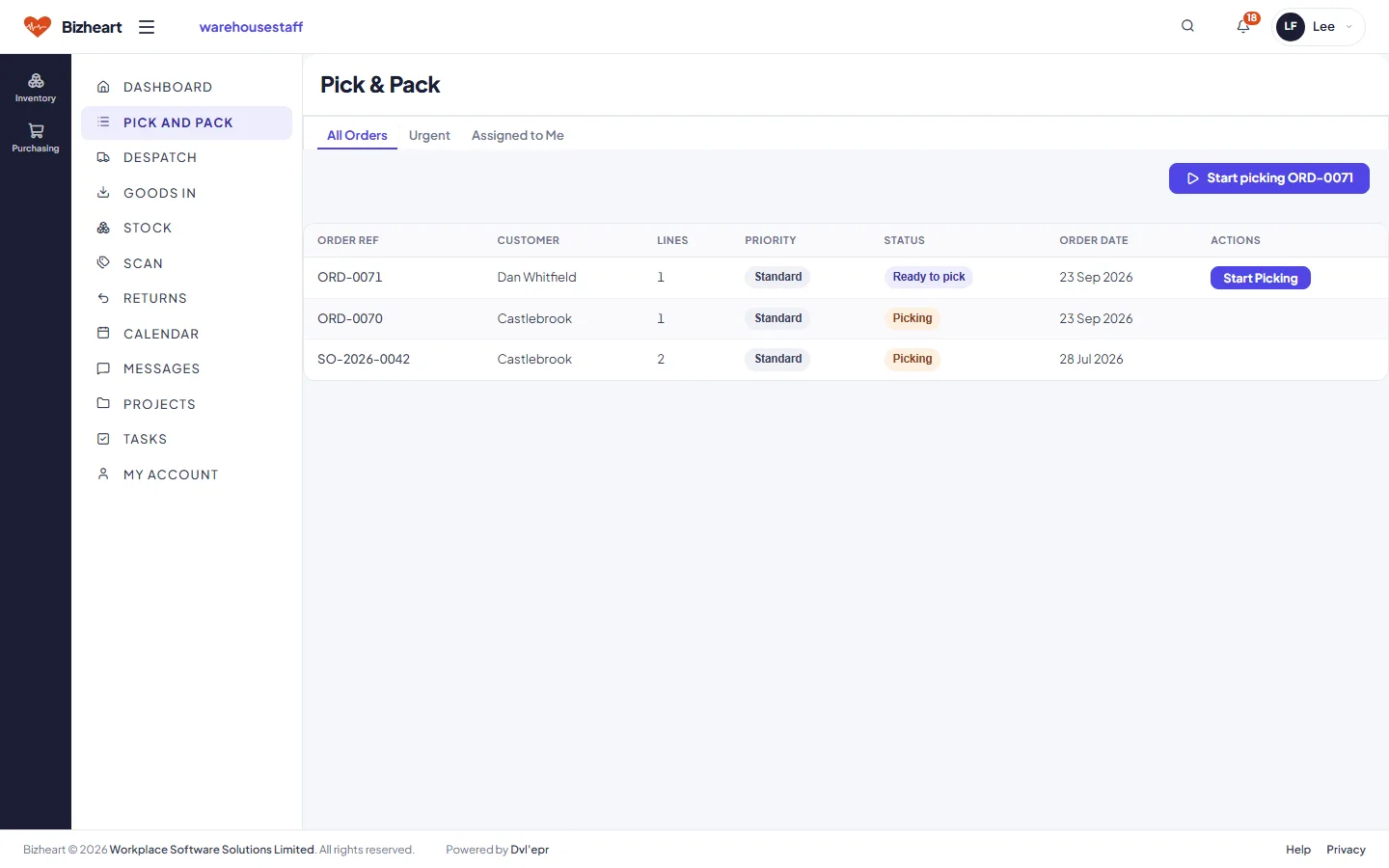
Pick and pack list with an order ready to pick
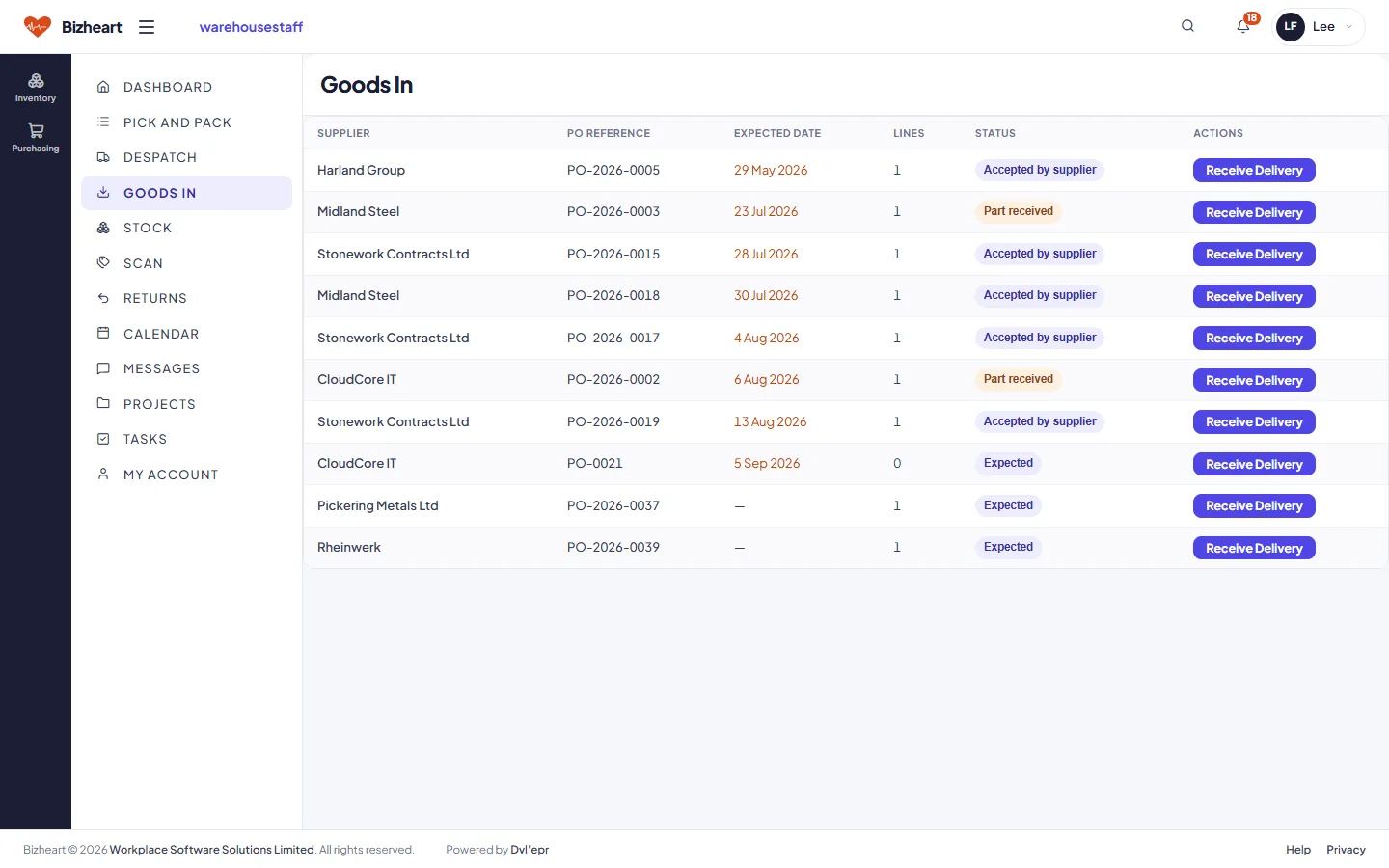
Goods in list of expected deliveries by supplier and purchase order
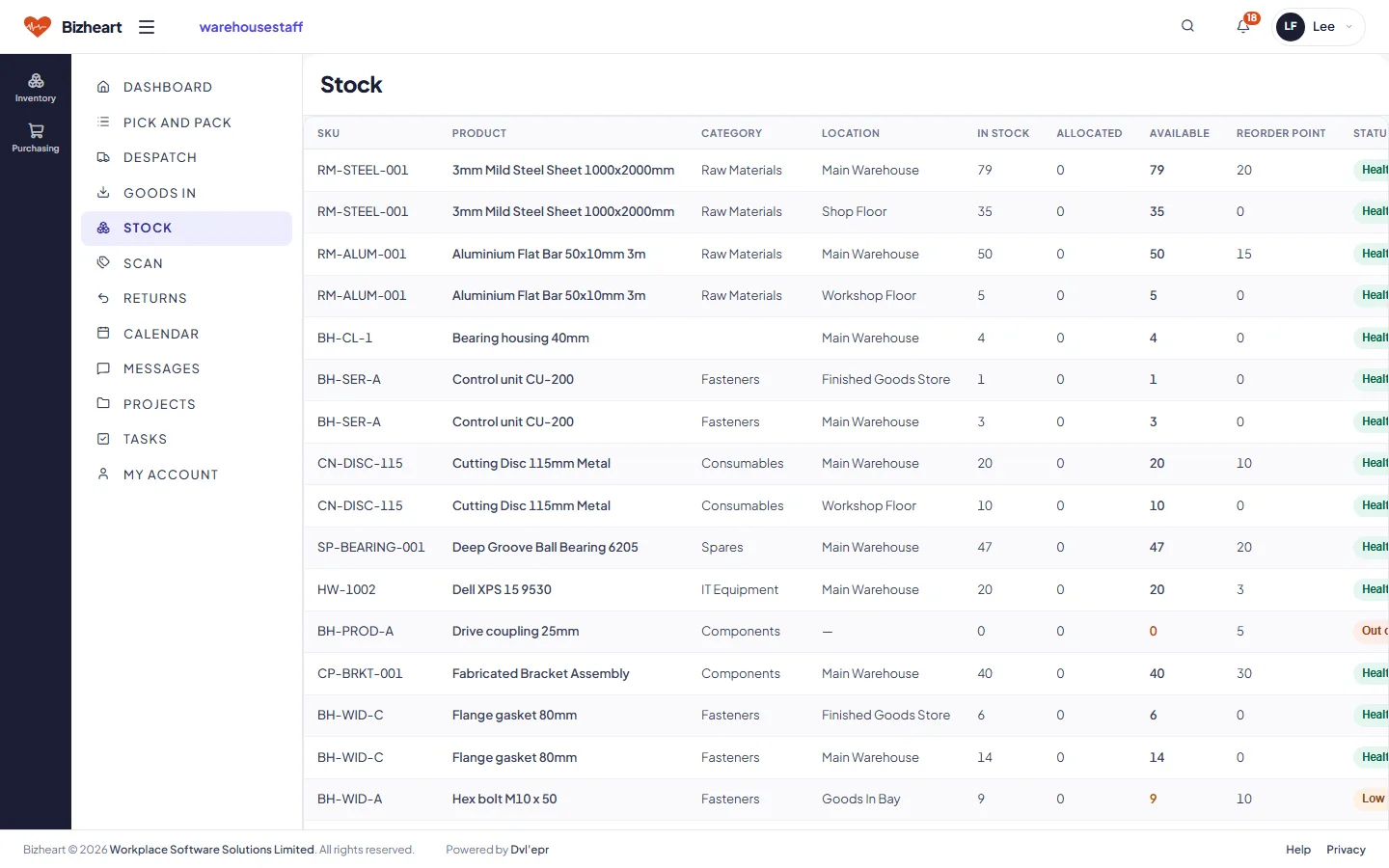
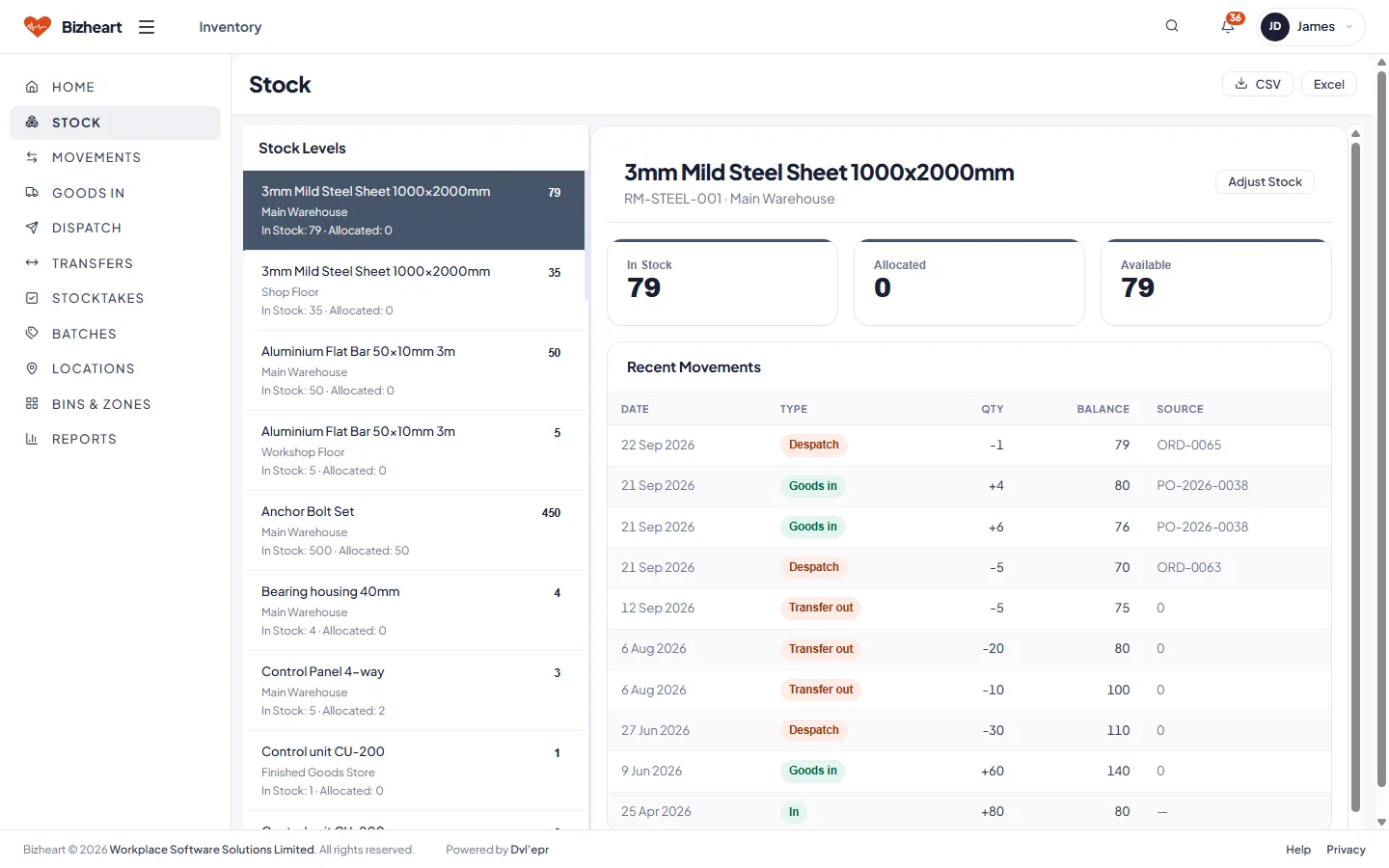
Stock list with in stock, allocated, available and reorder point
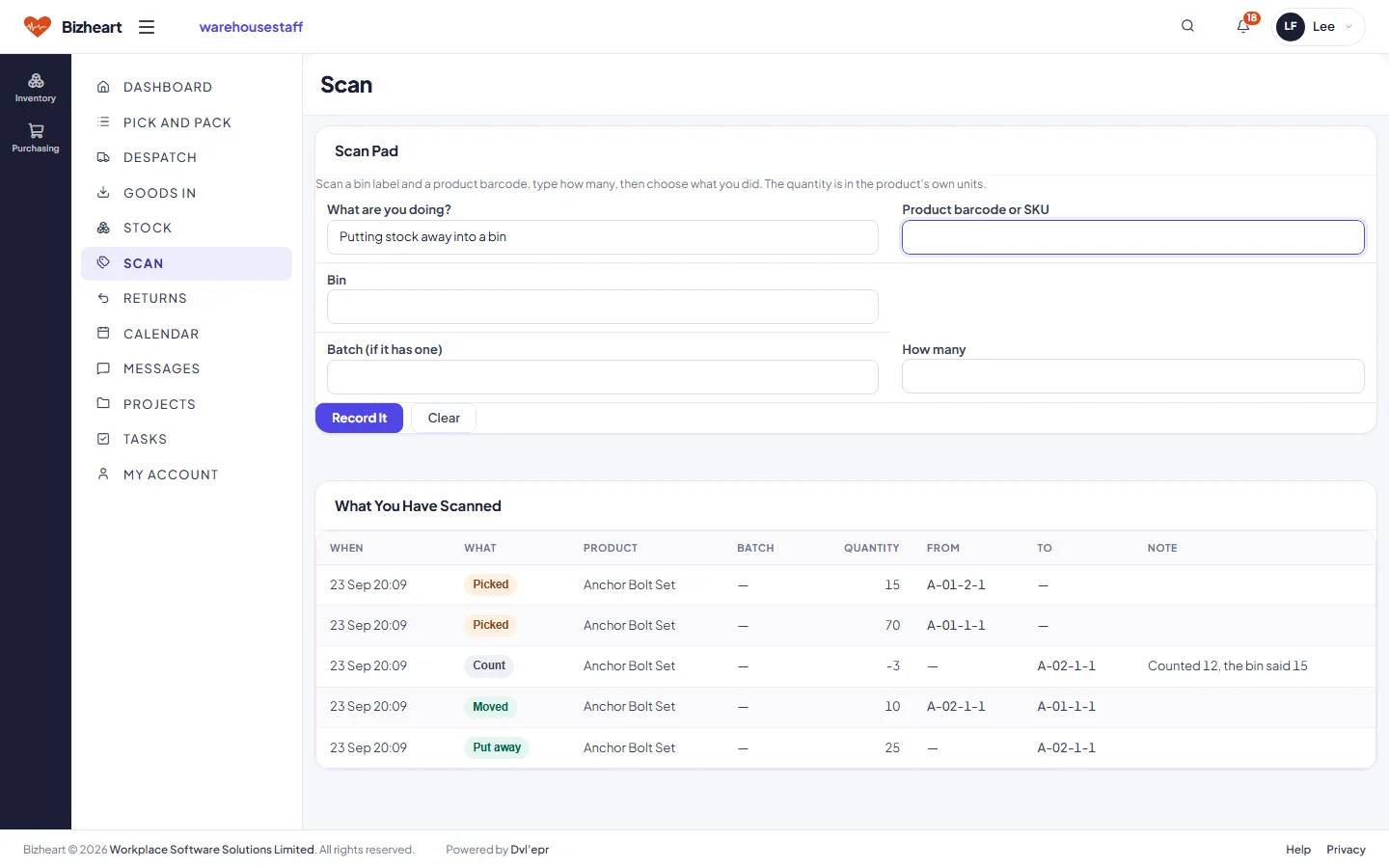
Scan pad: barcode, bin and batch entry for picks, goods in and counts

Customer Service

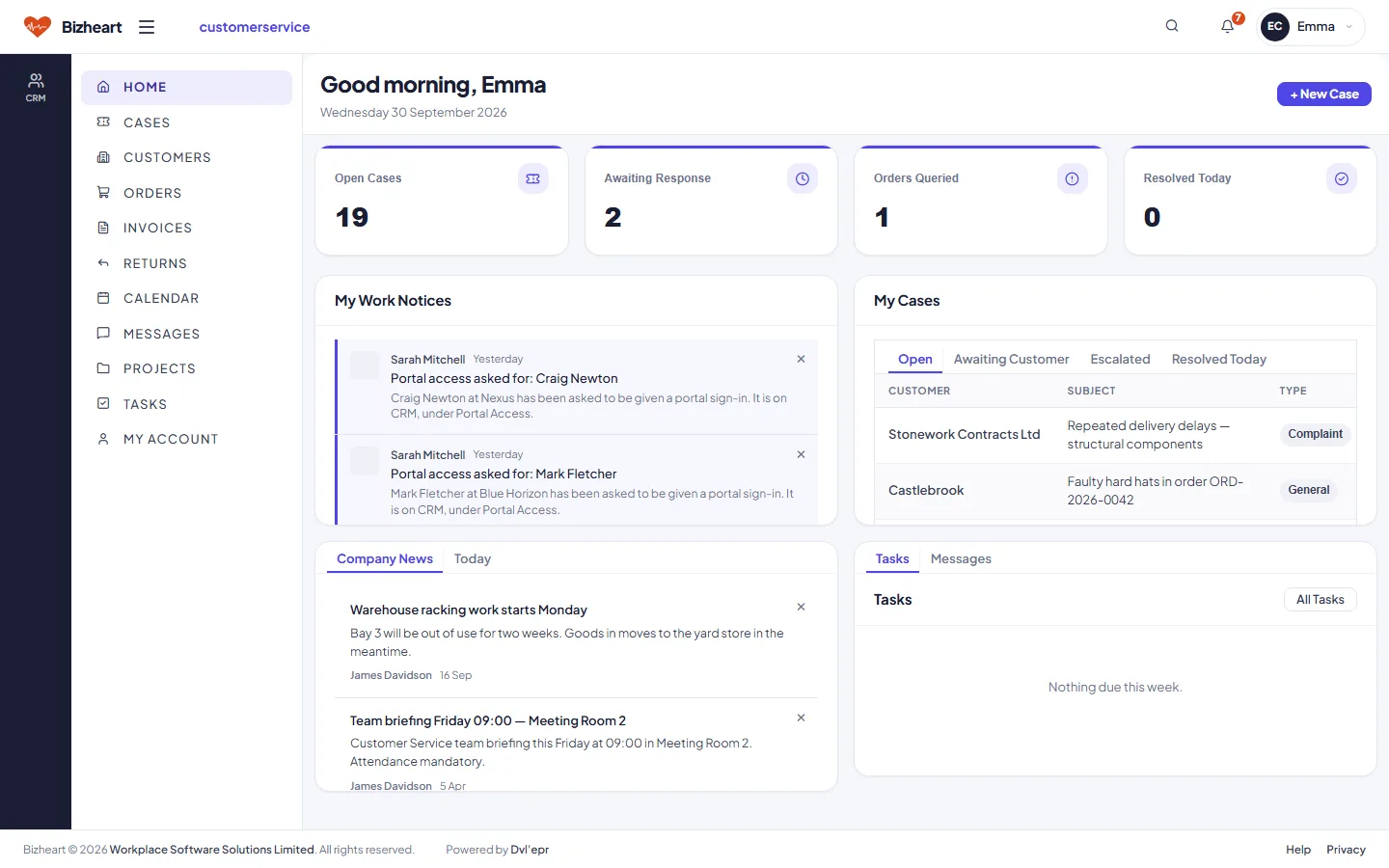
Open cases, cases awaiting a response, orders under query and cases resolved today. Each case links to the customer, their orders and their invoices, so the answer is already on screen.

Customer Service dashboard with open cases, awaiting response, orders queried and resolved today
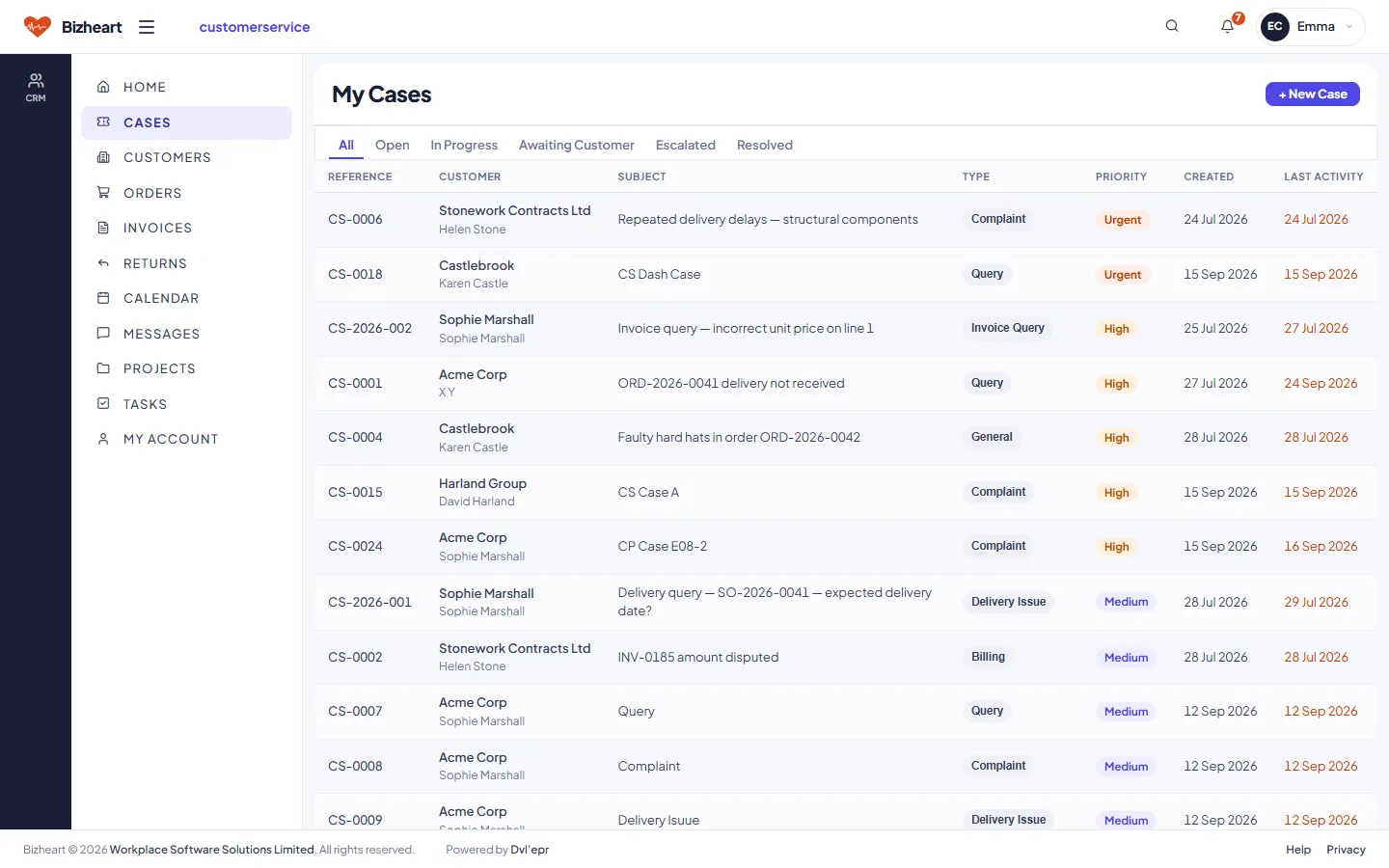
My Cases list with type, priority, status and last activity
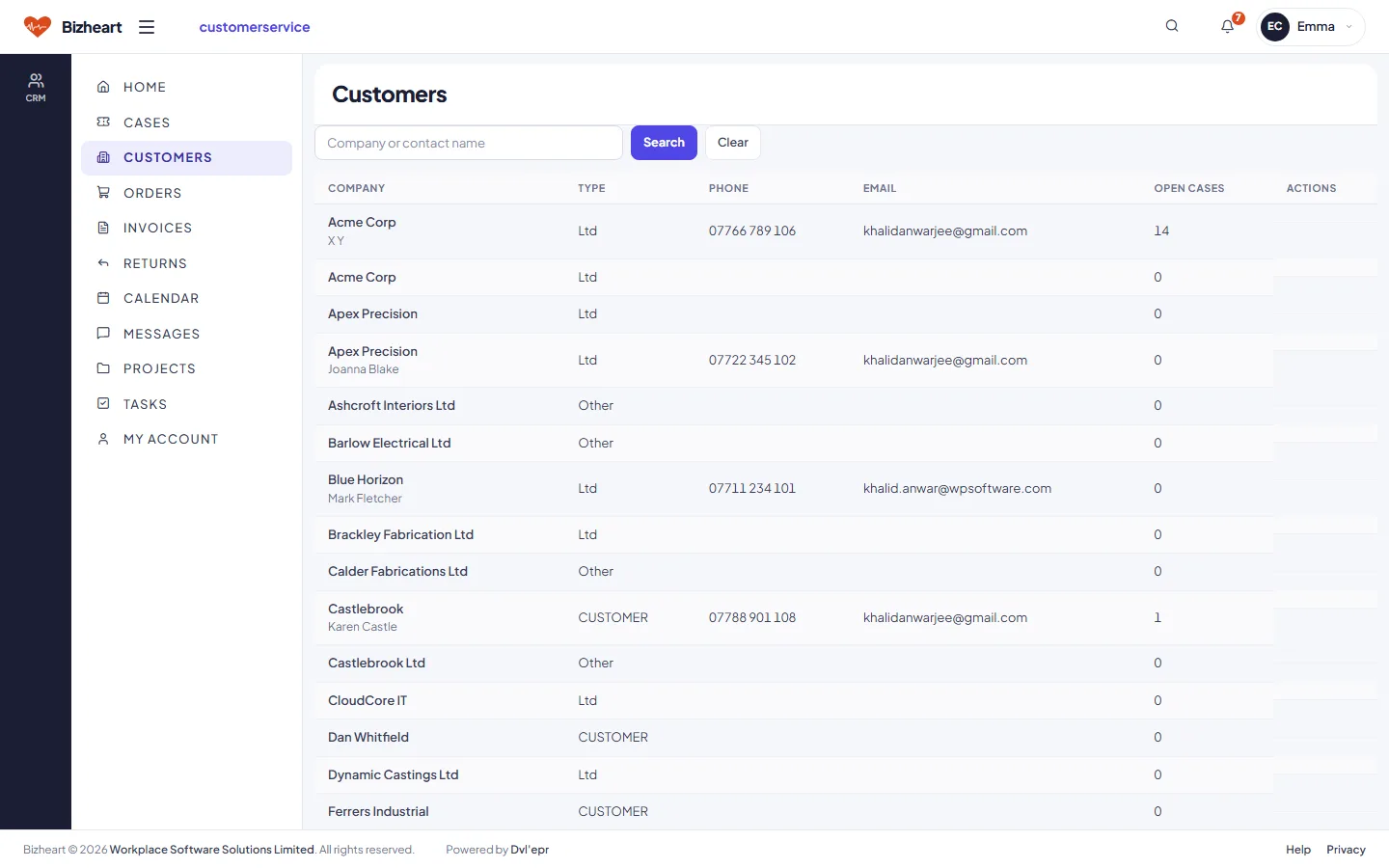
Customers list with open cases and account links

Customer Portal

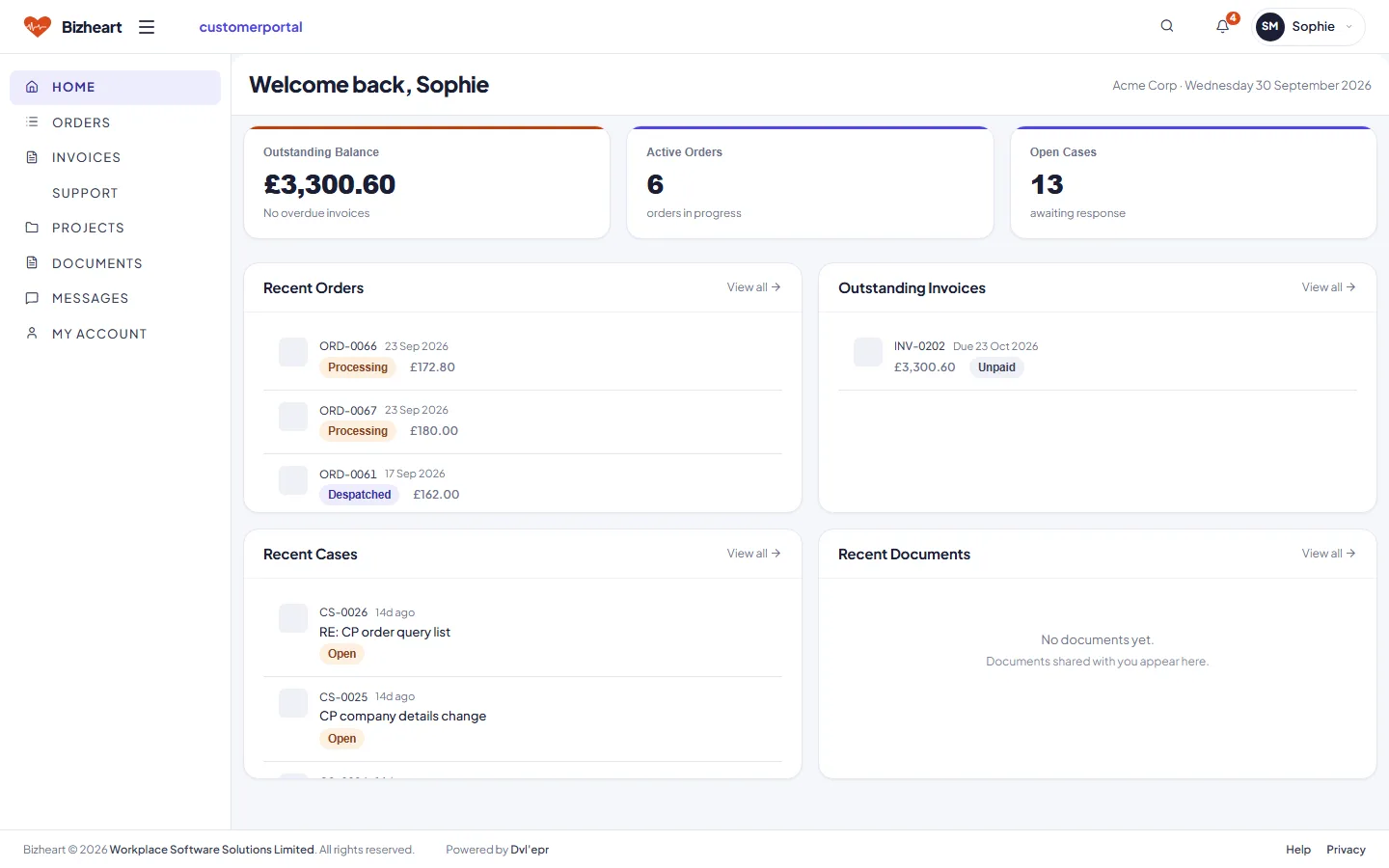
Your customer sees their outstanding balance, active orders, open cases and documents. A query on an order or invoice becomes a case for your service team. Fewer "can you send me a copy" calls.

Customer Portal home showing outstanding balance, active orders, open cases, recent orders and invoices
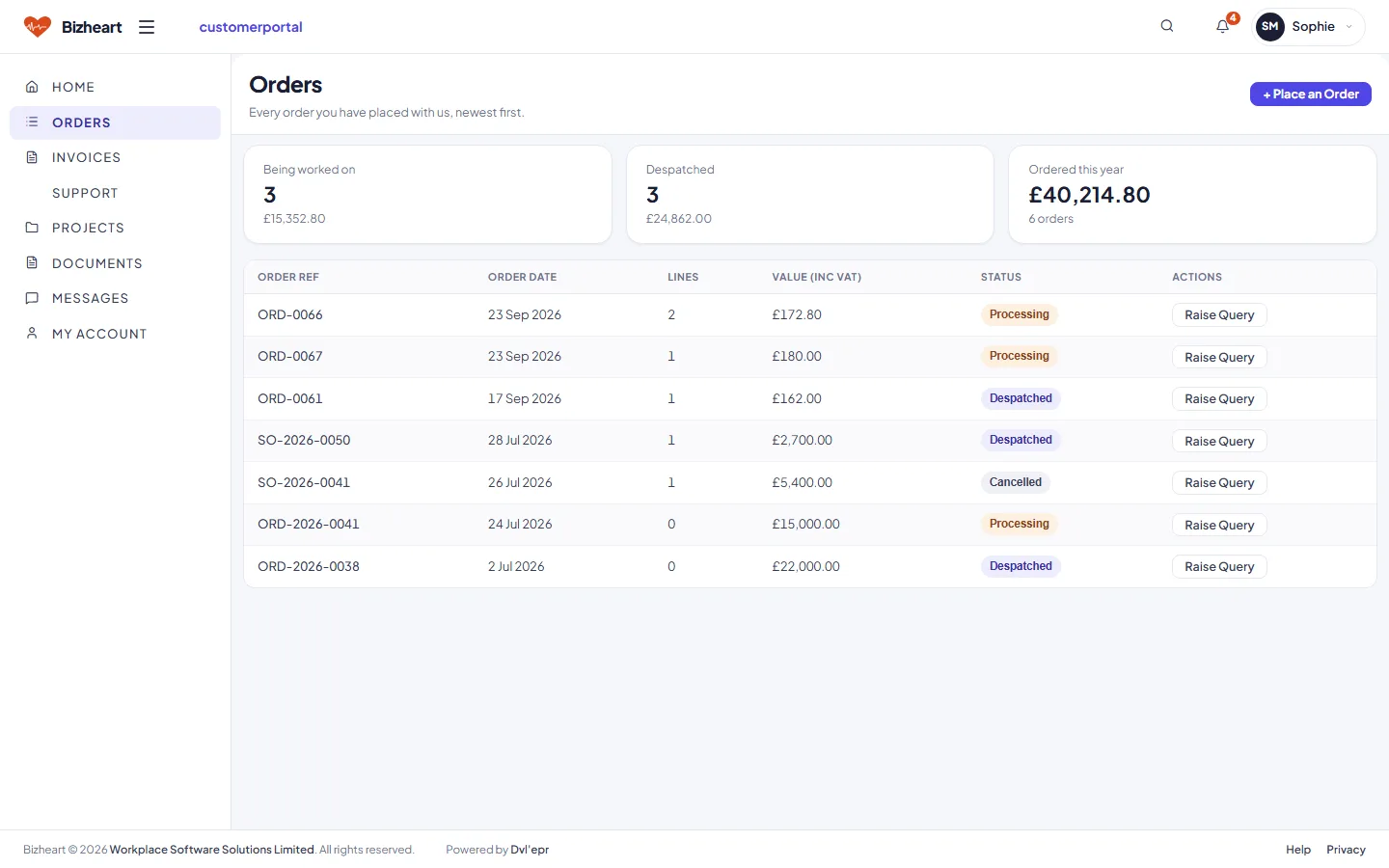
Customer Portal orders list with status and raise query actions
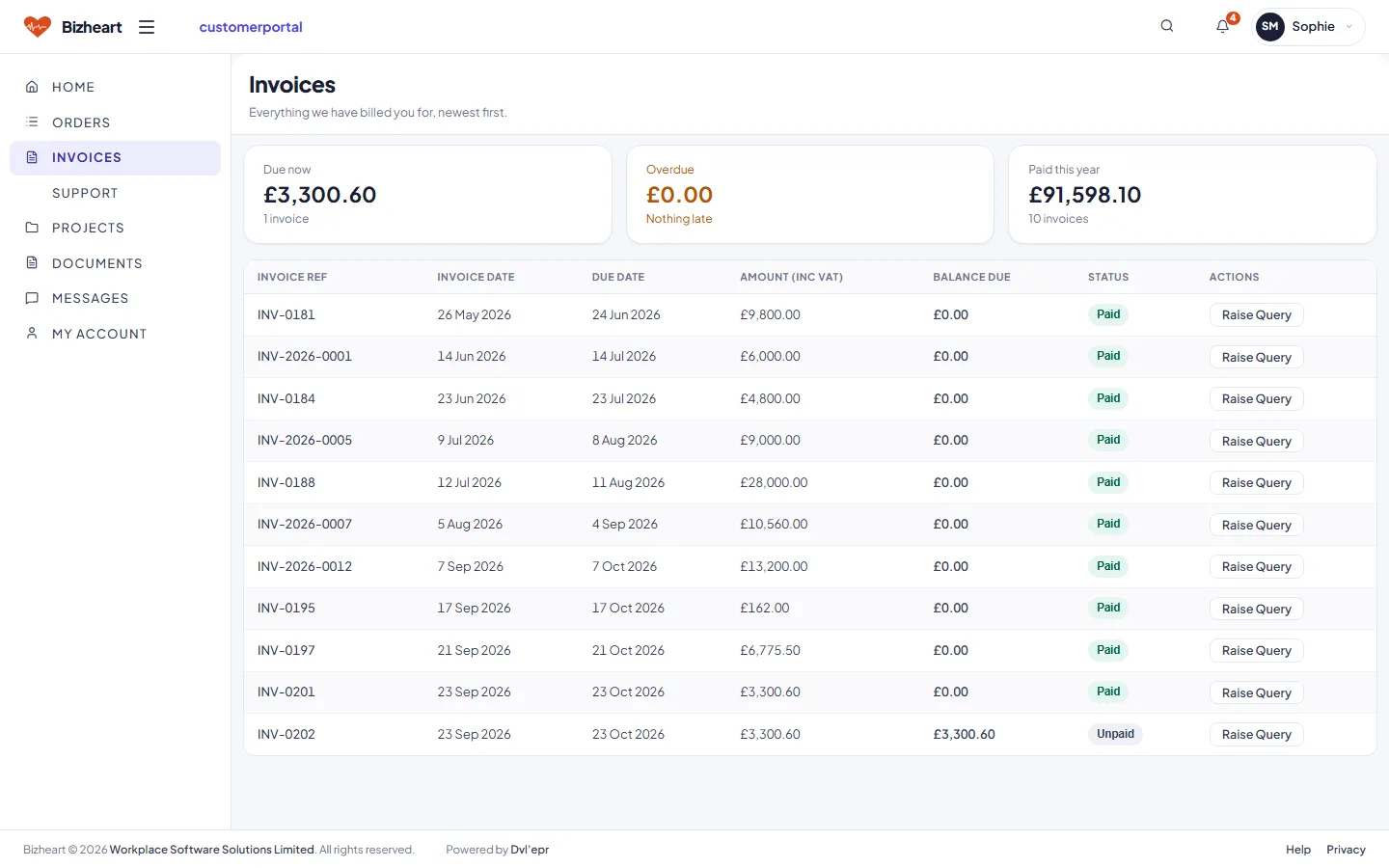
Customer Portal invoices list with balance and status
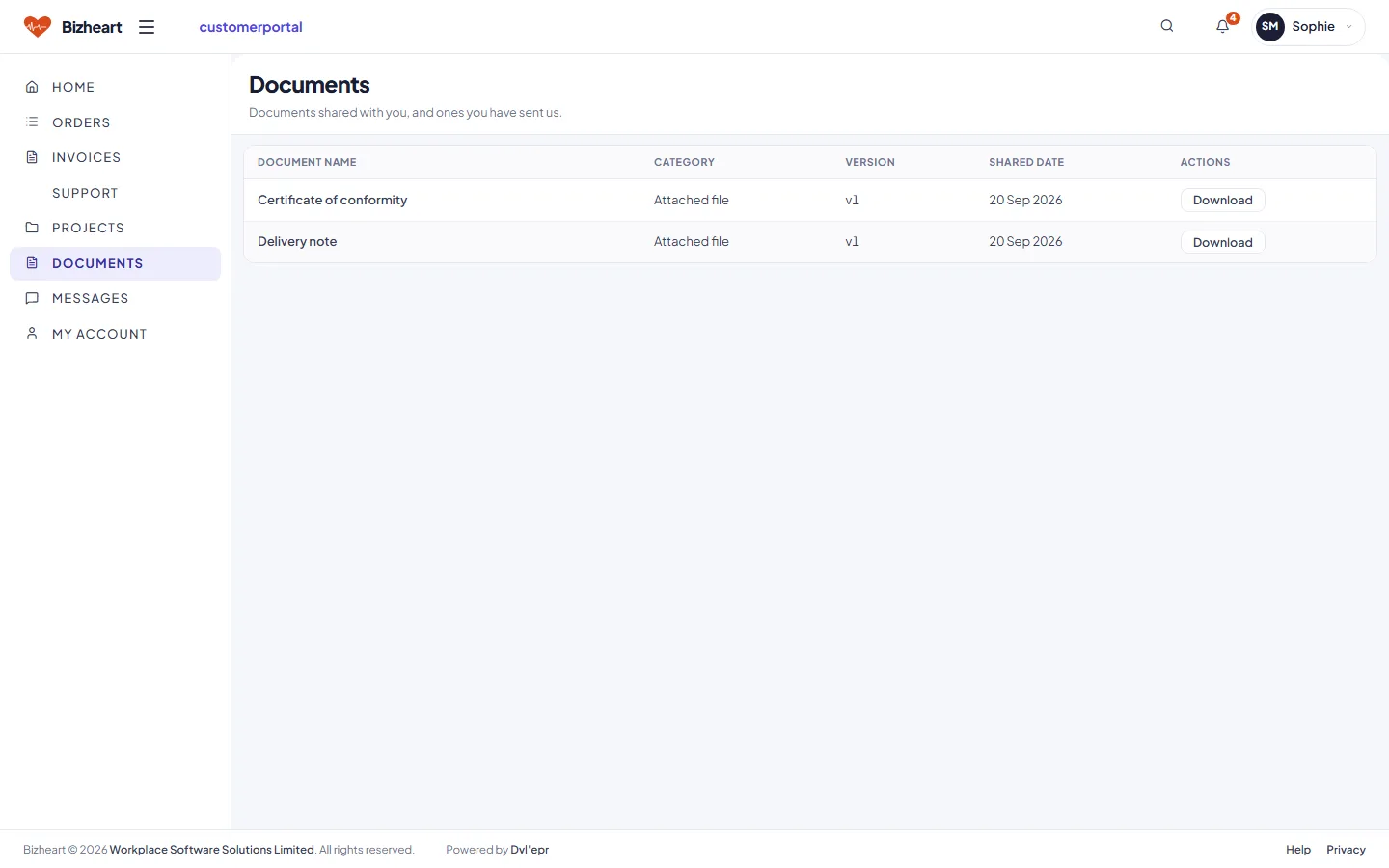
Documents shared with the customer, with versions and download

Supplier Portal

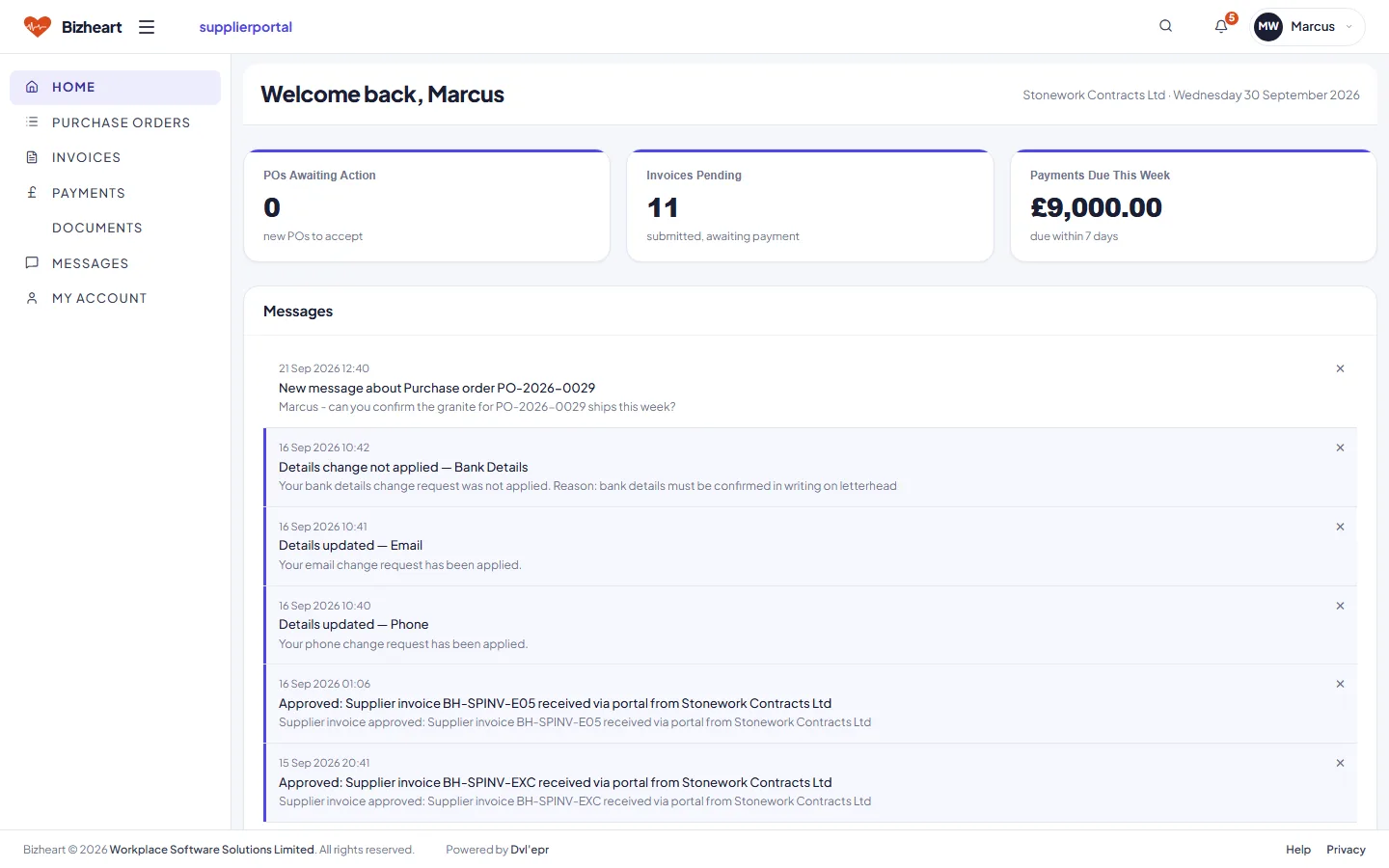
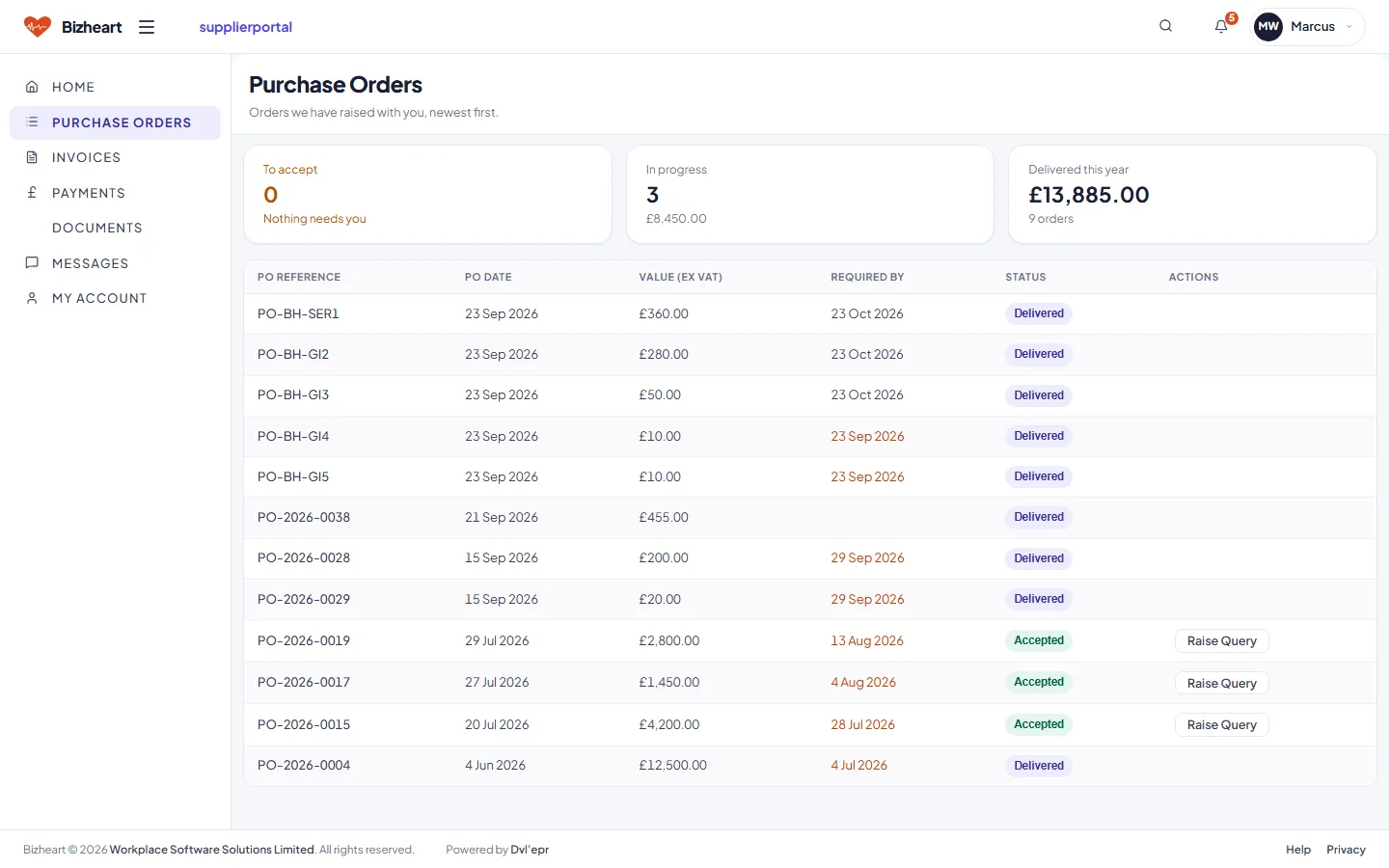
A supplier sees purchase orders waiting for acceptance, the invoices they have submitted and what is due this week. A change to their bank details needs a second person on your side to approve it.

Supplier Portal home showing purchase orders awaiting action, invoices pending and payments due this week
Supplier Portal purchase orders with Accept and Raise Query actions
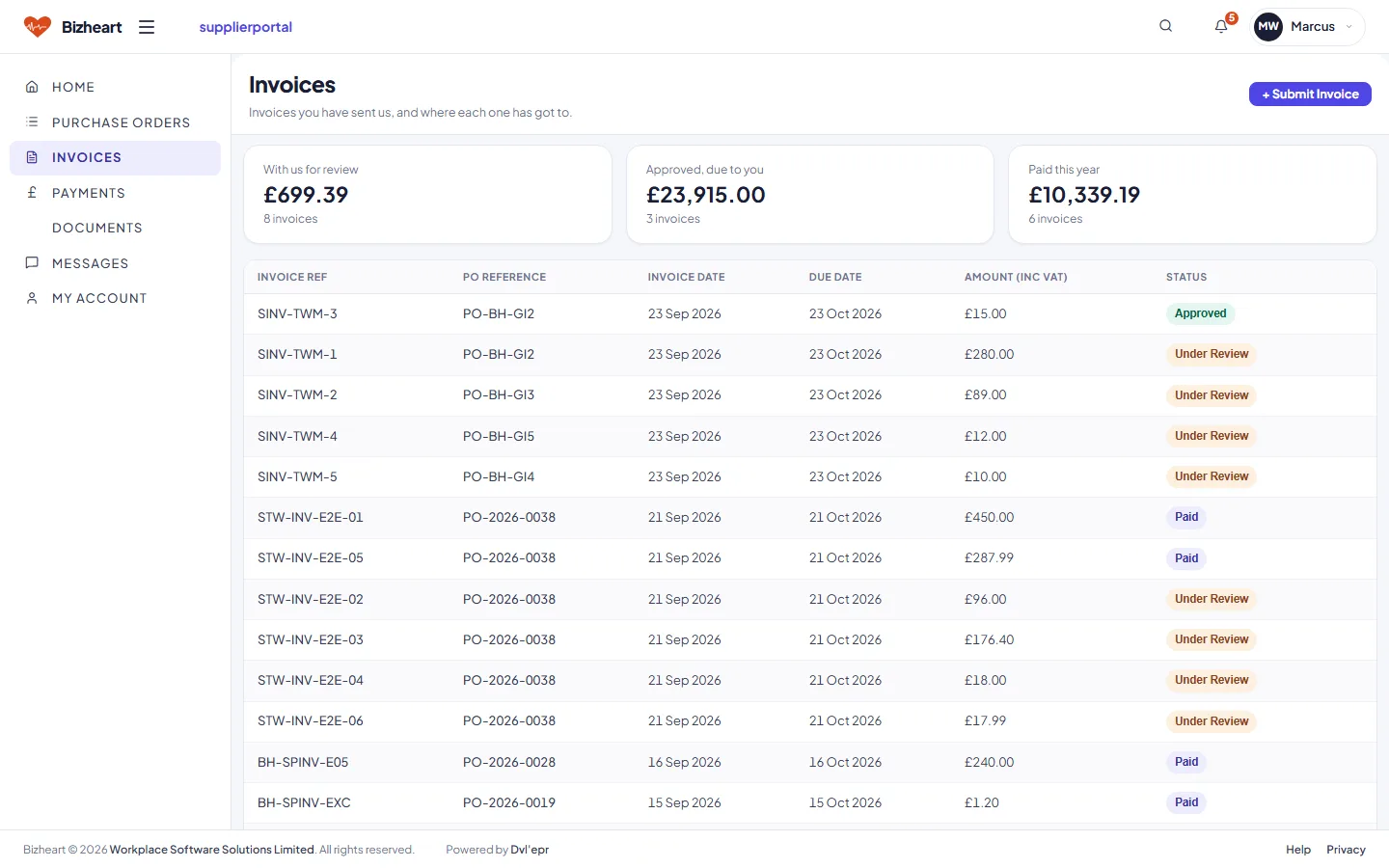
Supplier Portal invoices list with status
Business applications

Seven business applications

CRM, Sales Manager, Purchasing, Inventory, Accounting, HR and Documents. Each available to the roles that need it.

CRM

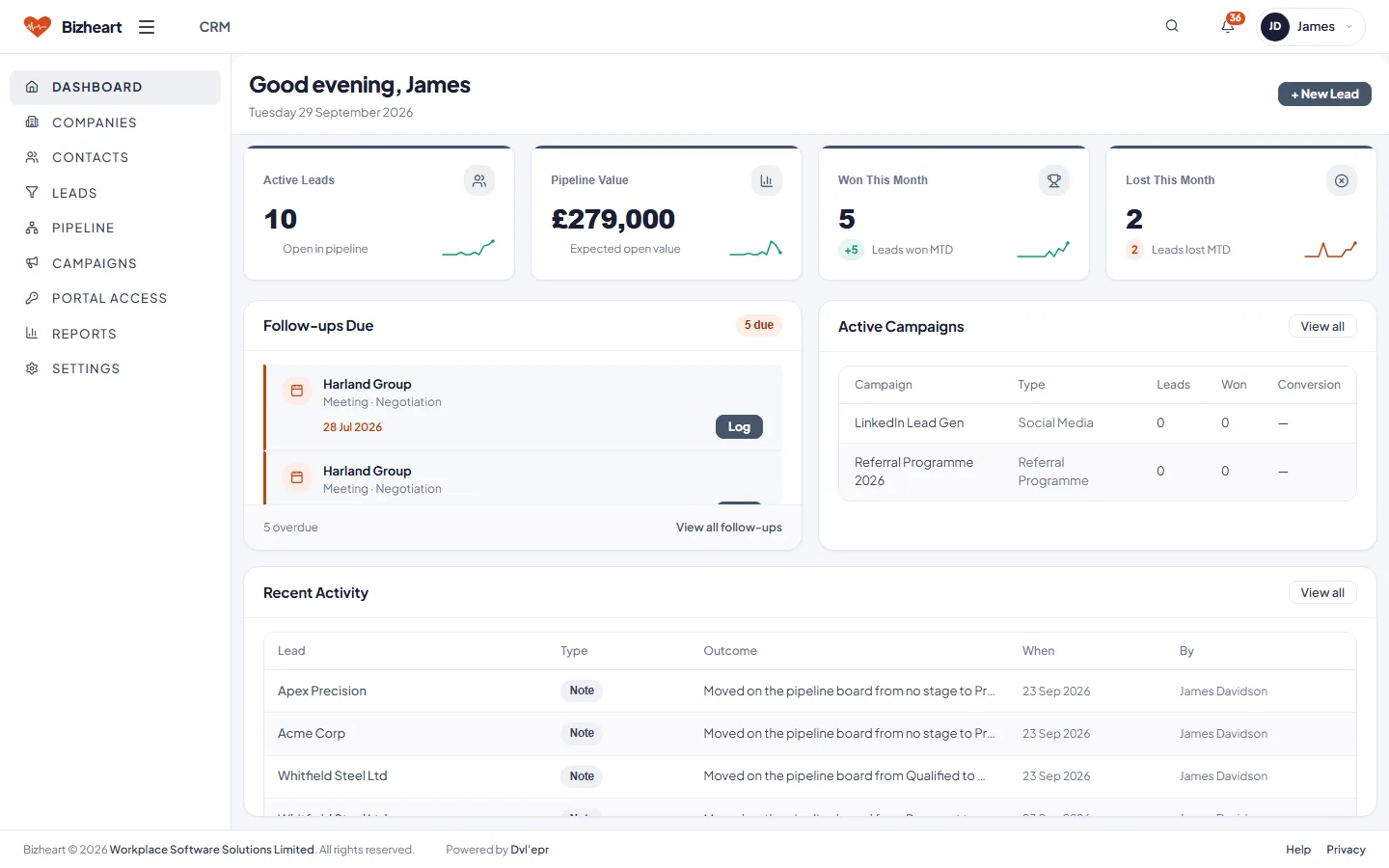
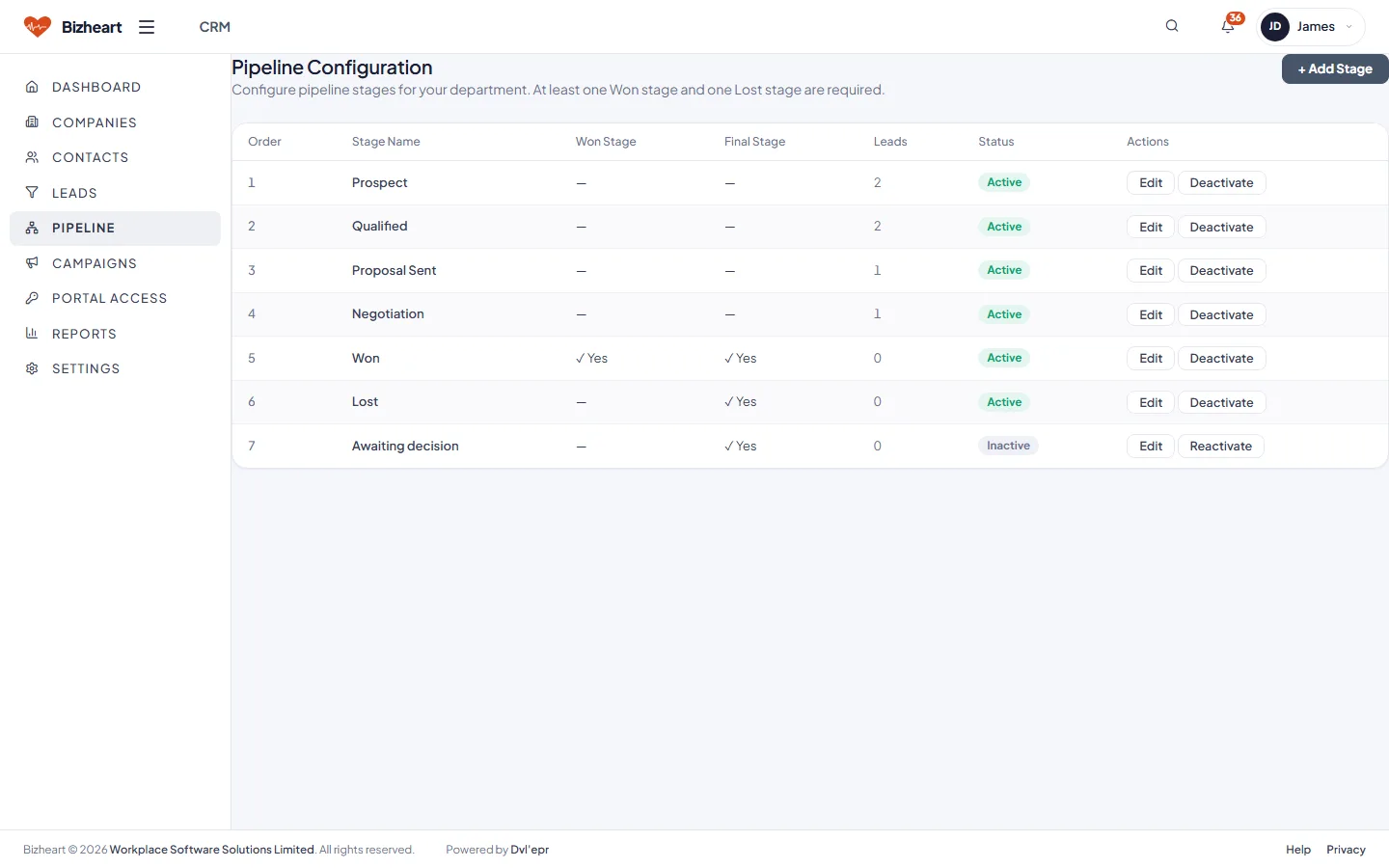
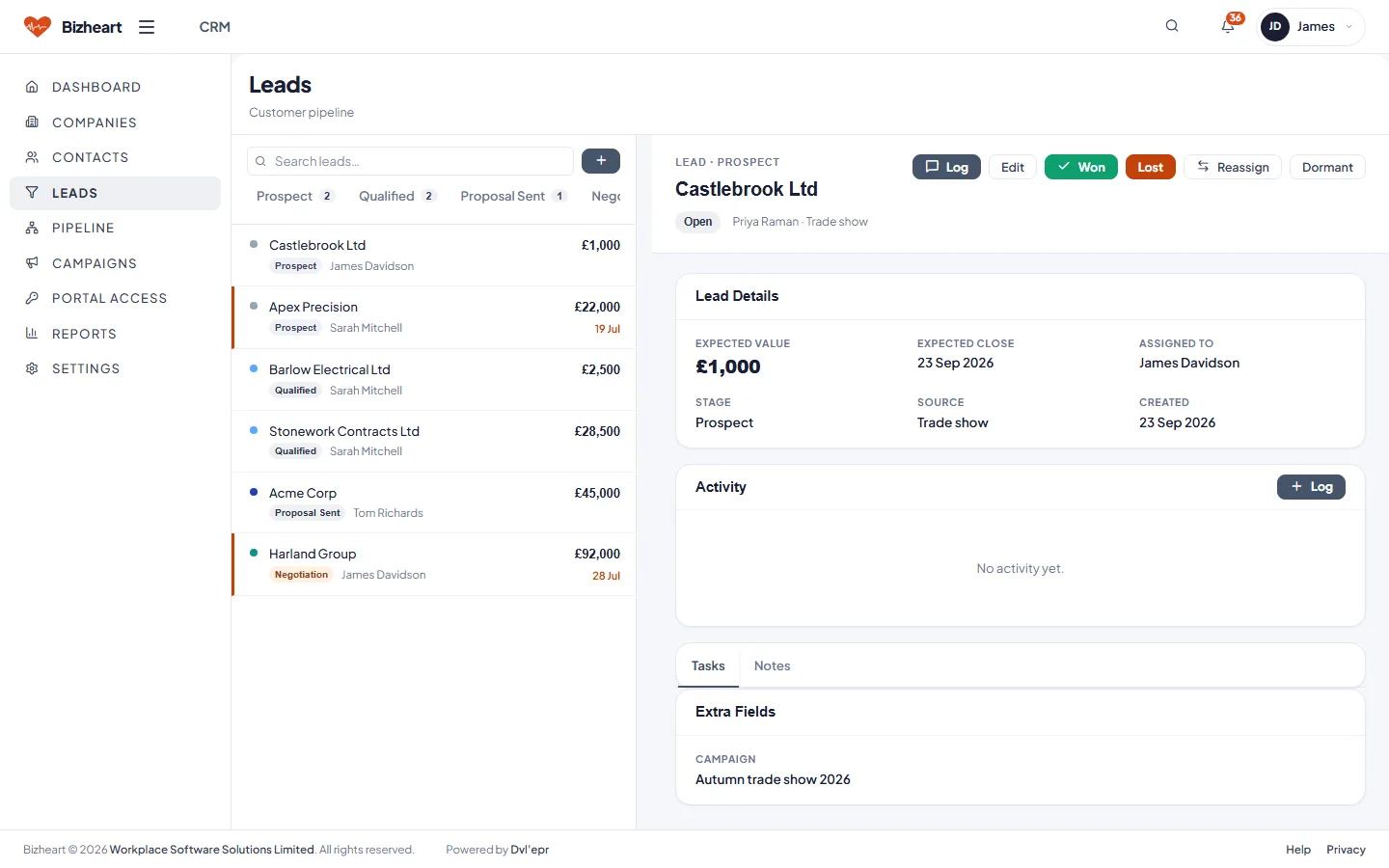
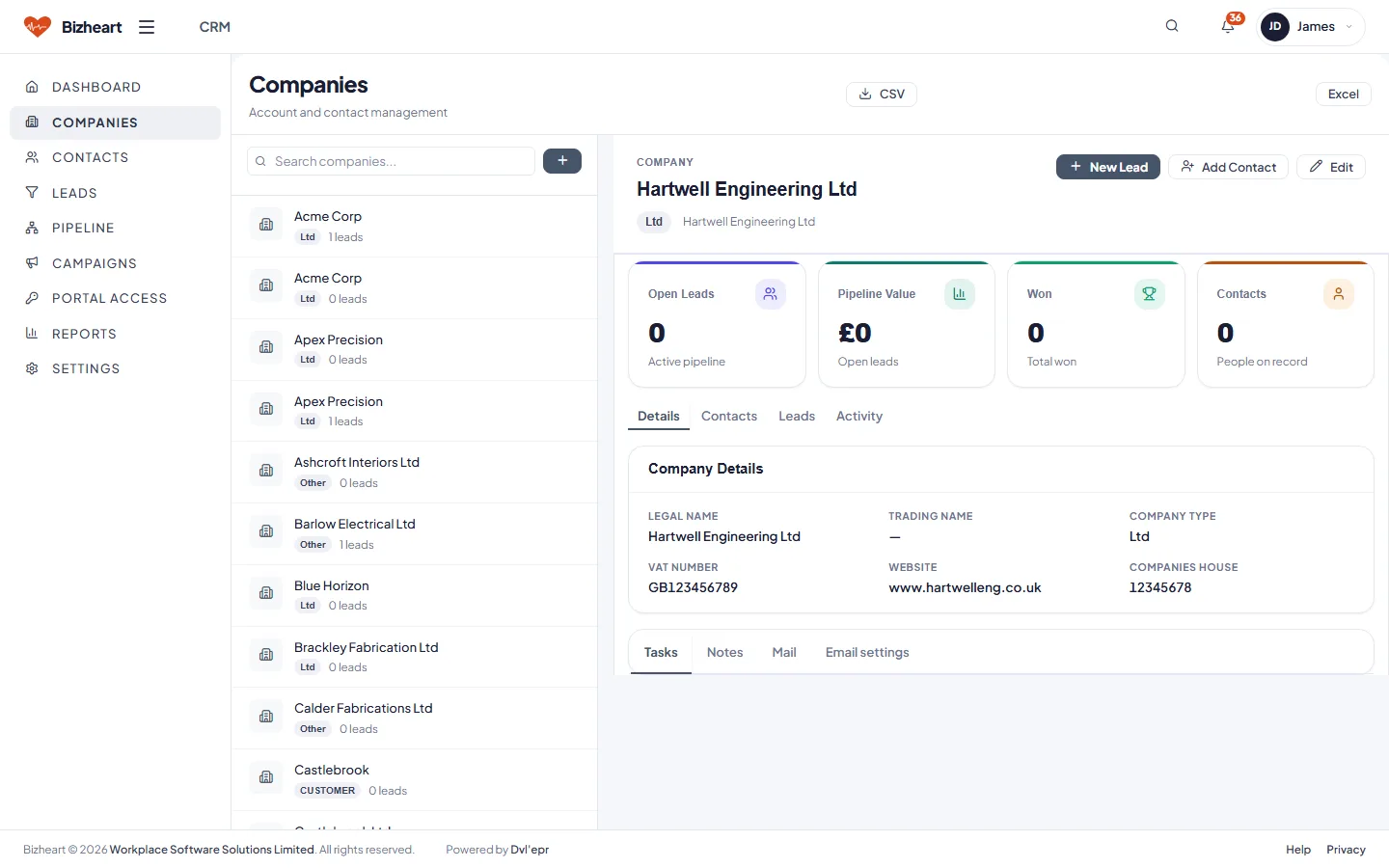
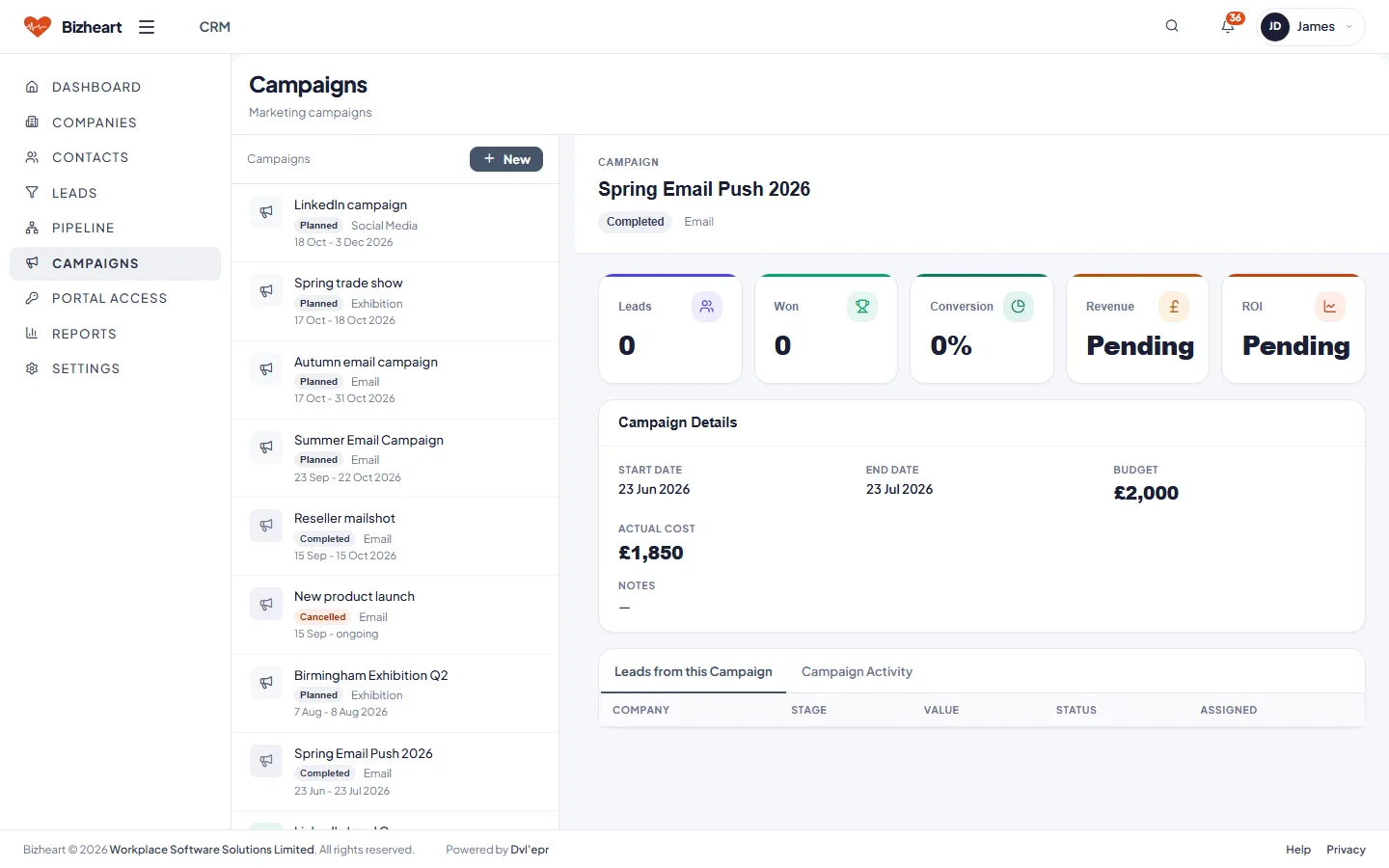
Companies, contacts and leads with a configurable pipeline. Active leads, pipeline value, won this month and follow-ups due on the dashboard, with campaigns and the leads they brought in.

Also in CRM: contacts, CRM reports, and portal access for a customer.

CRM dashboard with active leads, pipeline value, won this month, follow-ups due and active campaigns
Pipeline configuration with stages, probabilities and lead counts
Leads list with stage, value, owner and follow-up date
Companies list with contact detail pane
Campaigns list with the leads each one brought in

Sales Manager

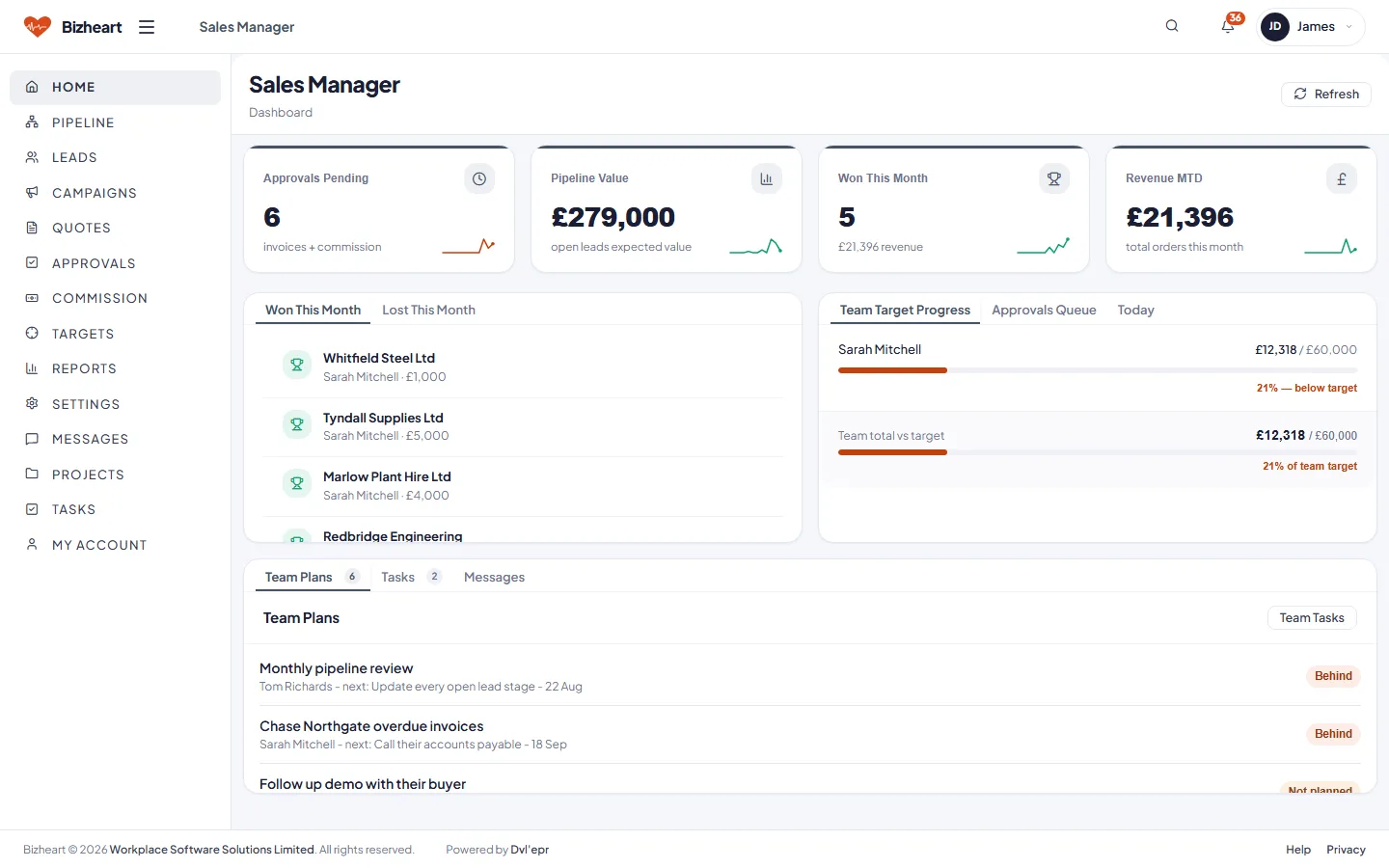
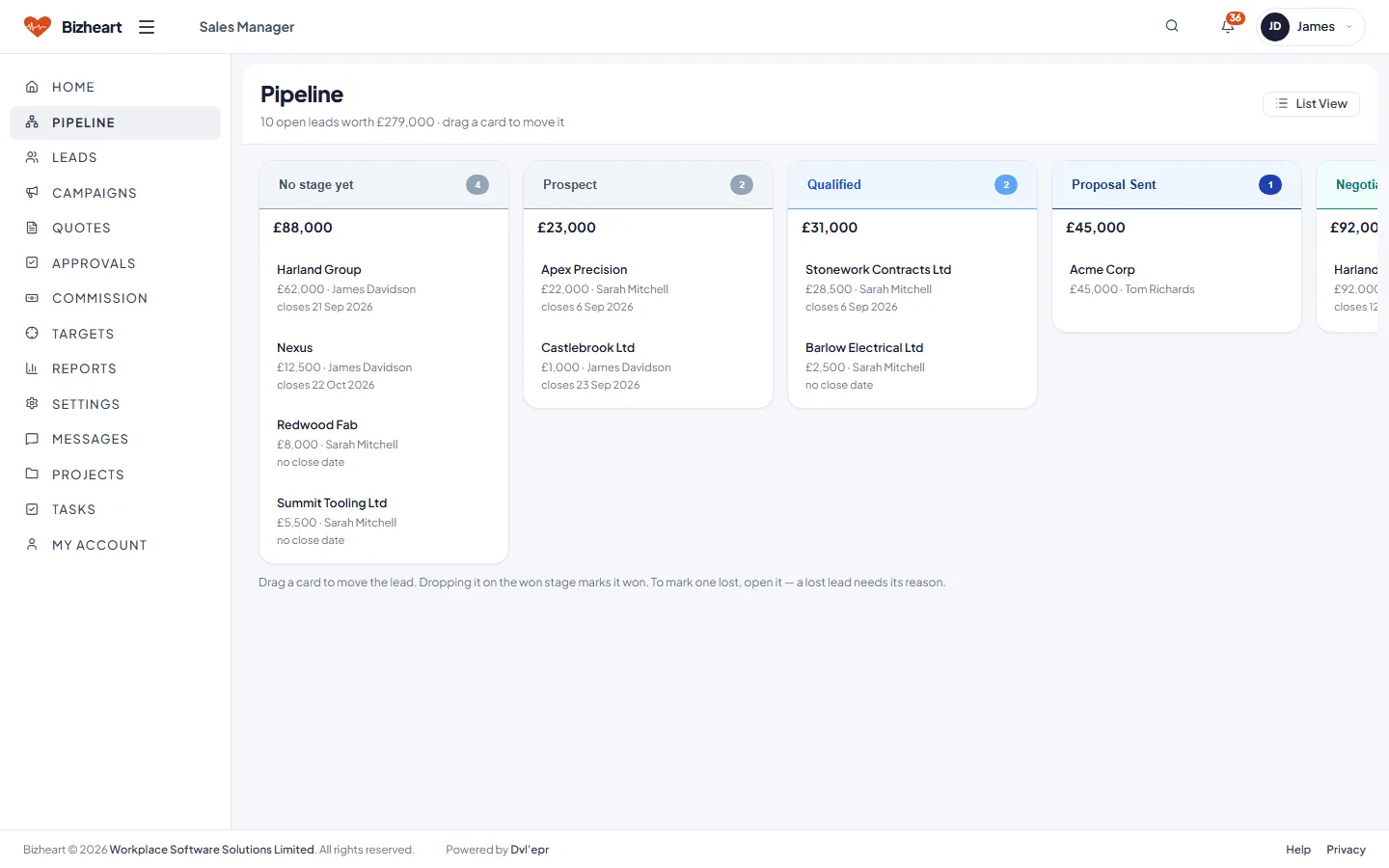
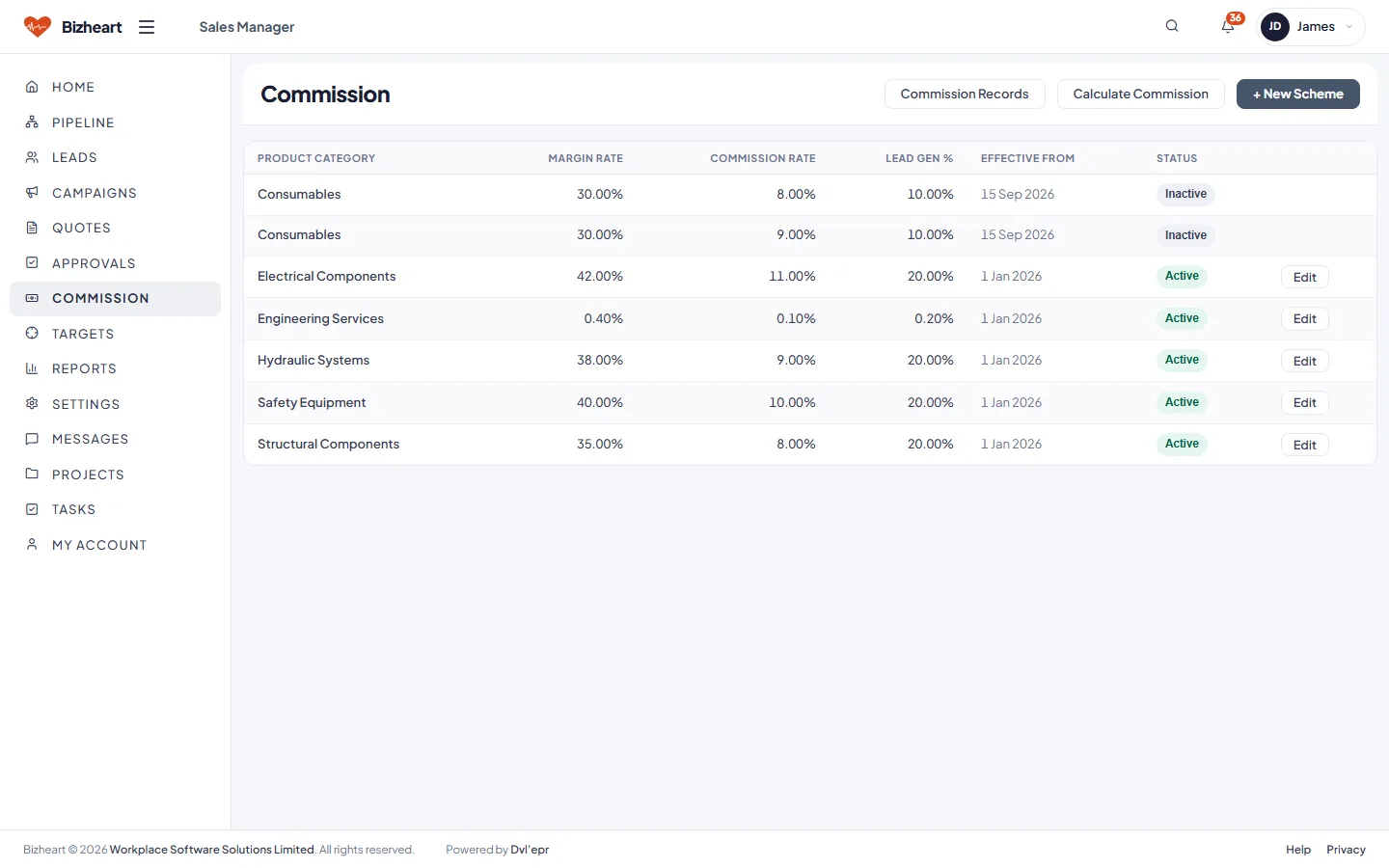
Pipeline by stage, quotes waiting for approval above the threshold, commission accrued from the schemes you define, and each salesperson's progress against target.

Also in Sales Manager: the quote approval queue, quotes and leads across the team, campaigns and sales reports.

Sales Manager dashboard with pipeline value, orders this month, quotes awaiting approval, commission accrued and won versus lost
Pipeline by stage with values
Commission list by salesperson and order
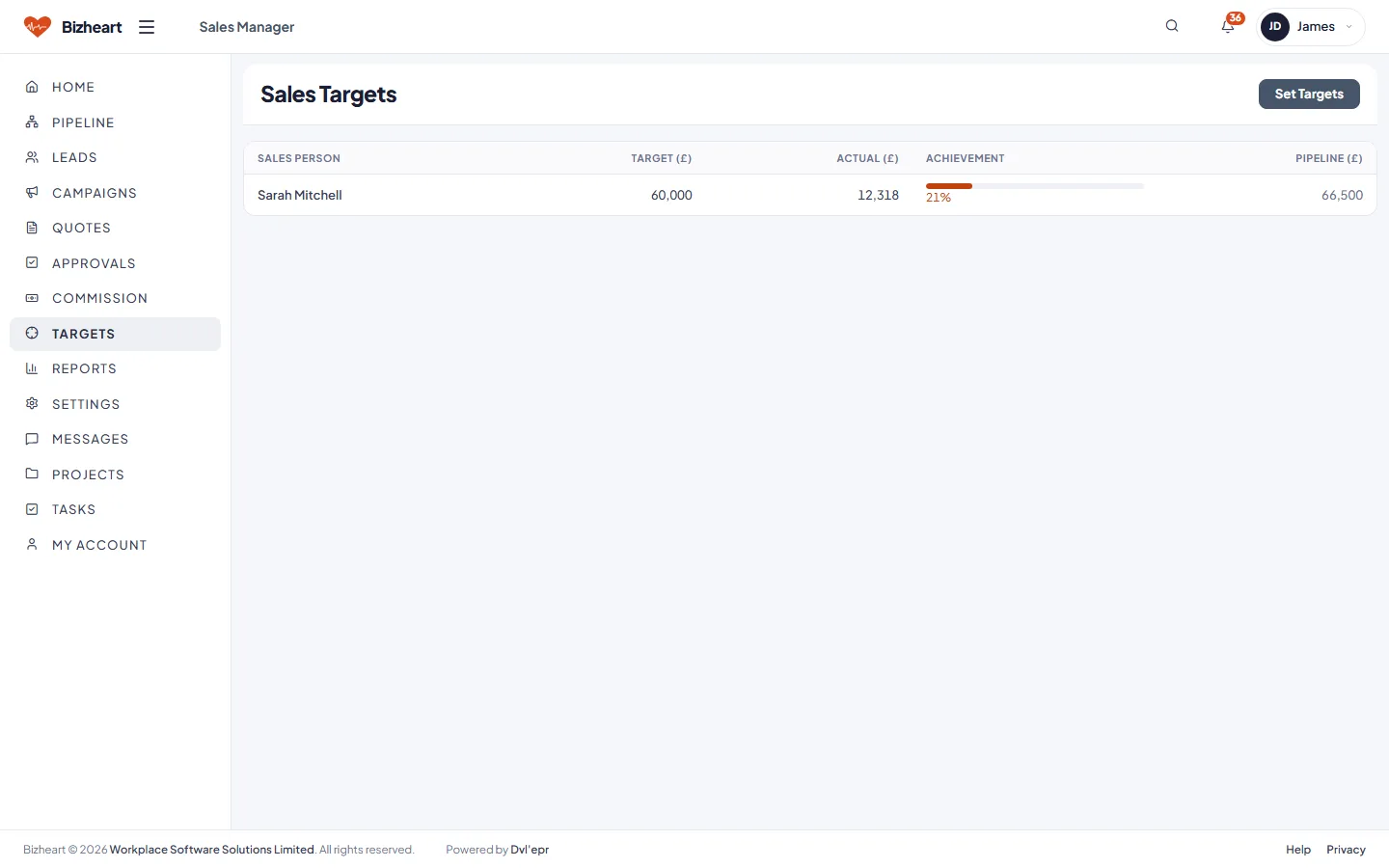
Sales targets by salesperson

Purchasing

Requests awaiting approval, open purchase orders, goods expected and invoices payable. Supplier invoices are matched three ways against the order and the goods received before Finance sees them.

Also in Purchasing: goods in, supplier invoices, recurring bills and purchasing reports.

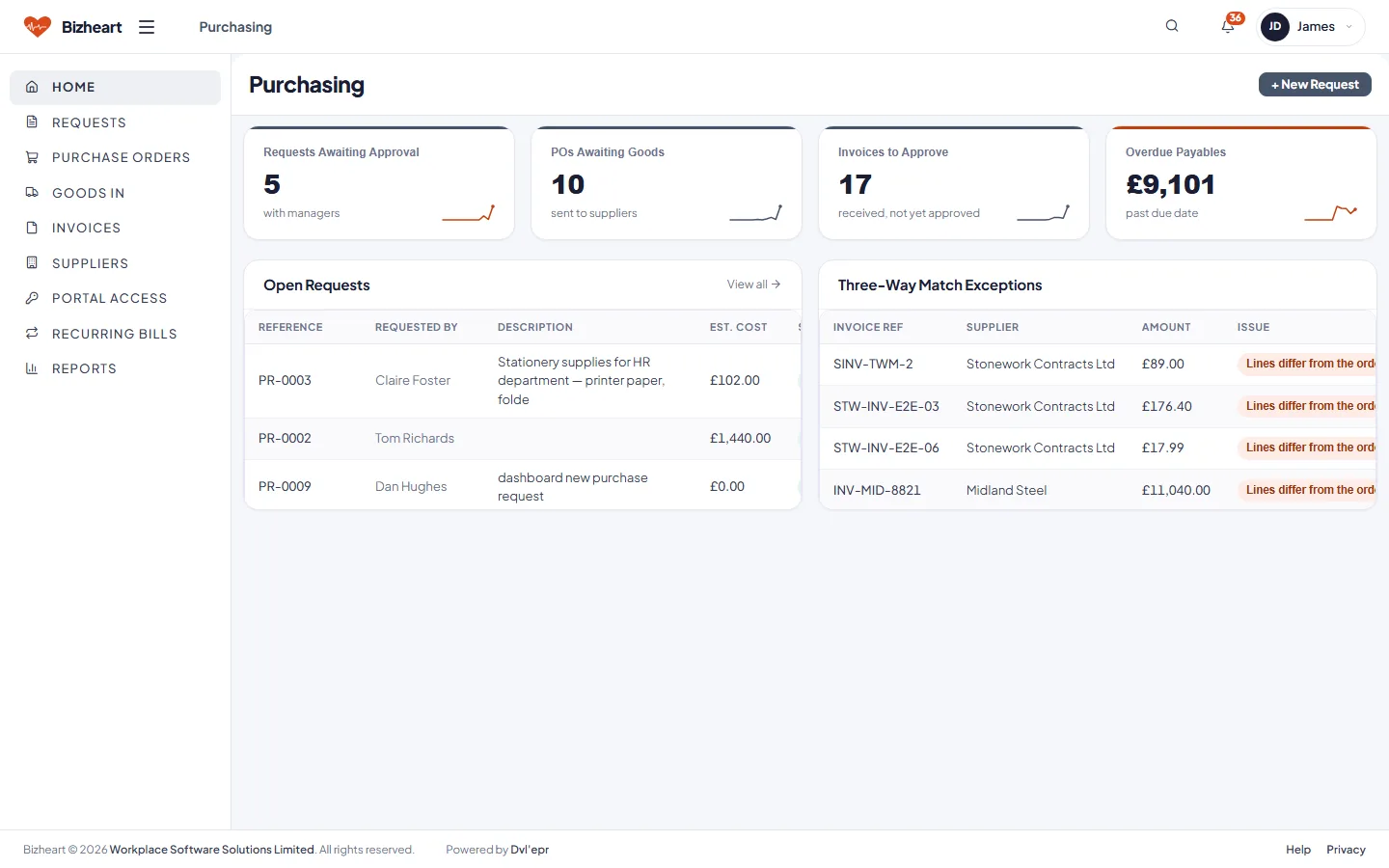
Purchasing dashboard with requests awaiting approval, open purchase orders, goods expected and invoices payable
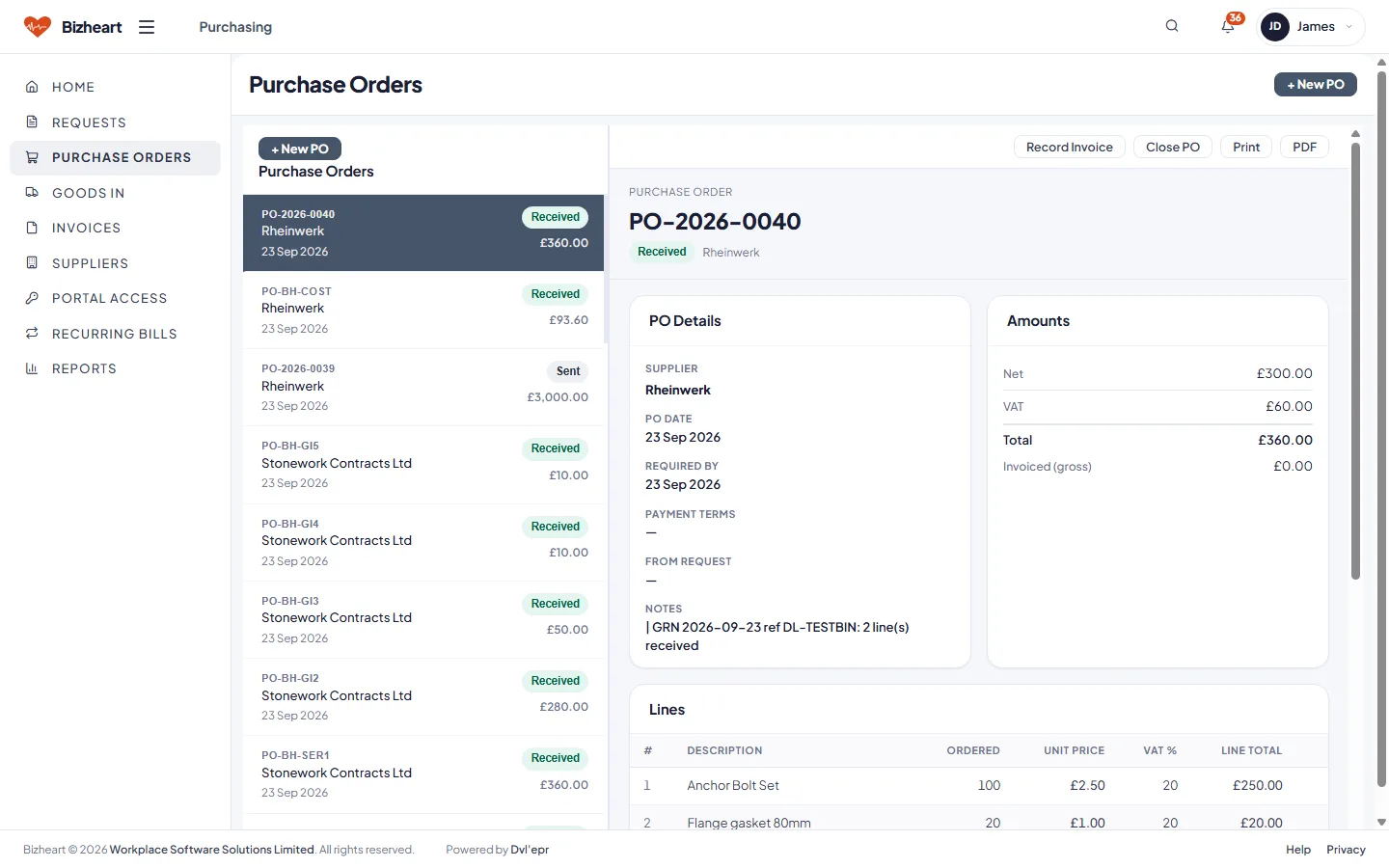
Purchase orders list with detail pane
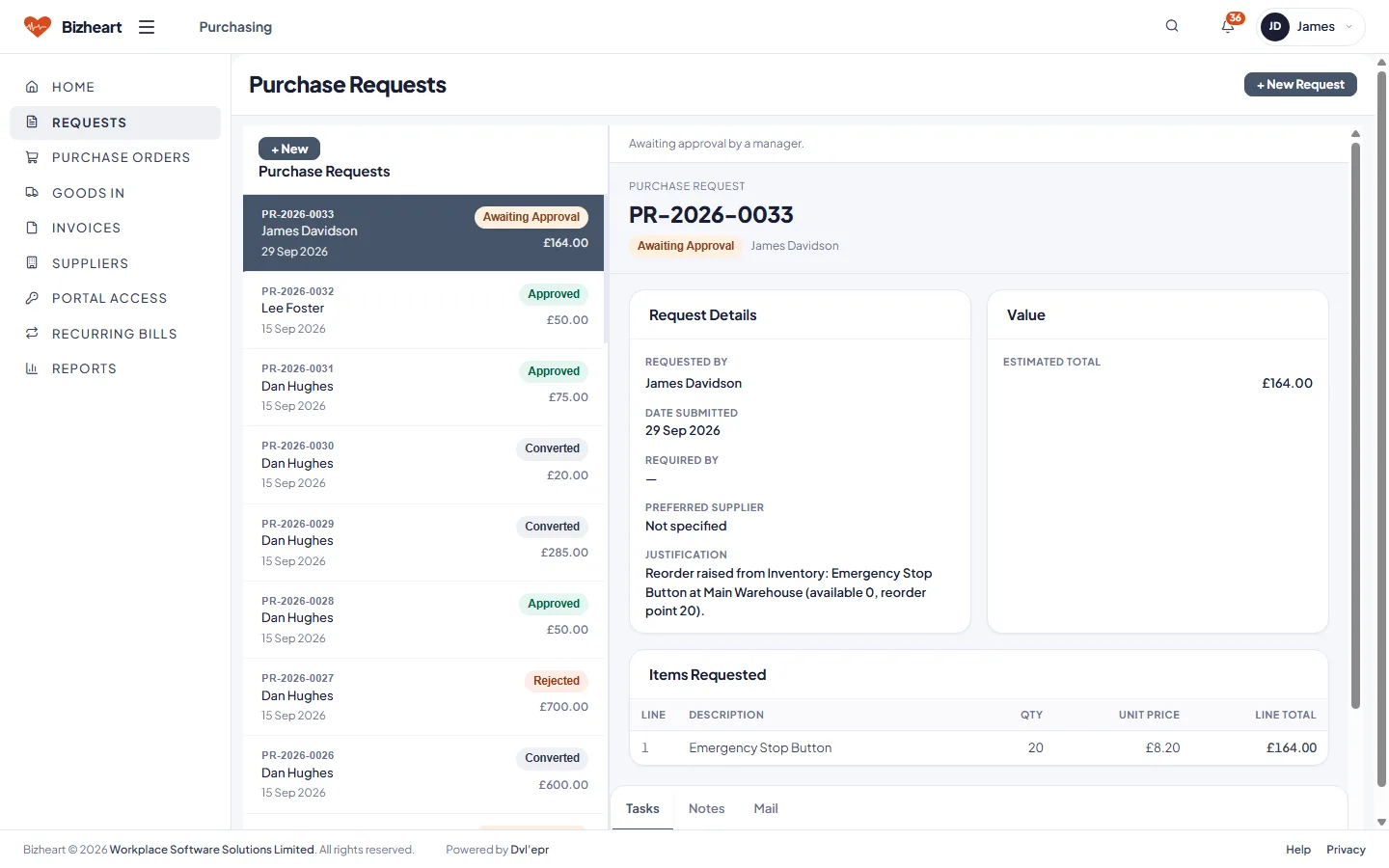
Purchase requests list with status
Suppliers list with spend and detail pane

Inventory

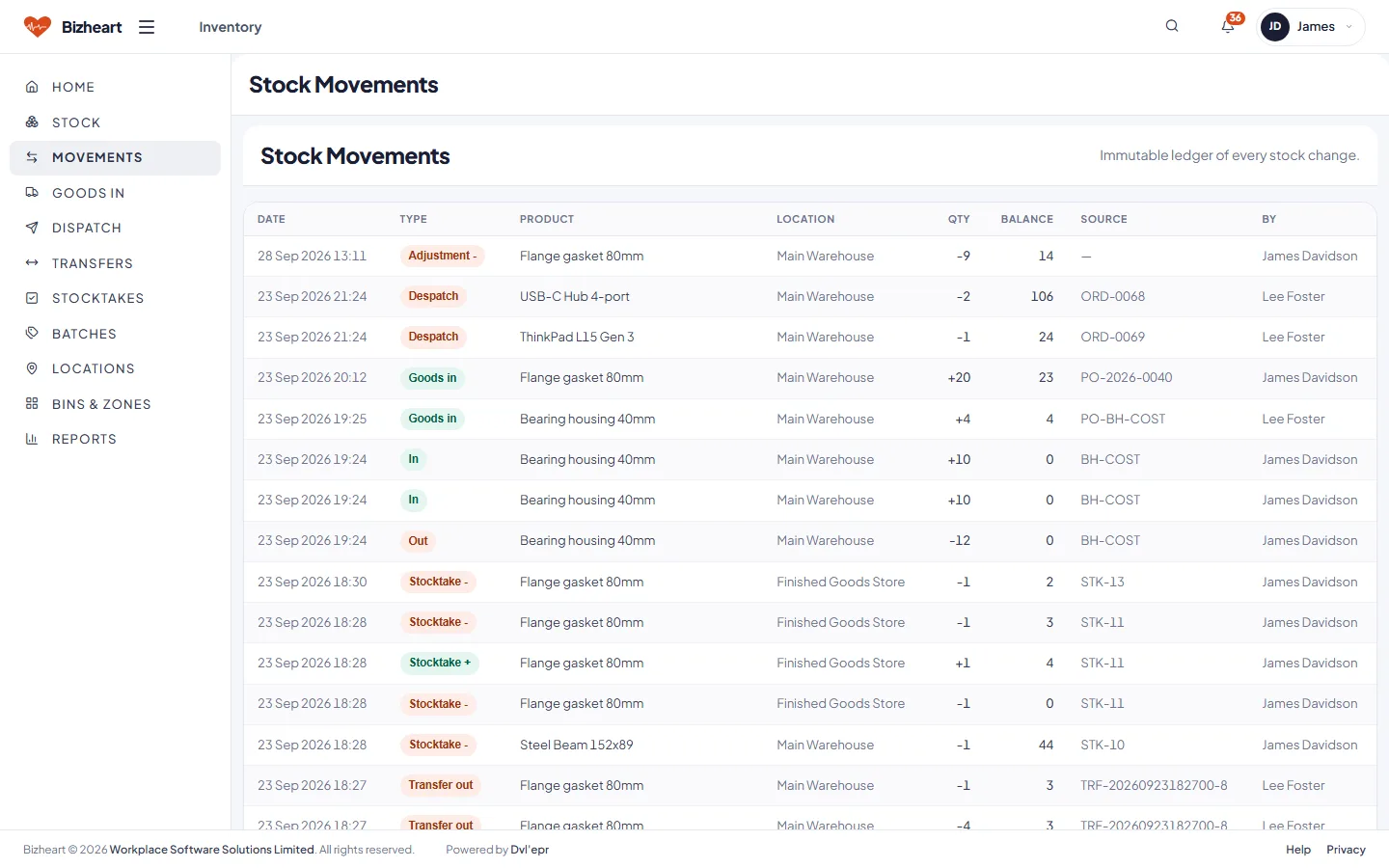
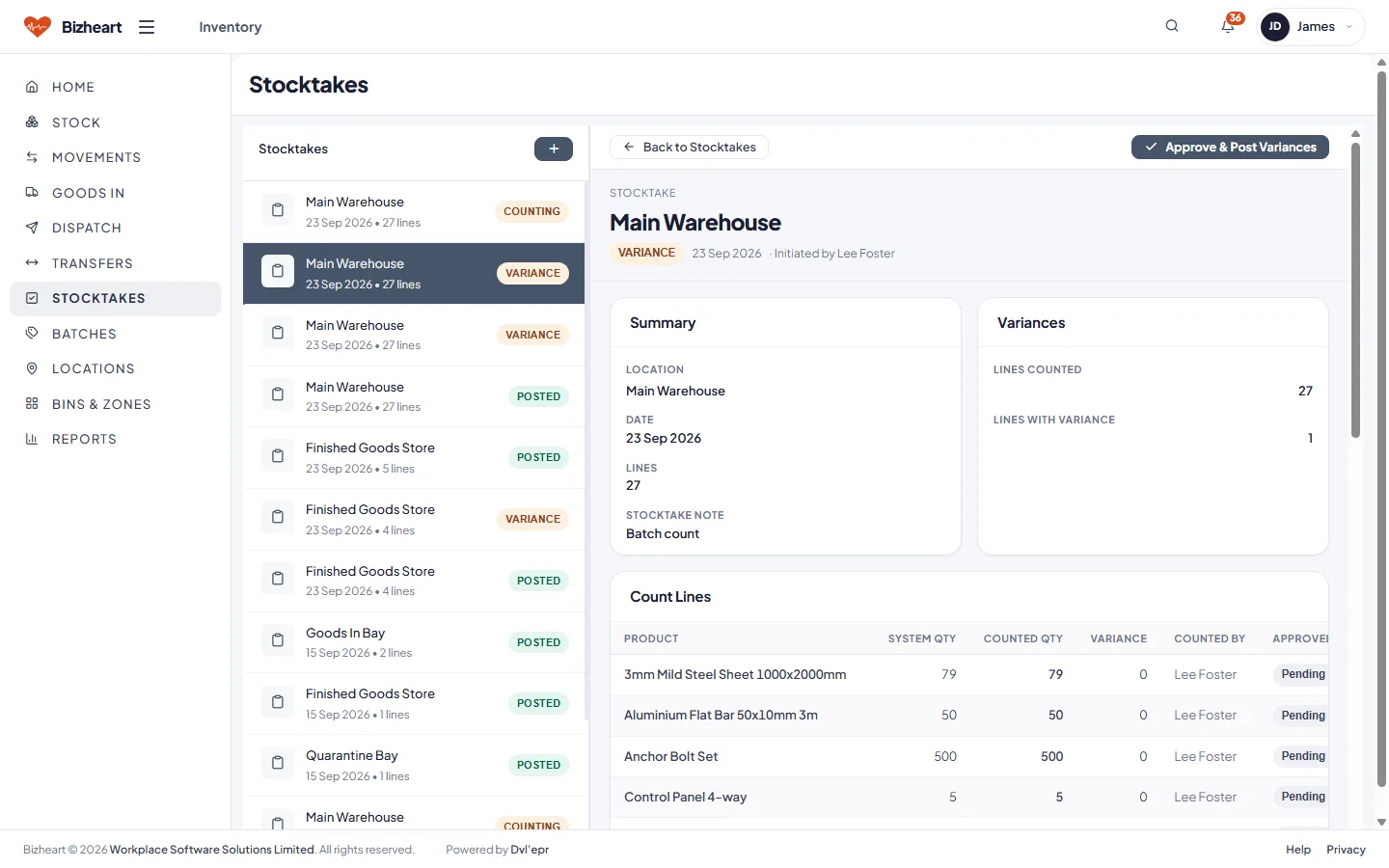
Stock by product and location, every movement with who made it, transfers between locations and stocktakes with variances that only a manager can post.

Also in Inventory: transfers between locations, the locations themselves, despatch, goods in and stock reports.

Inventory dashboard with stock value, low stock, pending receipts and a reorder list
Stock movements list with type, product, location, quantity and user
Stock levels by product with detail pane
Stocktakes list with status
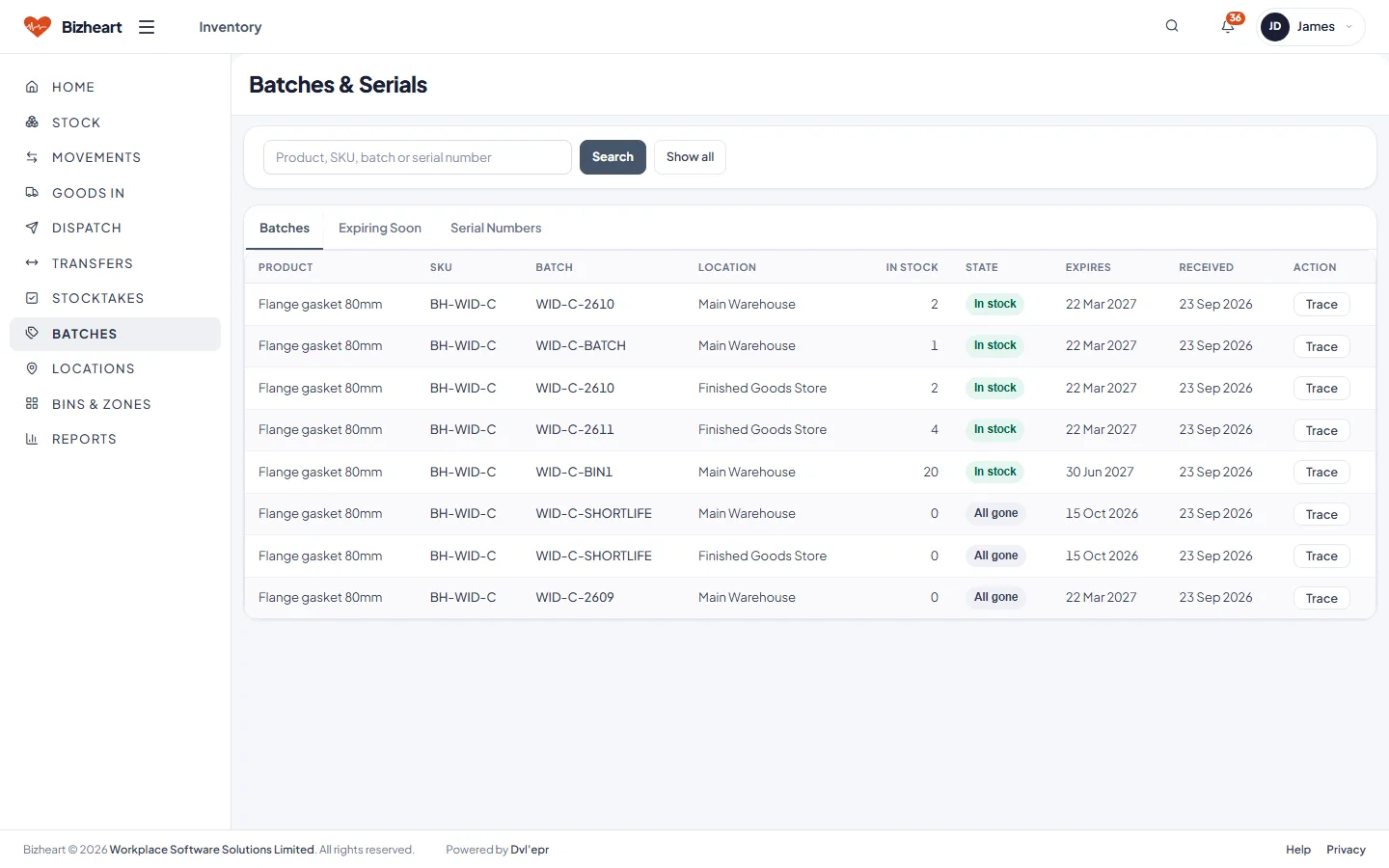
Batches and serials with expiry dates and quantities
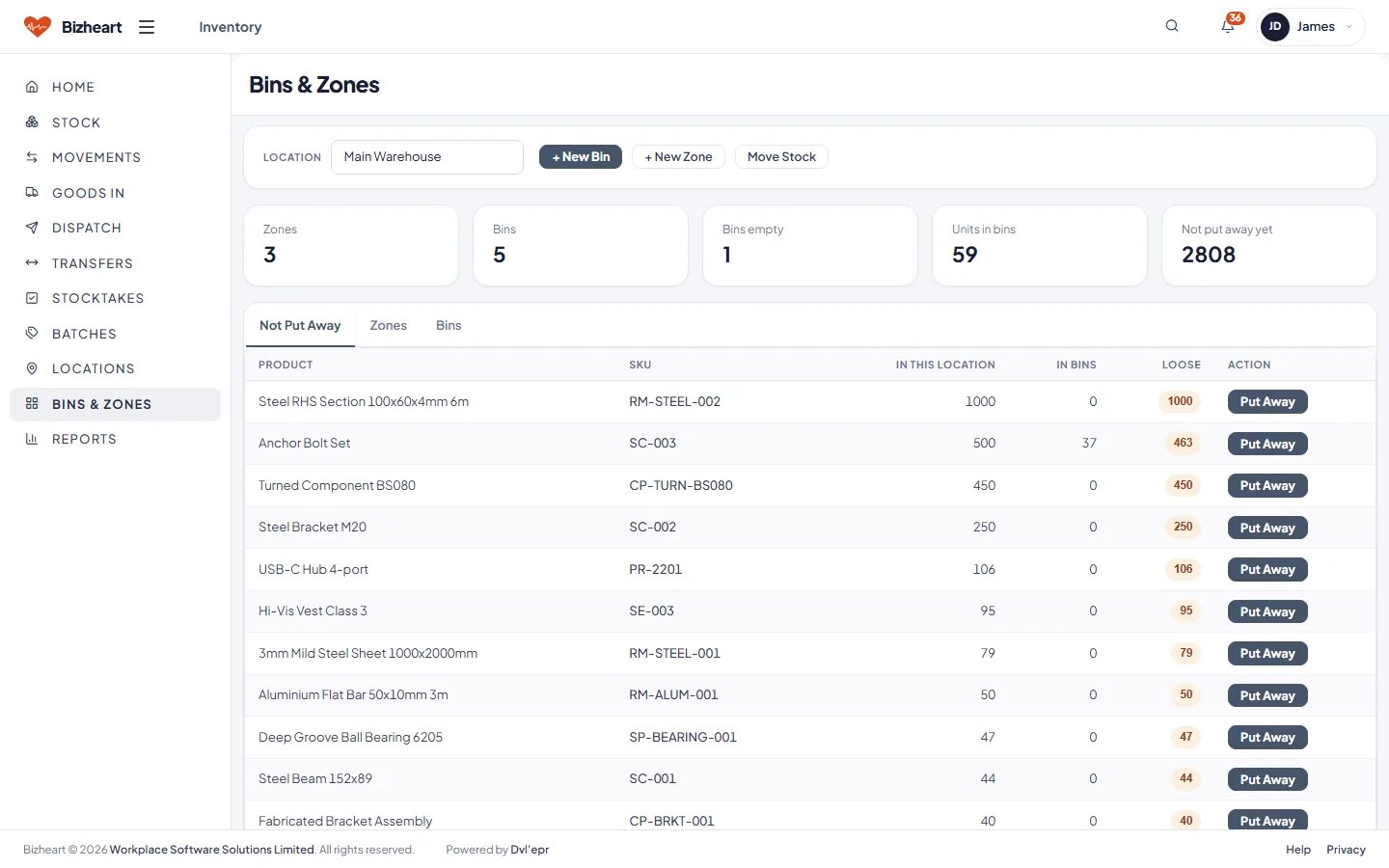
Bins and zones by location with contents

Accounting

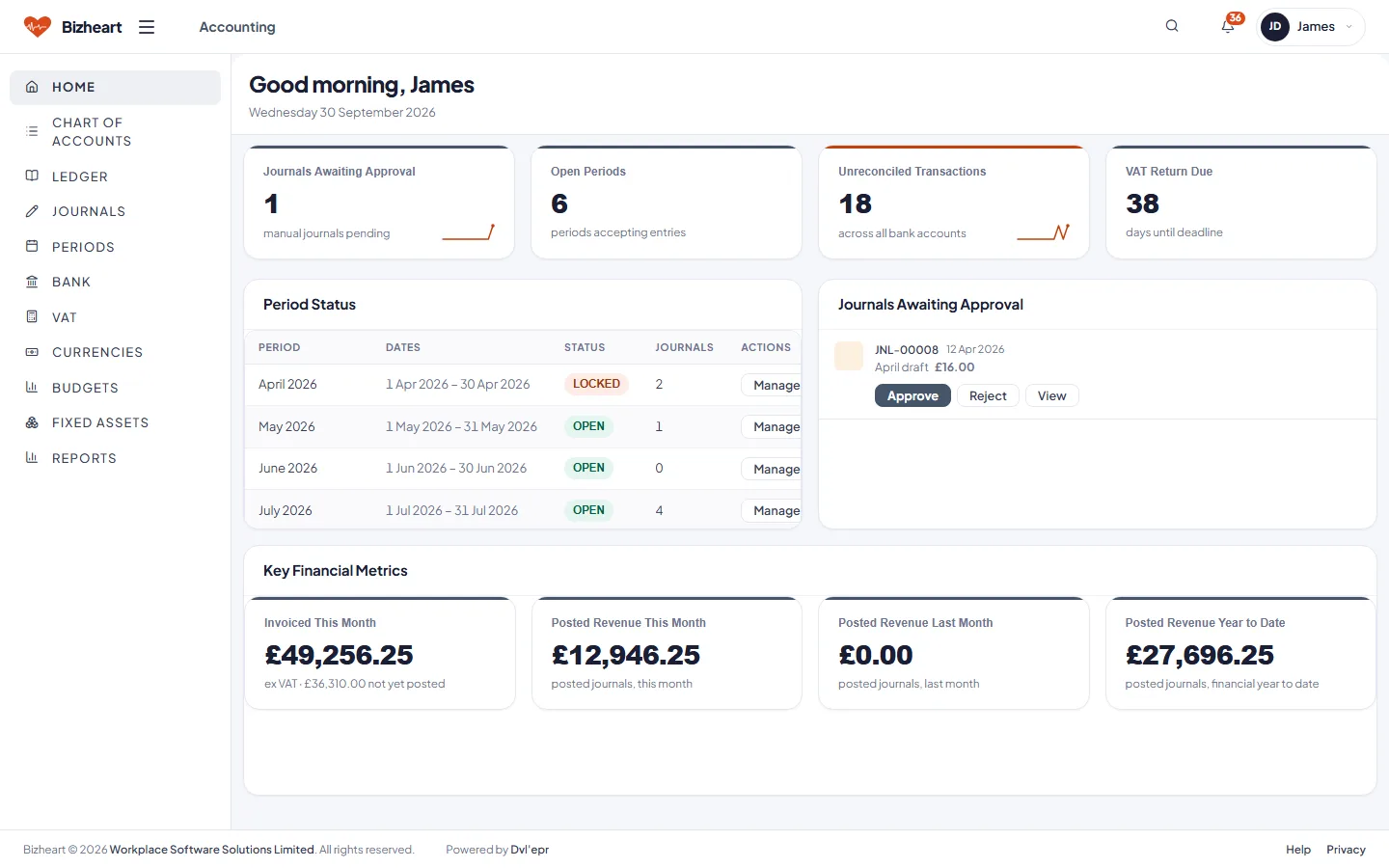
A double-entry ledger fed by every other app. Journals awaiting approval, open and closed periods, unreconciled bank items and the days to the VAT return, with trial balance, profit and loss and balance sheet reports. An invoice raised in another currency is held at both its own amount and the sterling one.

Accounting dashboard with journals awaiting approval, open periods, unreconciled transactions and VAT return due
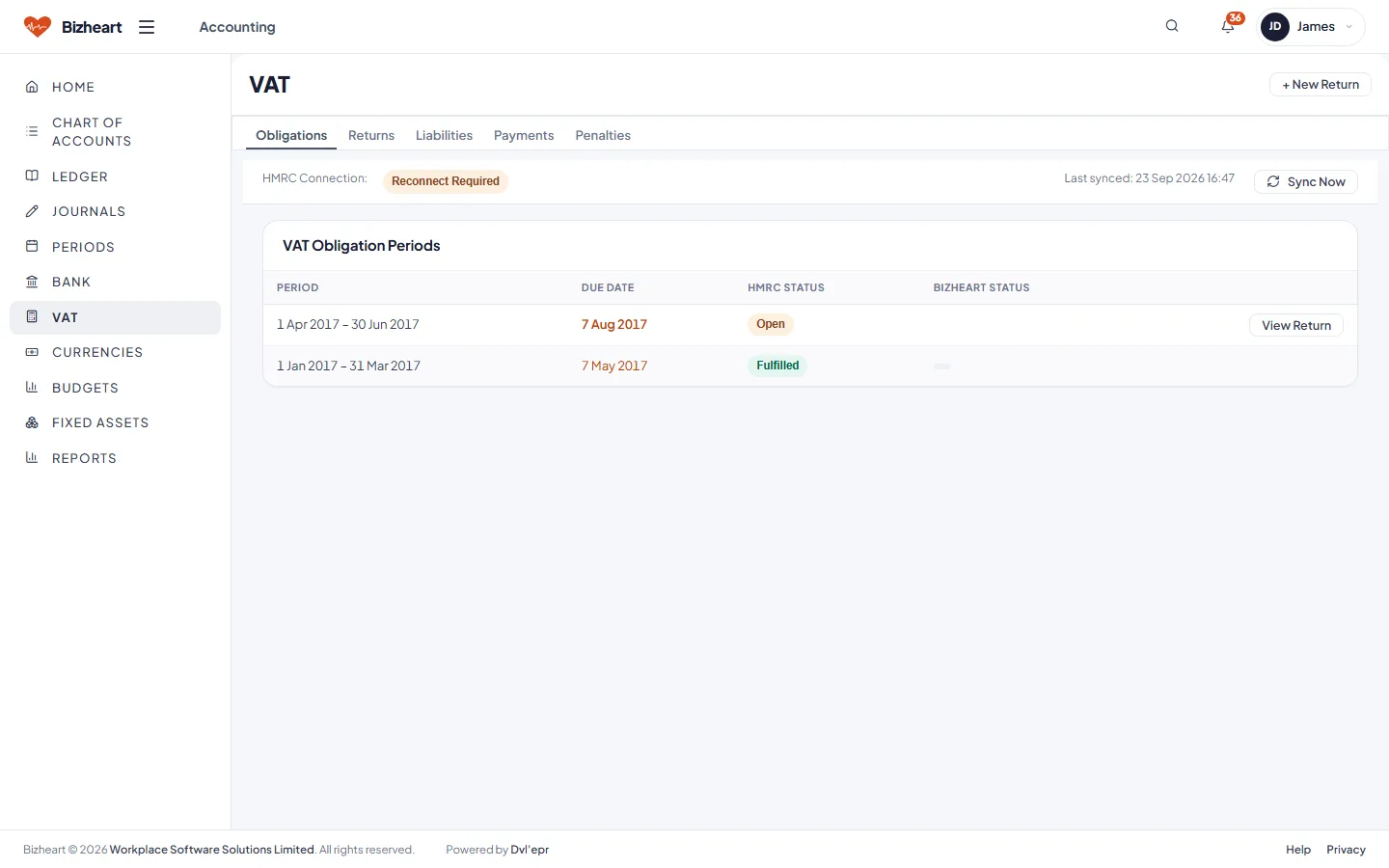
VAT obligations fetched from HMRC: each period with its filing deadline, net VAT, status and HMRC reference
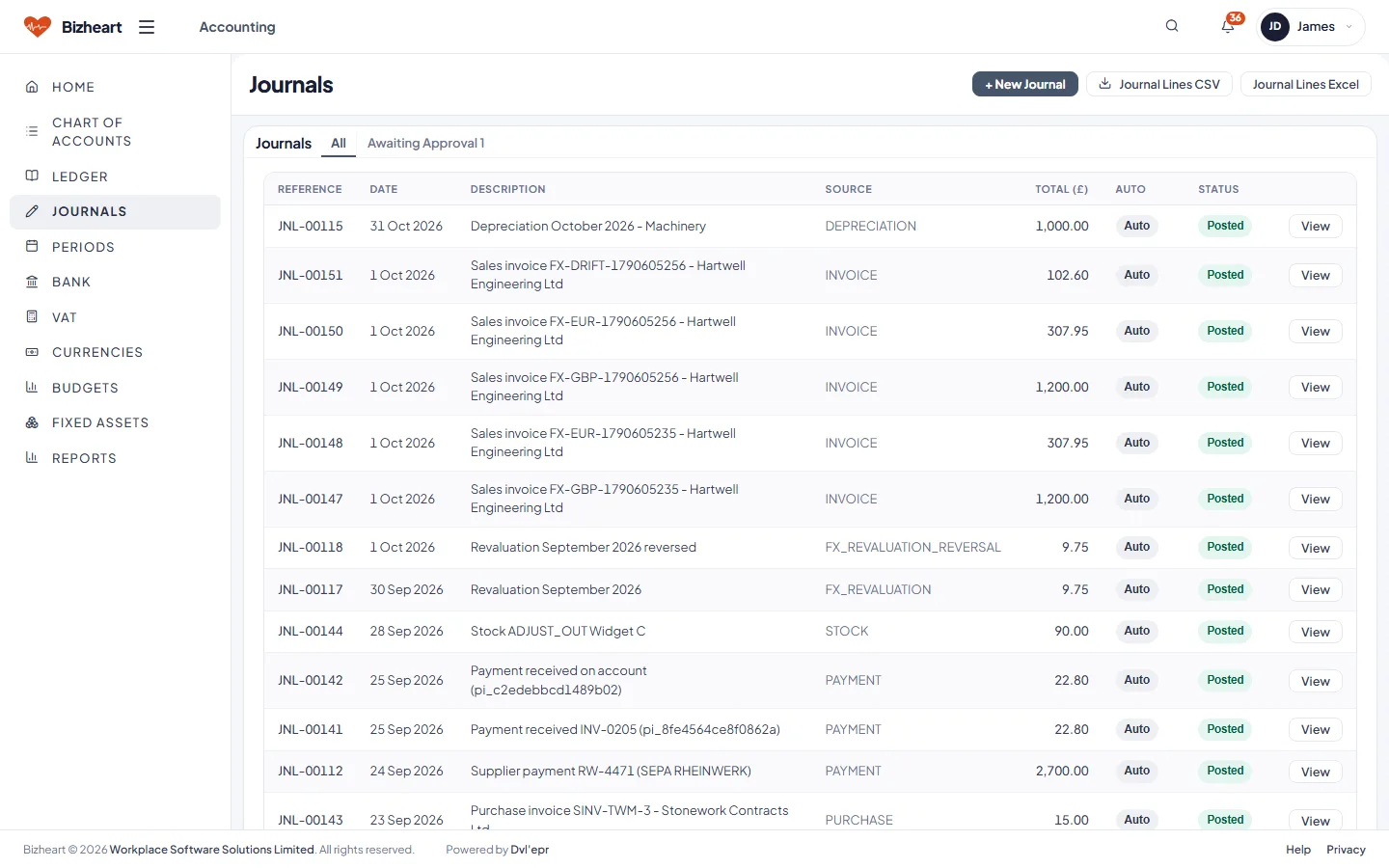
Journals list with status and approval
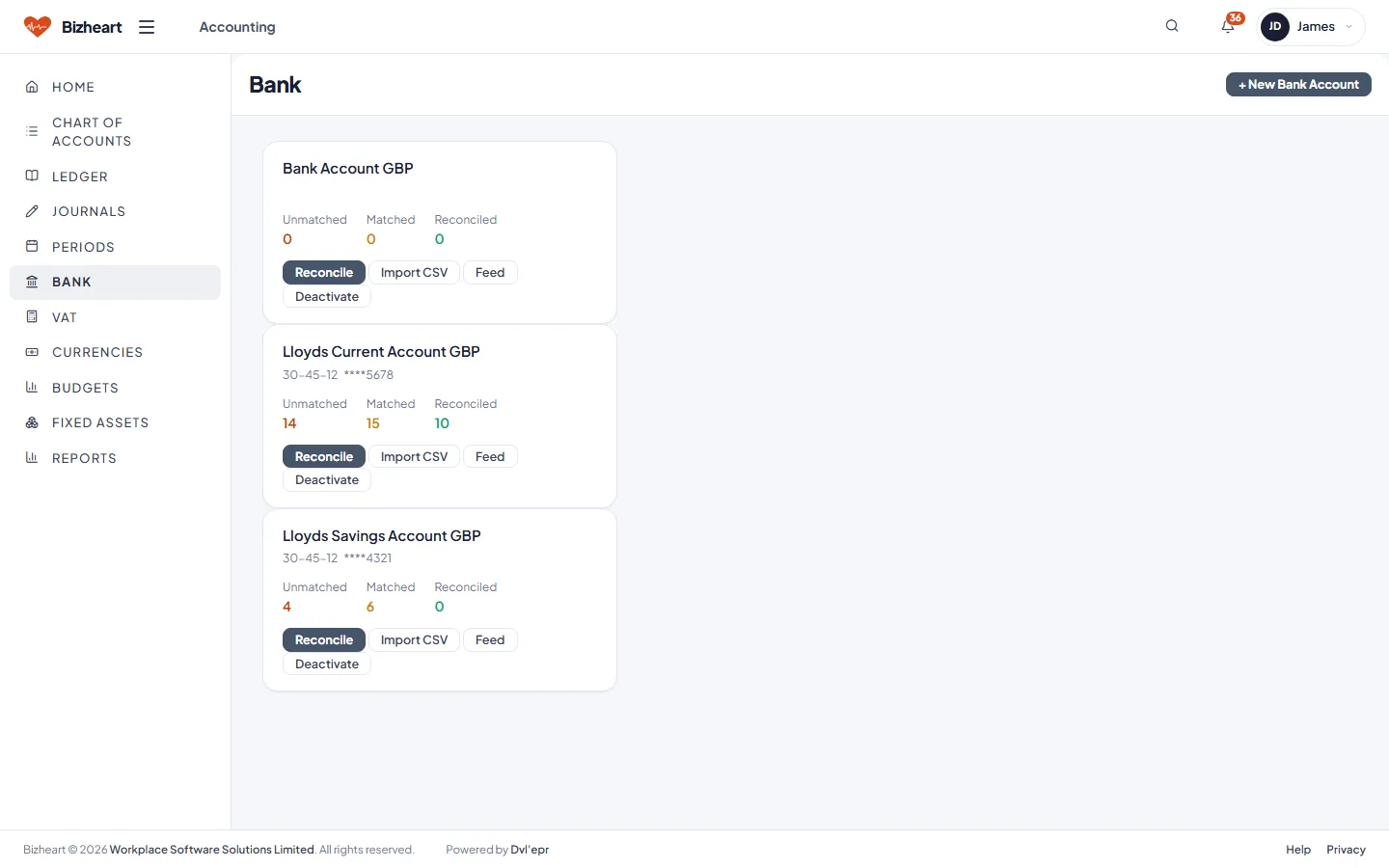
Bank accounts with balances, feeds and reconcile actions
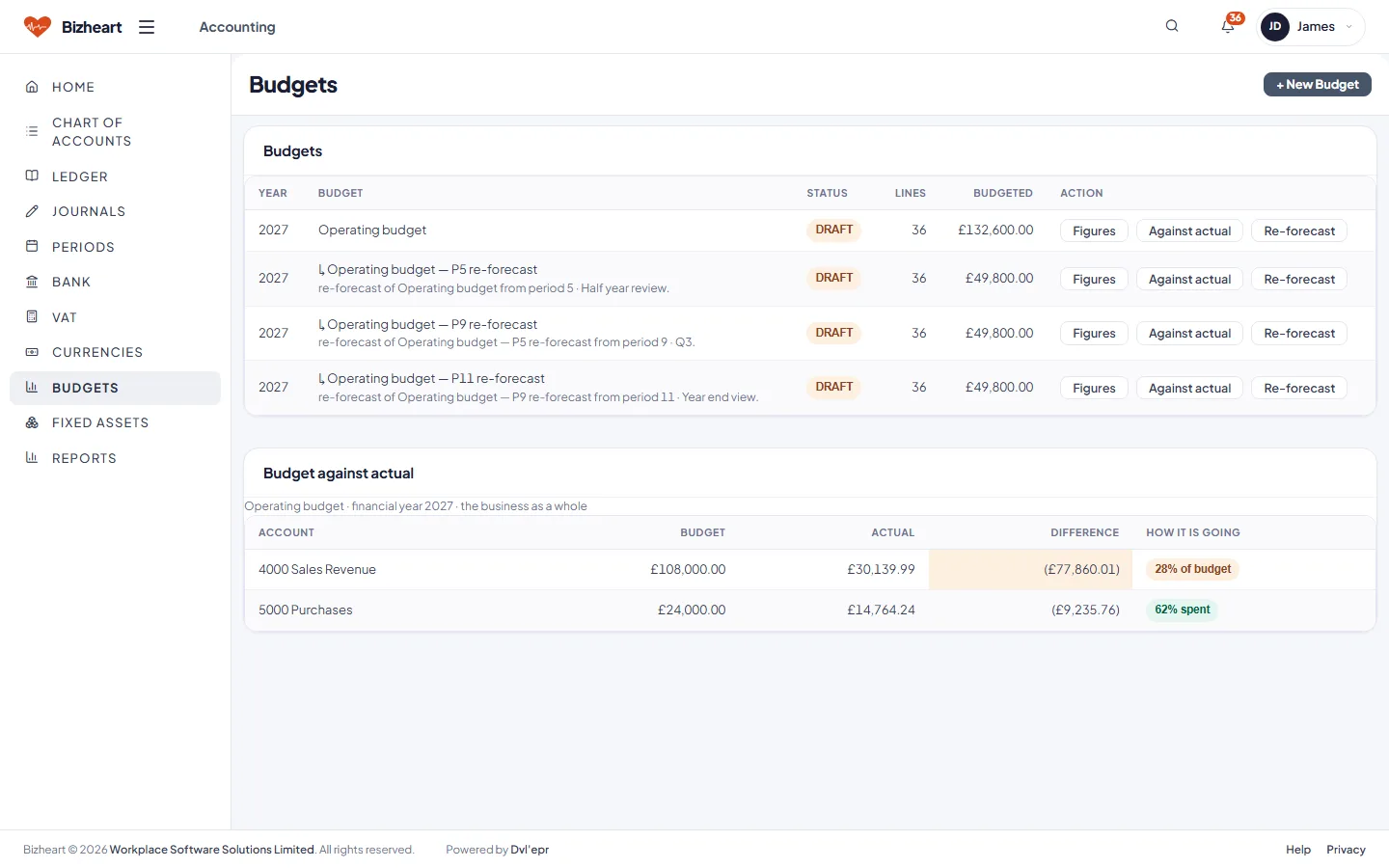
Budgets by year and department with re-forecast
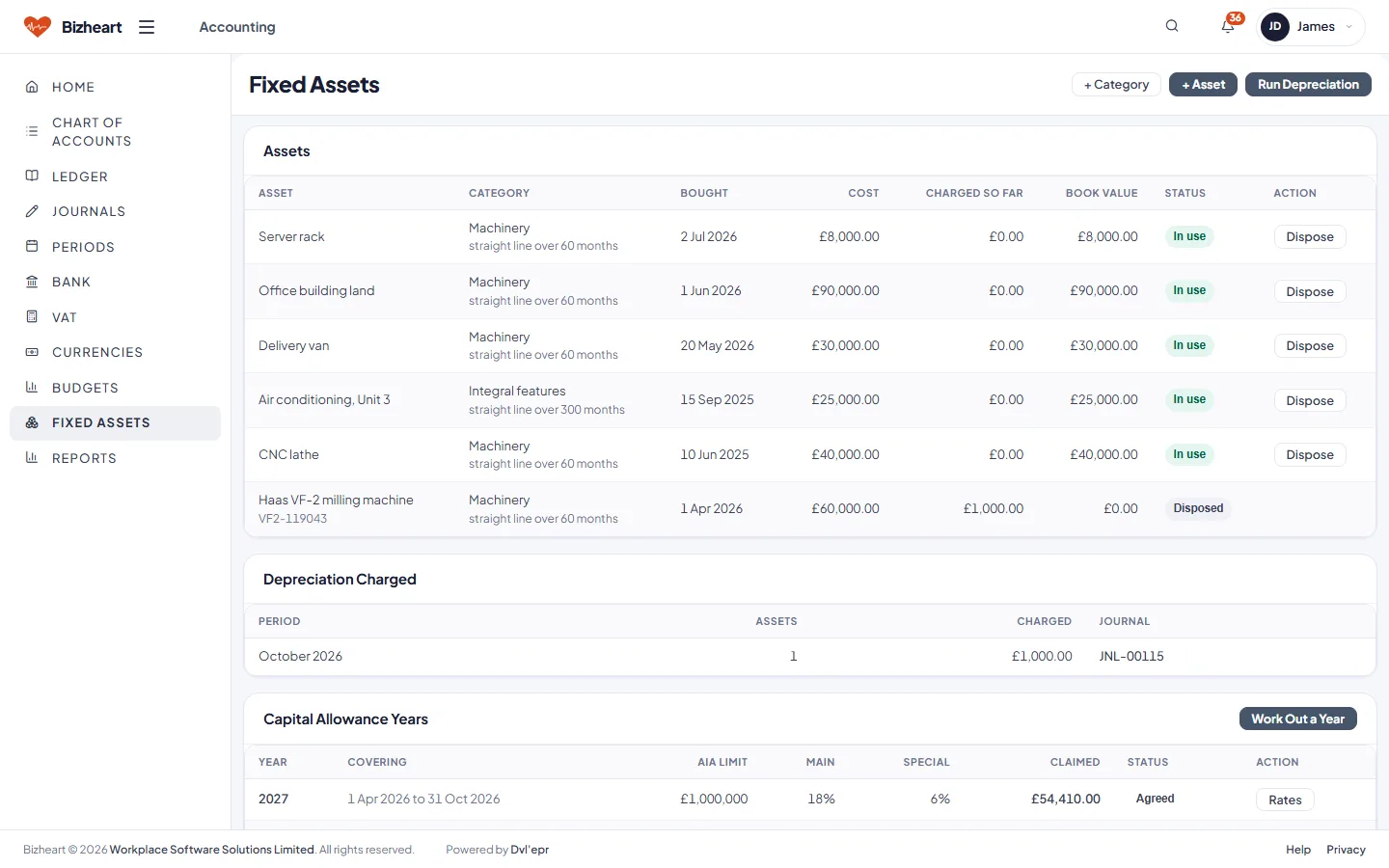
Fixed assets register with depreciation and capital allowances
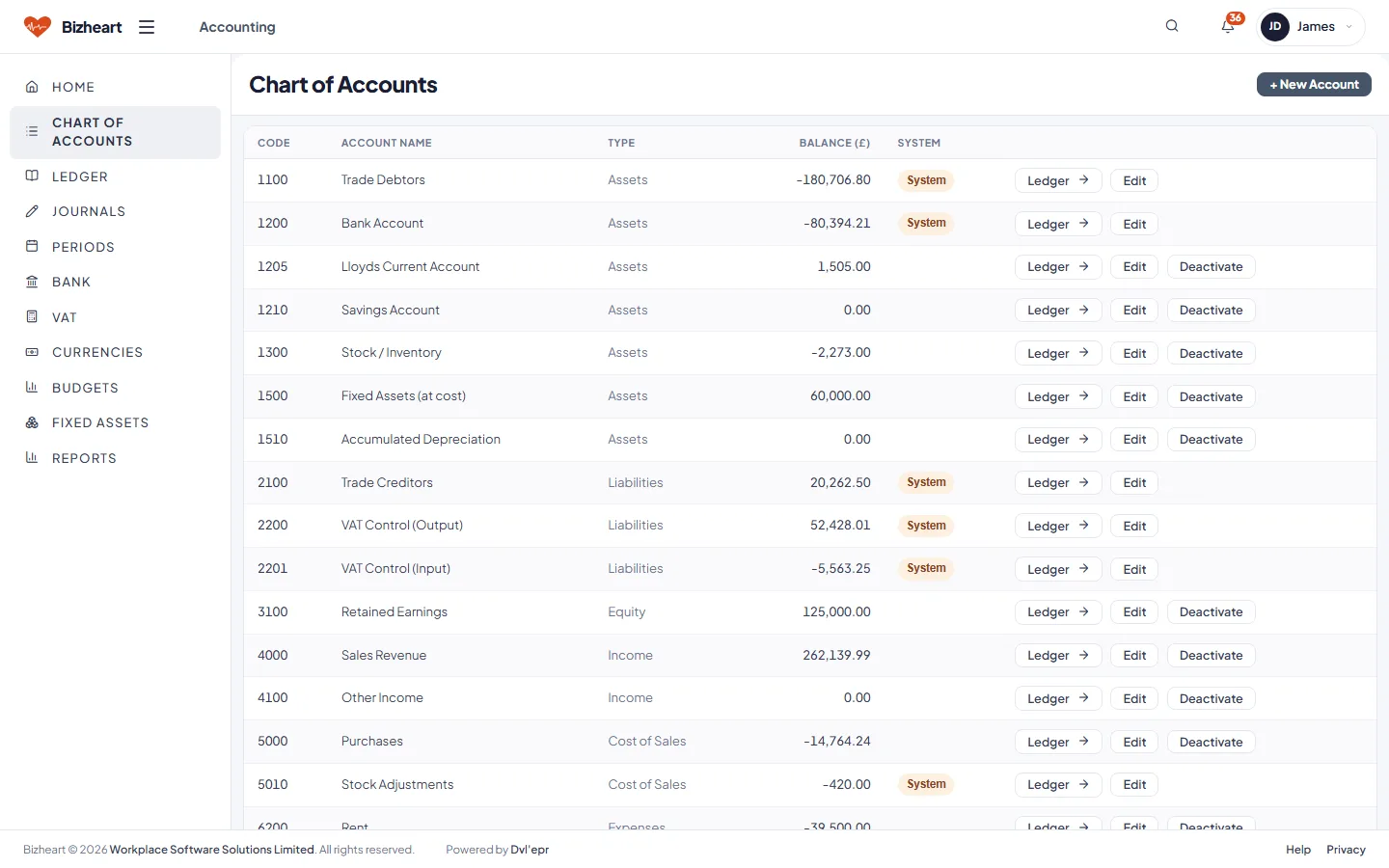
Chart of accounts: every nominal account with its type and balance
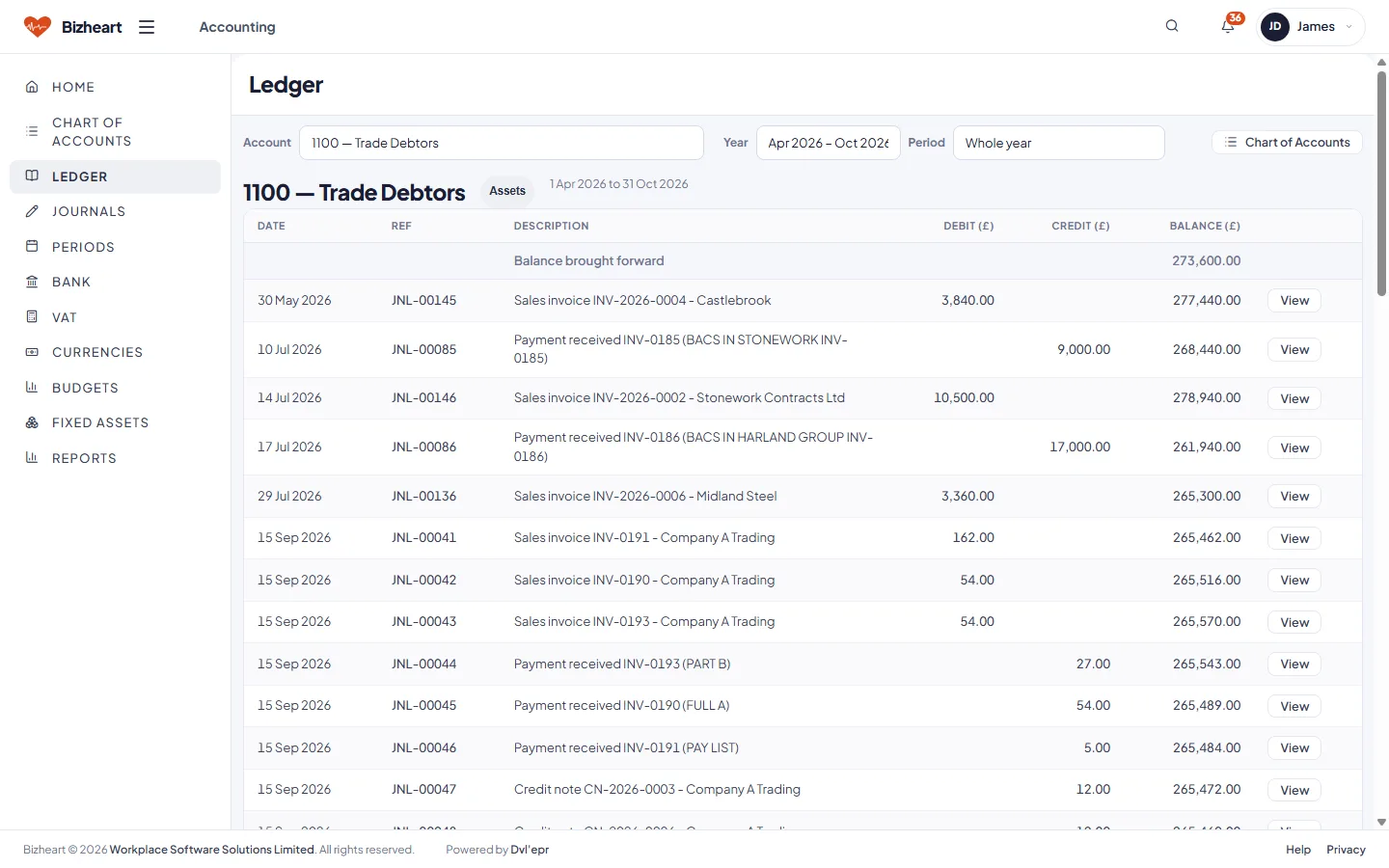
Ledger for one account over a period, with its opening balance and every entry
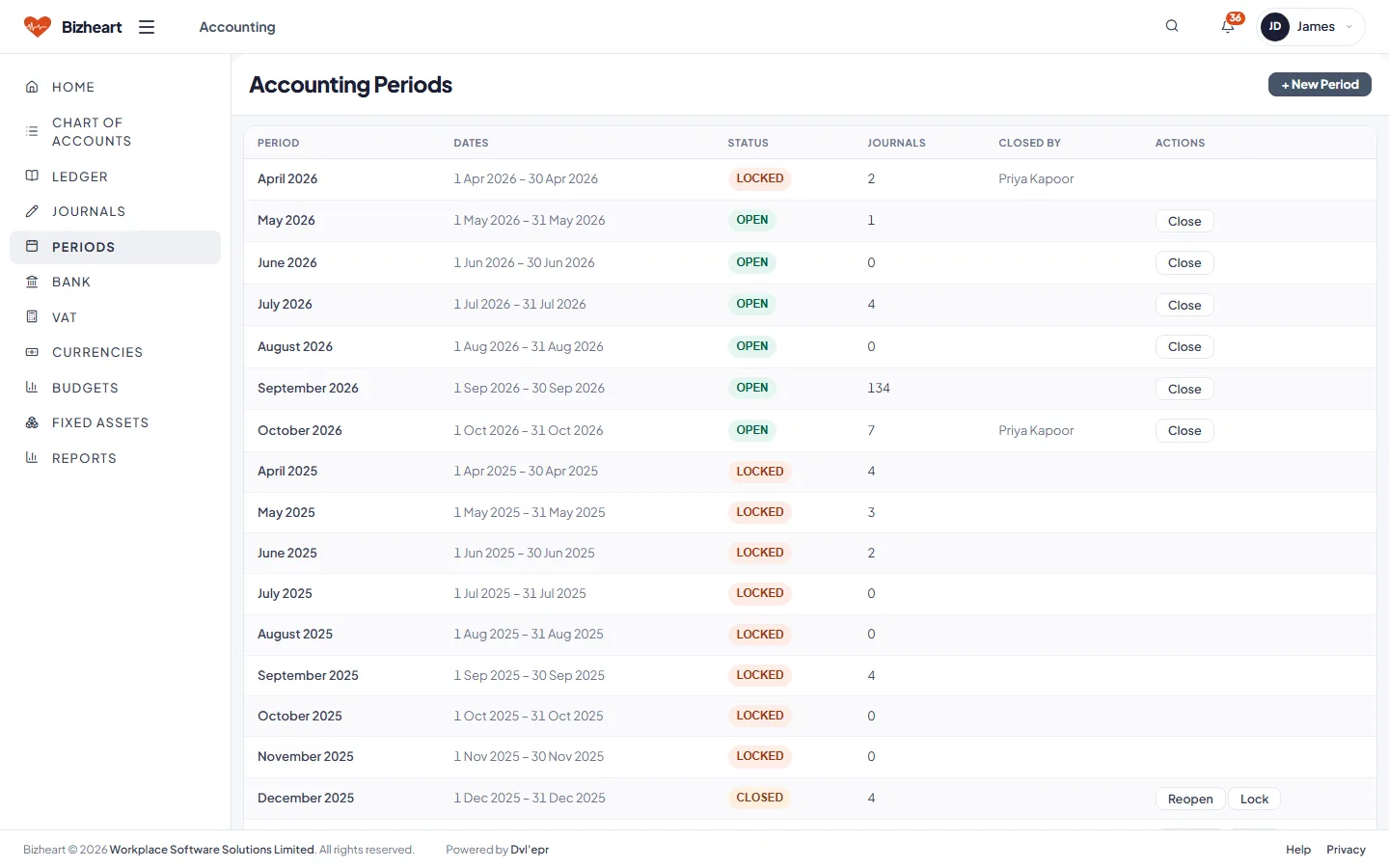
Accounting periods by year, each one open or closed
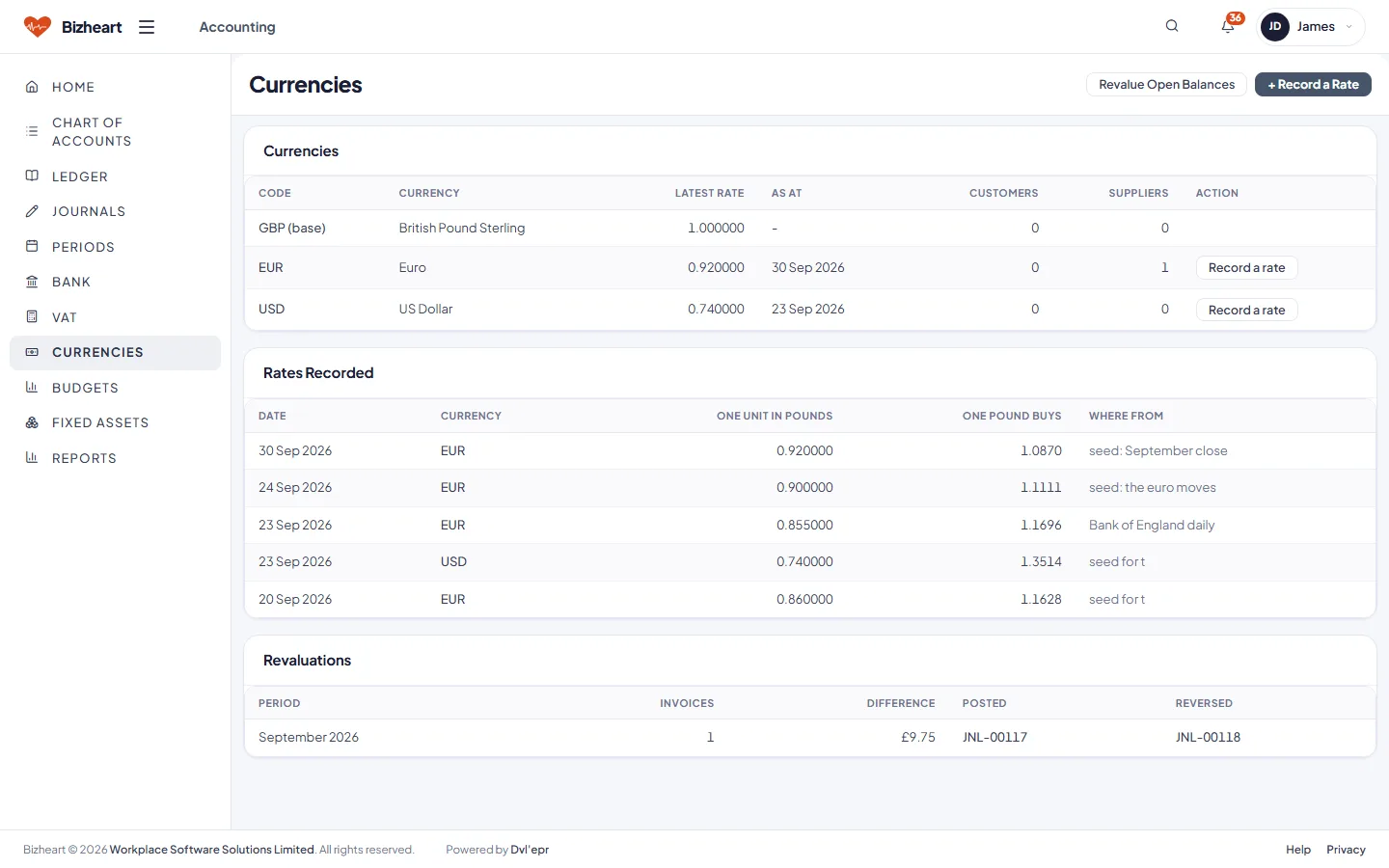
Currencies and the exchange rates held against them
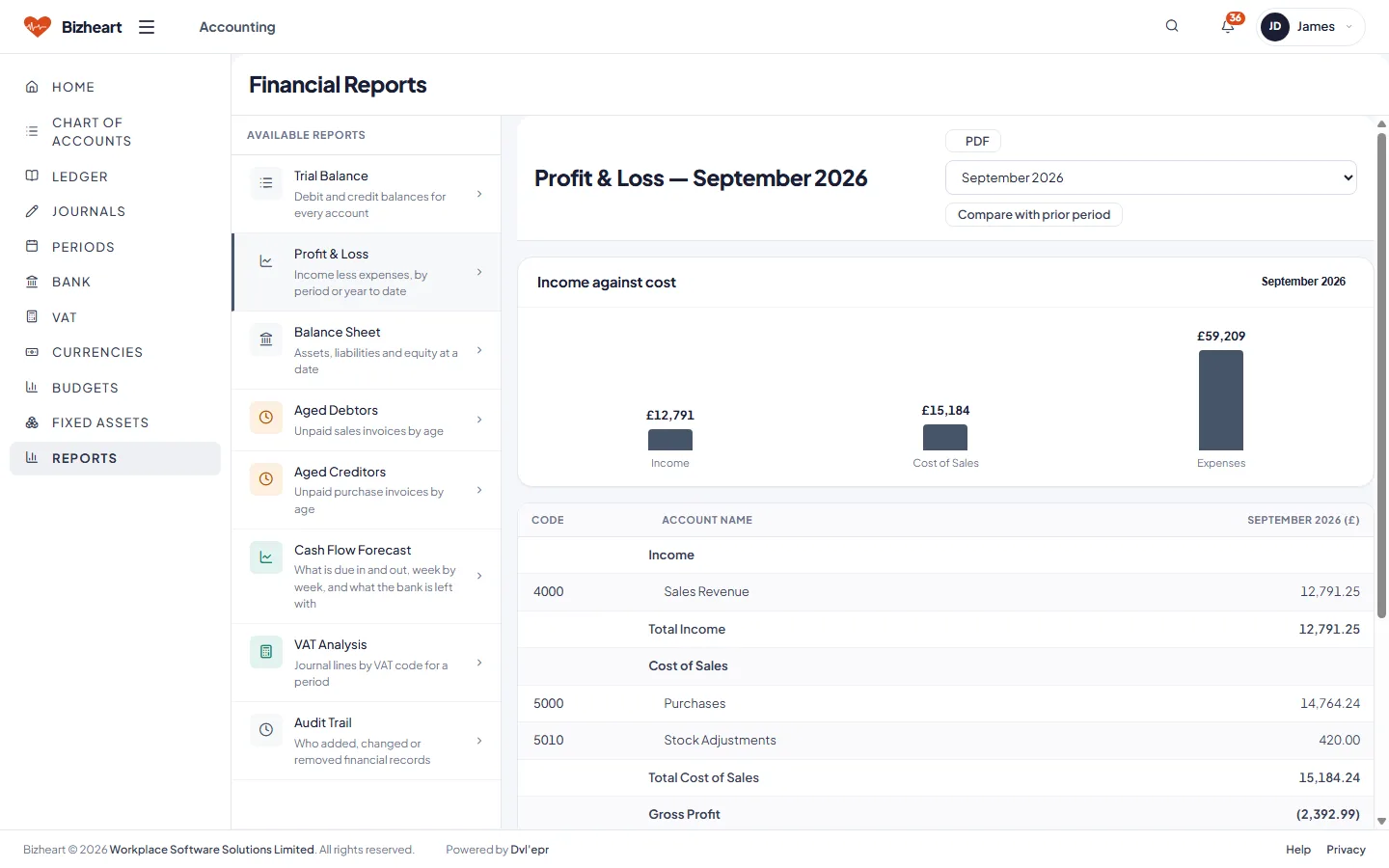
Financial reports: trial balance, profit and loss, balance sheet, aged debtors and creditors, VAT analysis

HR

Employees, contracts, onboarding and leave against the leave year you set. Leave requests to approve, onboarding still incomplete and contracts awaiting action. Sign-ins are created from here without HR ever seeing a password.

Also in HR: the sign-ins and access HR creates for a new employee, and HR reports.

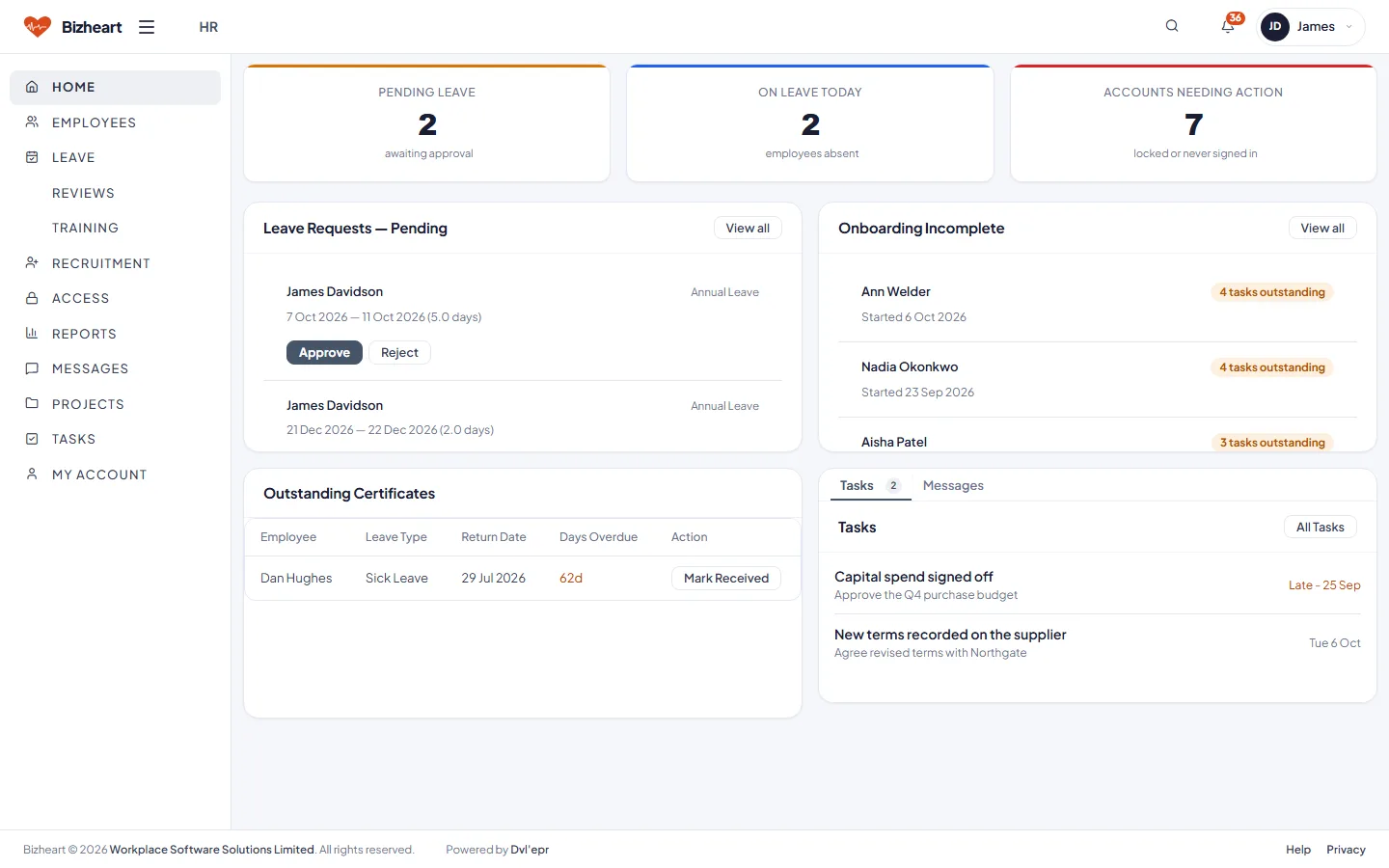
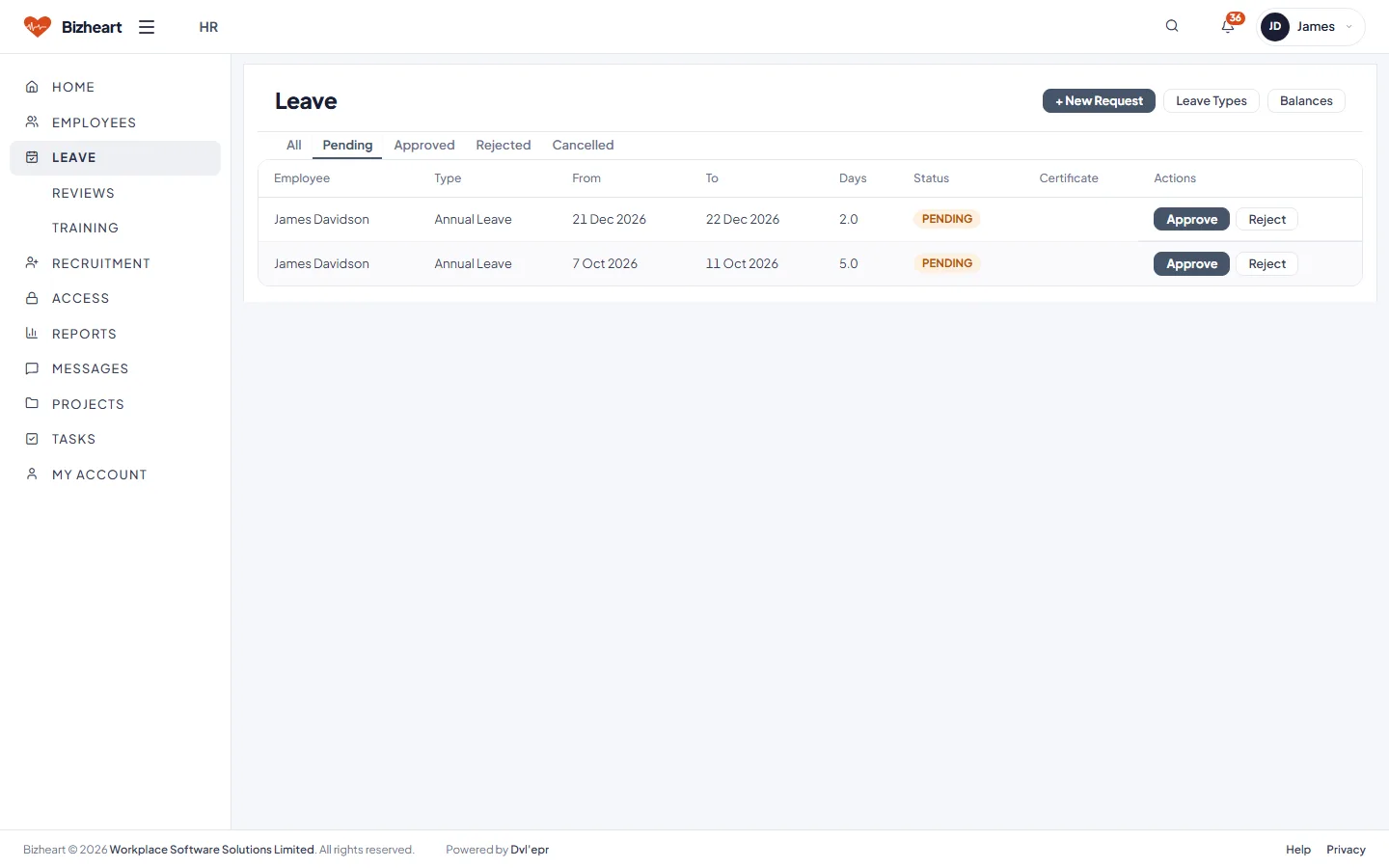
HR dashboard with leave requests pending, onboarding incomplete and contracts awaiting action
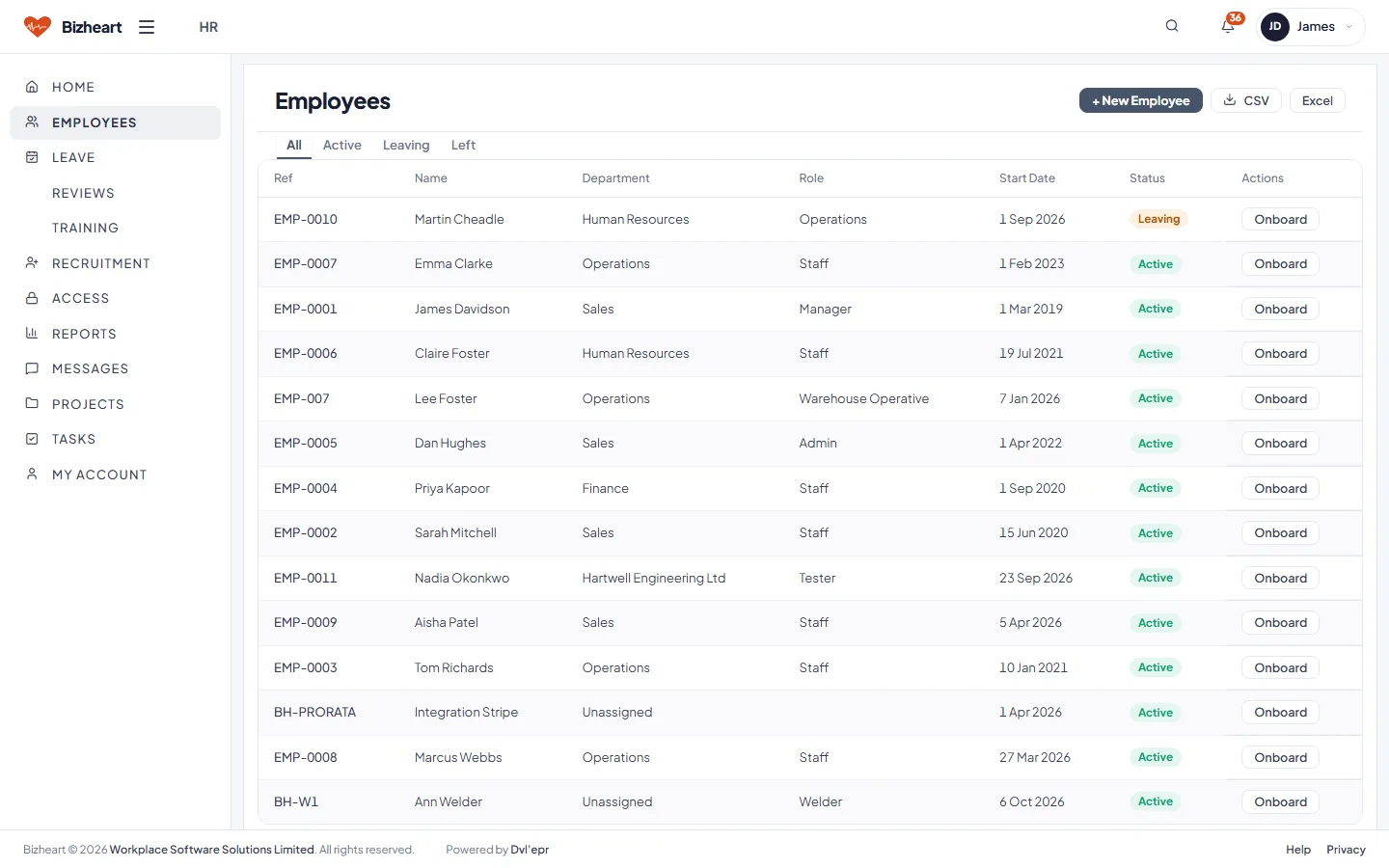
Employees list with department, role and start date
Leave requests list with approve and reject actions
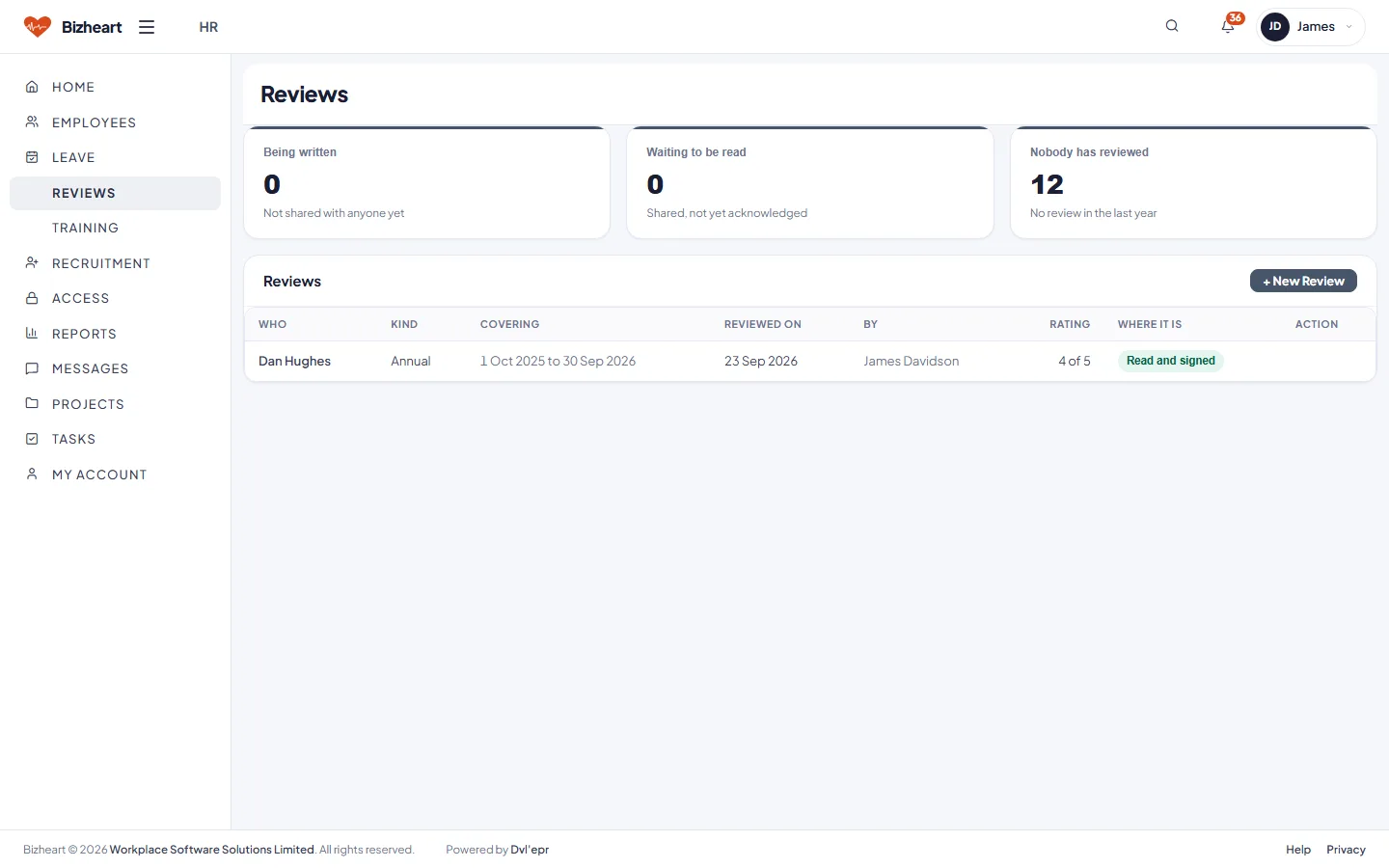
Performance reviews due and completed
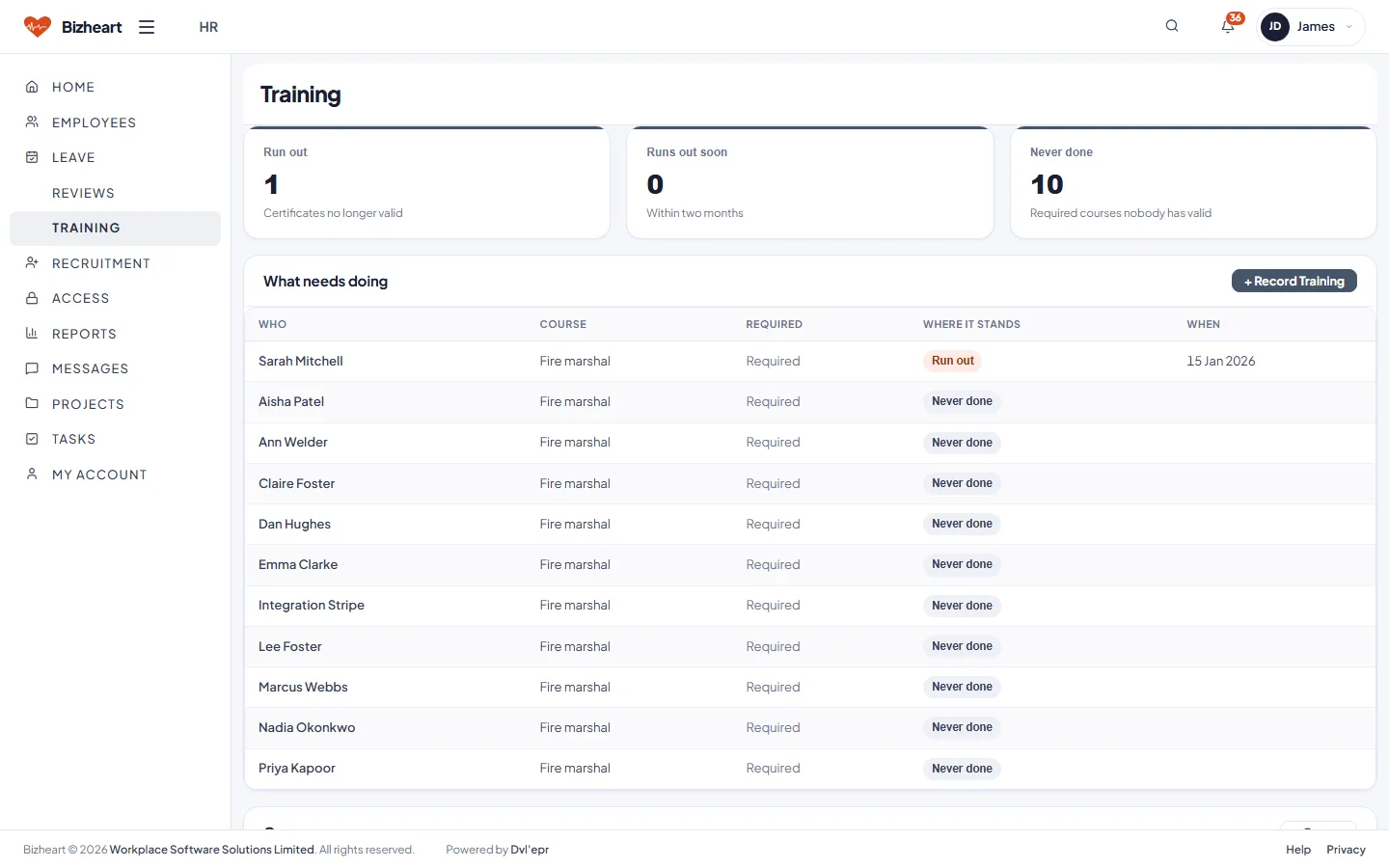
Training records by employee, with the certificate held and when it expires
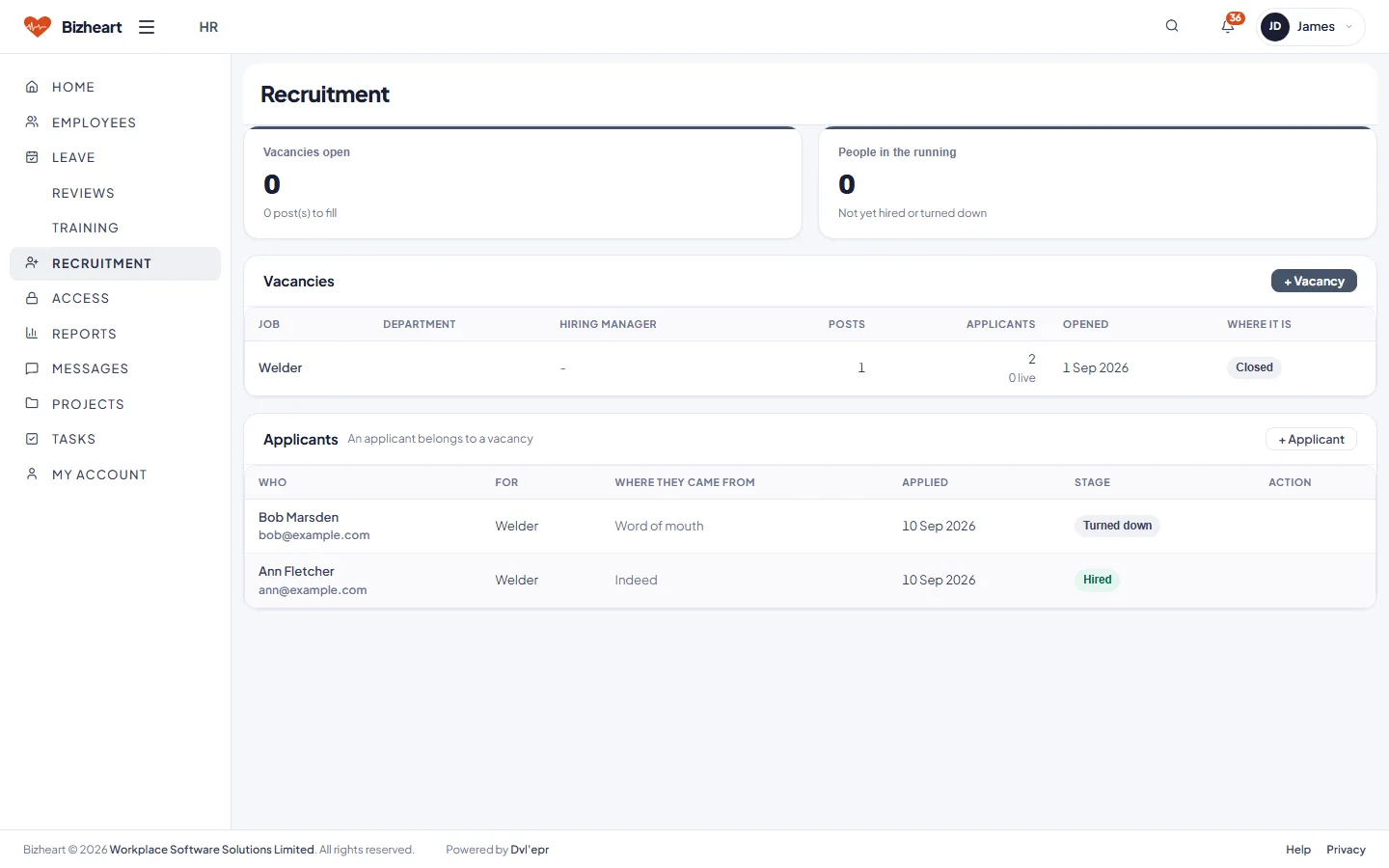
Recruitment: open vacancies and applicants by stage

Documents

A repository with document types, versions and review workflows. Specifications, contracts and certificates are held against the customer, supplier or order they belong to, and shared with the portals when you choose.

Documents dashboard: pending my review, my signed documents, recently finished and activity
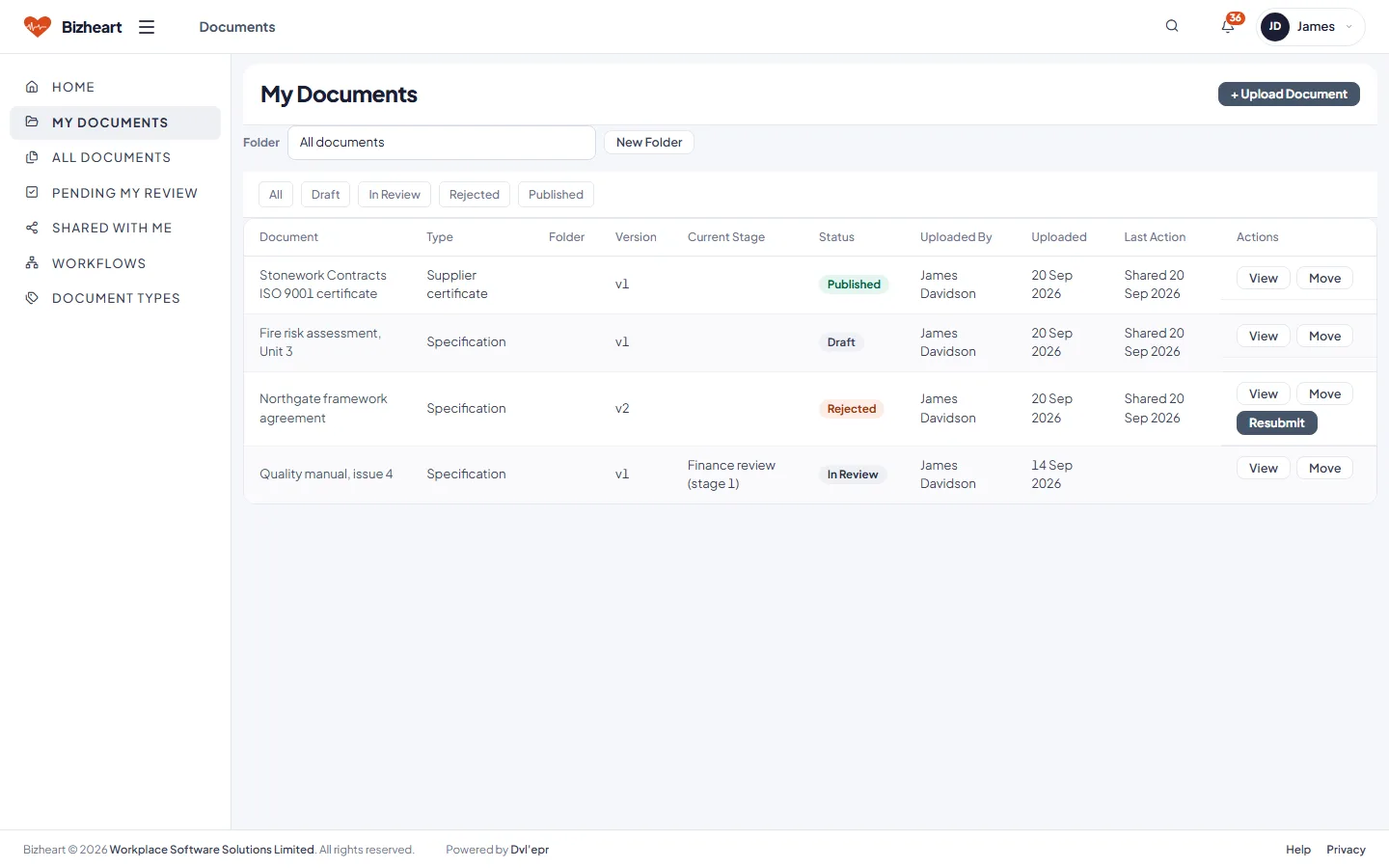
My documents with version, stage and status
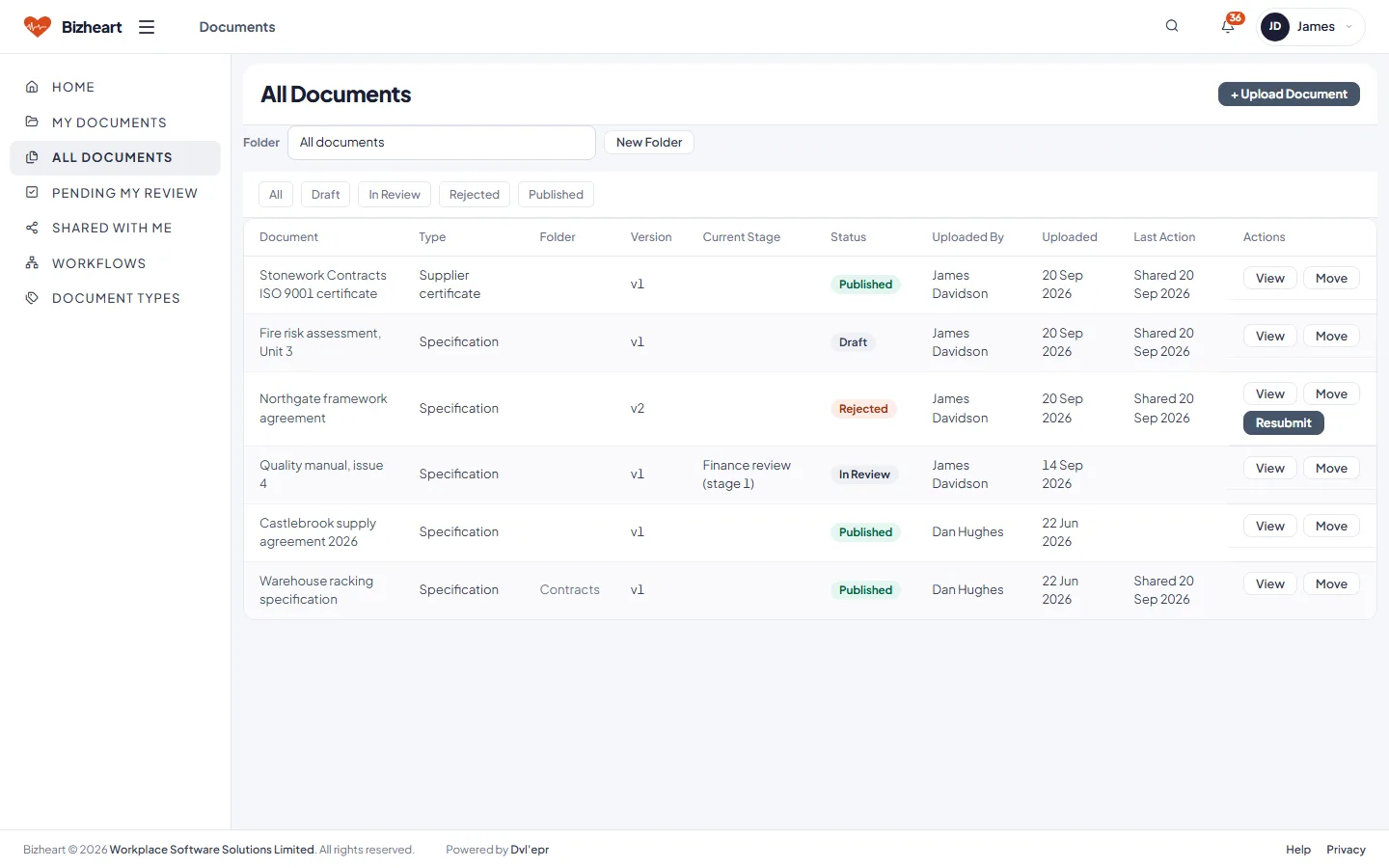
All documents list with type, version, status and owner
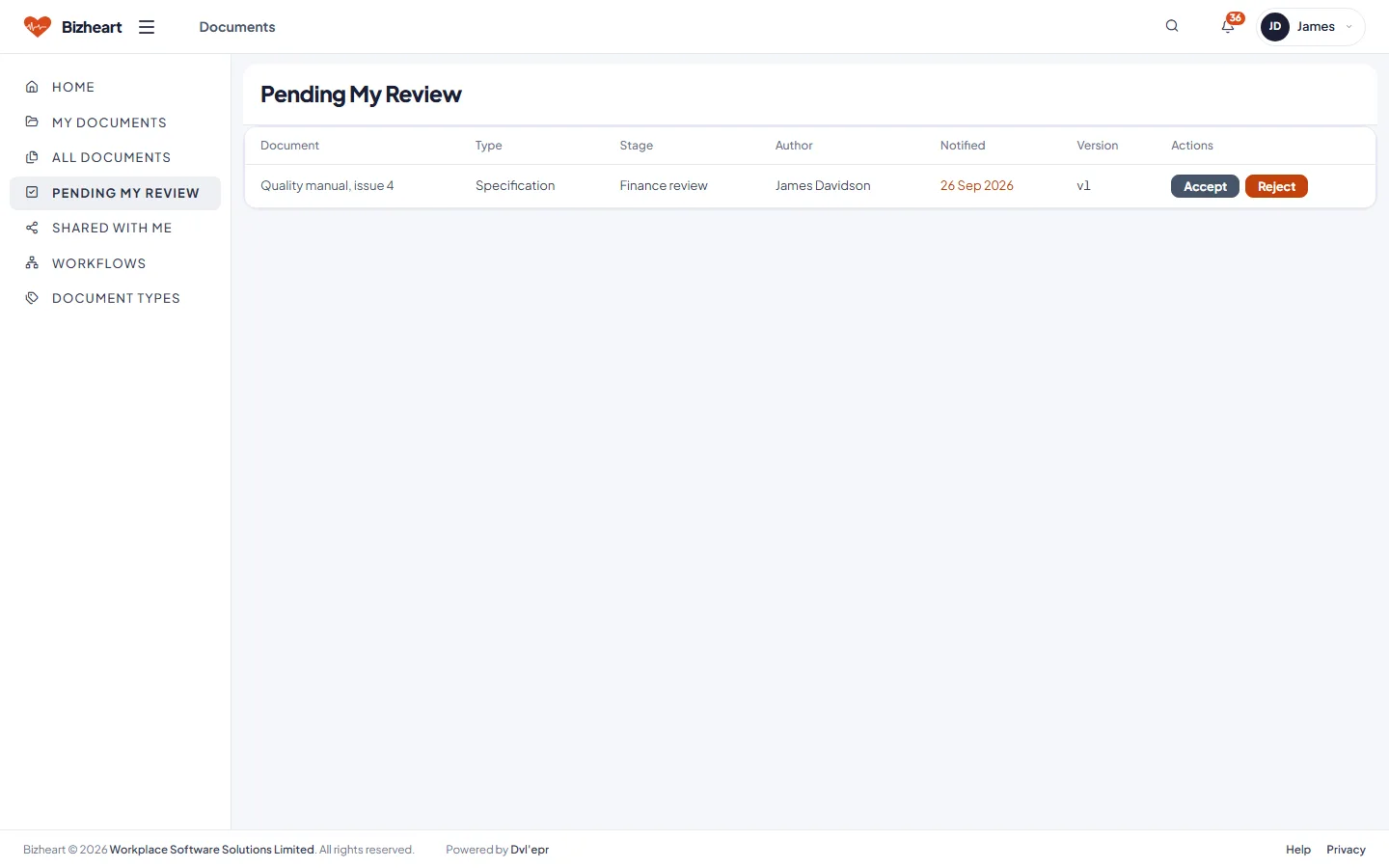
Documents waiting for my review, with the stage each is at
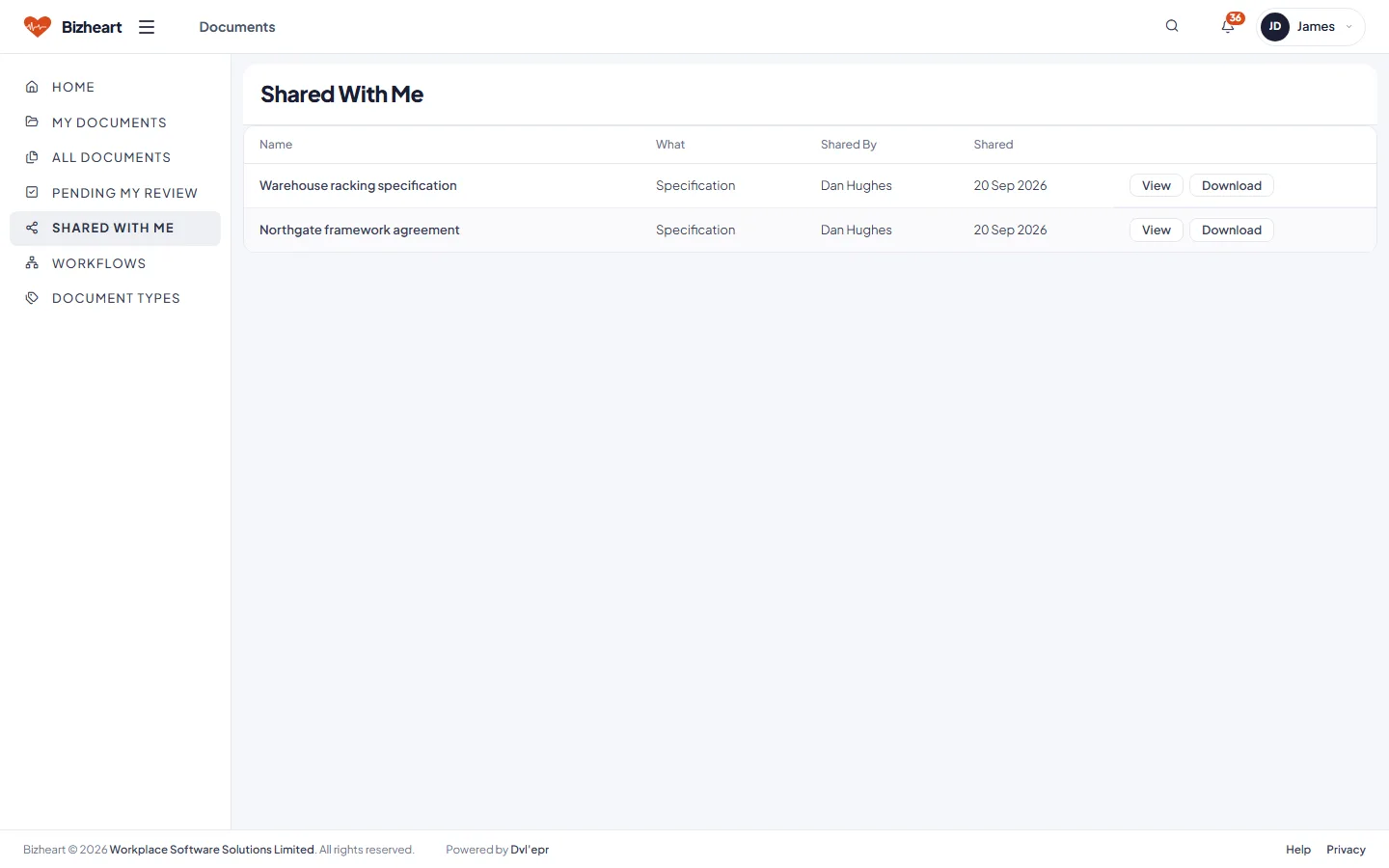
Documents others have shared with me
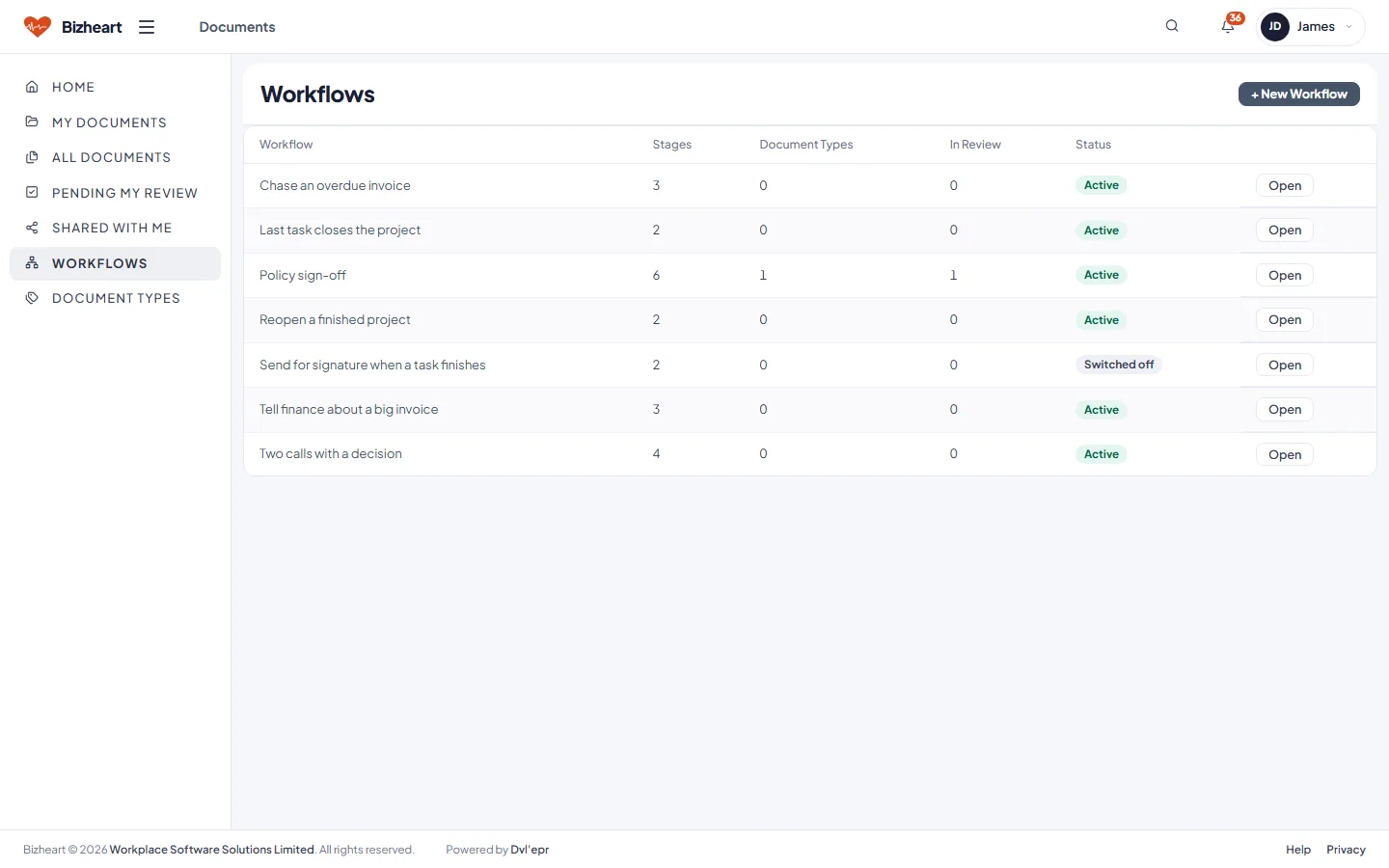
Review workflows with their stages and status
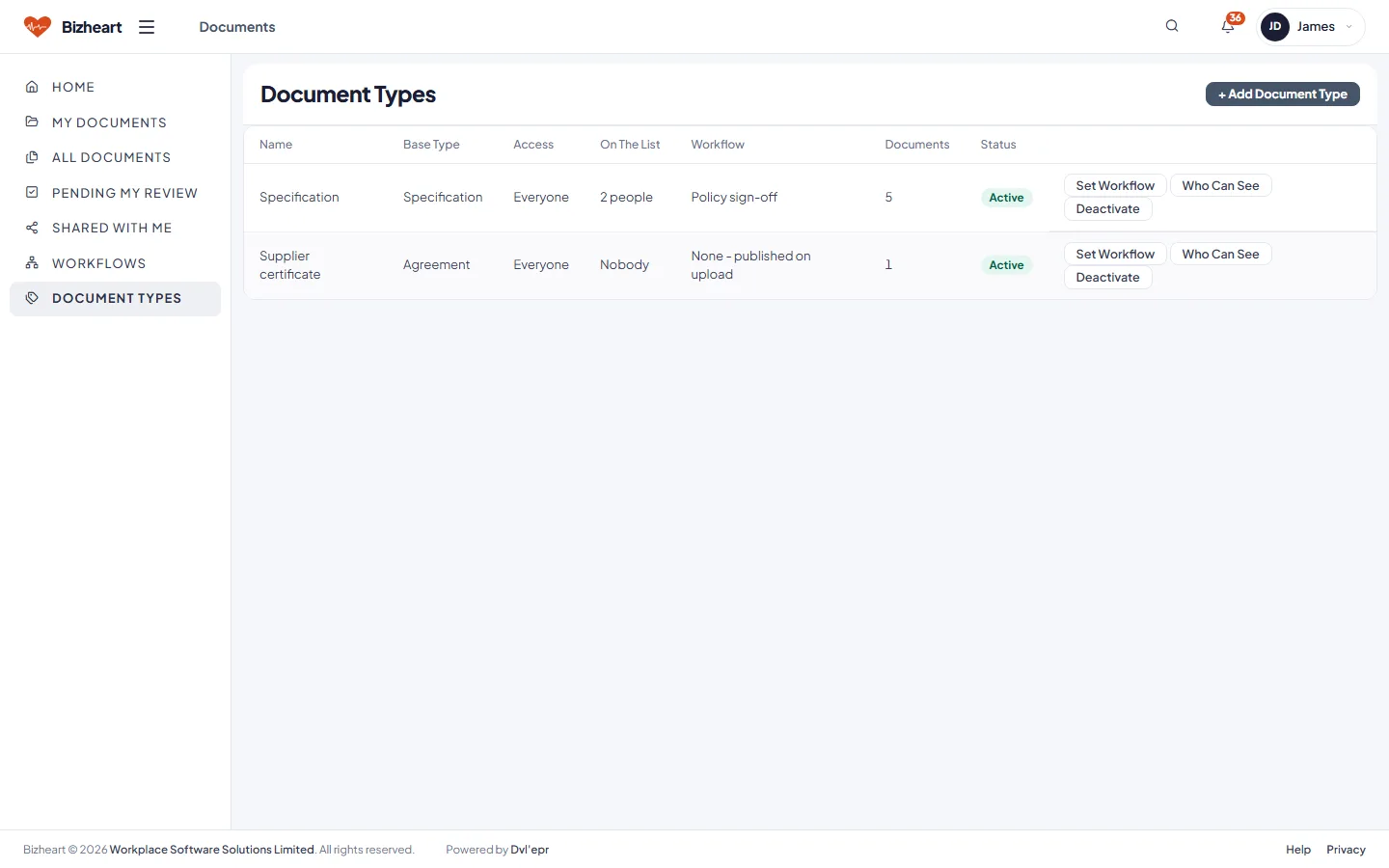
Document types with retention, workflow and access
Why Bizheart

Built like a suite. Fitted like a bespoke system.

Everything below is standard. The rest is tailored to your business.

One record moves through the business

A quote raised in Sales is the order the warehouse picks, the invoice Finance sends, the balance the manager sees and the line the customer checks in the portal. Nothing is re-keyed.

Approvals reach the approver

Thresholds you set decide what needs a manager. Anything above them arrives in the approver's feed, with Approve and Reject on the notice itself, and on their phone when they are away from the desk.

A supplier invoice notice with a three-way match exception and Approve and Reject buttons
A second supplier invoice notice awaiting a decision

Customer and supplier portals, included

Orders, invoices, cases, documents and projects for customers; purchase orders, invoices, payments and documents for suppliers.

Customer Portal home

VAT returns submitted to HMRC

Obligations come down from HMRC, the nine boxes are calculated from the ledger, and the return goes back through Making Tax Digital with the receipt reference stored against it.

A VAT return with the nine boxes calculated, ready to file with HMRC

Tailored by the people who built it

Bizheart is built on Dvl'epr, our own application engine. A screen, a rule or a report is a definition the engine reads, not code — so a change for your business is small and contained, made by the people who built the platform, and carried through updates.

Dvl'epr

Dvl'epr is a hypertext declarative platform that generates complete business web applications. No server-side coding, no JavaScript framework, no back-end framework: HTML structure and SQL are all it takes to build a full application.

Sign-ins HR can create without ever seeing a password

Passwords are hashed and never shown to anyone. New users and resets get a one-time link. Sign-in can require a code by email. Sign-in locks after repeated failures. Anything that moves money — a credit note, a supplier invoice, a change to a supplier's bank details — needs a second person to approve it. A portal sign-in needs an approver too, and staff sign-ins are HR's alone to create.

bcrypt passwordsOne-time set-password linksLockout after failed sign-insRequest forgery protectionServer-side validationTwo-factor sign-inSecond approver on moneyAudit trail on the ledger and HR
Start to finish

Single source of truth

Two everyday journeys, end to end, every step writing to the same ledger. The manager's cash view, the VAT return and the customer's balance are the same numbers.

Lead to money in the bank seven steps, six apps

  1. LeadCRM
  2. QuoteSales Staff
  3. OrderSales or Admin
  4. Pick and despatchWarehouse
  5. InvoiceFinance
  6. Payment and ledgerAccounting
  7. Customer sees itCustomer Portal

Purchase request to a paid supplier seven steps, six apps

  1. Purchase requestAny staff member
  2. ApprovalManager
  3. Purchase orderPurchasing
  4. Supplier acceptsSupplier Portal
  5. Goods inWarehouse
  6. Supplier invoiceFinance, three-way match
  7. PaymentAccounting

Discrepancies at goods in go to Admin as notices. Invoices that fail the three-way match wait for Finance. Nothing falls between two systems, because there is only one.

Implementation

Six steps from first conversation to live

The process we follow for a business of ten to fifty people. The configuration and tailoring are ours, not yours.

  1. Step 1

    Discovery

    We sit with each role and map how orders, purchases, stock, invoices and people are handled today. The result is a list of what is standard, what is a setting, and what needs tailoring.

  2. Step 2

    Configure and tailor

    Company settings, approval thresholds, categories, document types, departments and sign-ins. Then your terminology, your extra fields, and any screen a process of yours needs.

  3. Step 3

    Data

    Customers, suppliers, contacts, products, stock levels and opening balances brought in from spreadsheets or your current systems. You check it on real screens.

  4. Step 4

    Pilot

    Usually sales and the warehouse first, on live orders while the rest of the business carries on as before. What they find, we fix before the next team starts.

  5. Step 5

    Go live

    Finance, admin and management join, then the portals switch on. Training is by role, on your own data.

  6. Step 6

    Adjust

    The first weeks in use always turn up things nobody mentioned. Those changes are part of the implementation, not a new project.

A single-site business with tidy data moves through this quickly. Several locations, a large product range or years of history in another system need more care, and we will say so at discovery rather than after.

Pricing

Subscribe to it, or buy it outright

Same platform, same tailoring, same people. The difference is who runs the server and how you pay.

Hosted by us

Subscribe

A monthly fee per organisationPlus a one-off implementation fee covering discovery, configuration, tailoring, data and training
  • UK hosting, daily backups and updates included
  • The full platform, no per-seat charge
  • Customer and supplier portals included
  • Support from the people who built it
  • Rolling monthly after the first three months
Ask about a subscription
On your own server

Purchase

A one-off licence, priced per implementationOptional annual support and updates, tailoring quoted per change
  • Runs on your server or your private cloud
  • You hold the installation and the data
  • Standard PHP and MySQL, nothing exotic to host
  • Take updates when you choose
  • Move to the hosted service later if you prefer
Ask about a purchase
No per-application fees
Every user included
Tailoring by us, either way
Quoted after one conversation

We price per organisation, not per user. The more people who use it, the further that gets from per-seat software.

Questions

Before you get in touch

What kind of business is Bizheart for?

A UK business that sells, buys, holds stock, invoices and employs people, and is tired of those things living in five systems. Trade suppliers, distributors, manufacturers and service businesses with a stores function are the closest fit. If you do not hold stock, the warehouse app stays off.

Does it replace our accounts package?

It has a double-entry ledger, bank reconciliation, periods, aged balances, fixed assets and depreciation, budgets, multi-currency and a VAT return built for Making Tax Digital. It does not run payroll. Some businesses keep their accountant's package for year-end and post to it from Bizheart, and that is a normal setup.

Do we have to use all fifteen apps on day one?

No. The implementation starts with one team. A business can begin with sales, orders and stock, and bring finance, HR and the portals in when it is ready. The records are the same, so nothing is redone later.

What happens to our tailoring when the platform is updated?

Tailoring is done in the same definitions the product itself is built from, so it is carried through updates rather than sitting outside them. Before an update we check every tailored screen, because that is our job and not yours.

Where is our data if we subscribe?

On servers in the UK, backed up daily, with your organisation's data in its own database. If you later buy the platform, we hand that database to you.

What if we want to leave?

Your data does not live in a shared database, and you can export it. A subscriber who wants to run it themselves can buy the platform and take the database with them, on the same terms as anyone buying outright.

Can we see it with our own data before deciding?

Yes. A demo uses sample data. If it looks right, the next step is a short discovery and a pilot database loaded with a sample of your customers and products, so the decision is made on real screens.

See an order and a purchase go end to end, in forty minutes

Tell us roughly what your business does and how many people would use it. We will show you the platform on a call, then talk about what tailoring it would need.

Or email us